
CRM in Consultant Workflows: A 2026 Practical Guide
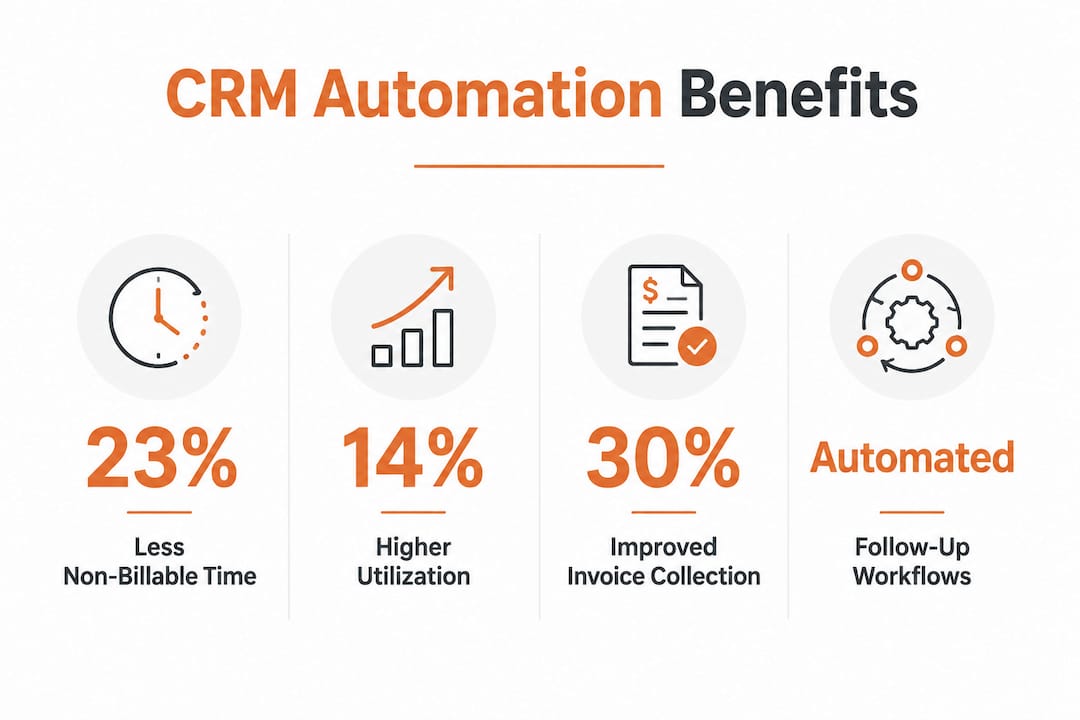
A CRM system is defined as the central tool consultants use to manage client relationships, track project phases, and enforce follow-up discipline across every stage of an engagement. The role of CRM in consultant workflows goes well beyond storing contact details. It structures how you move a prospect from first call to signed contract, then from kickoff through delivery and renewal. Workflow automation reduces non-billable time by 23% and raises utilization rates by 14% within 18 months. That is not a marginal gain. For a solo consultant or a 10-person firm, those numbers translate directly into more revenue from the same hours worked.
How does CRM structure the consulting client lifecycle?
The consulting client lifecycle has five distinct phases: lead qualification, discovery and proposal, close and onboarding, delivery, and renewal. A CRM workflow maps each phase to a pipeline stage with a required next action and a named owner. Without that structure, deals stall, follow-ups get missed, and clients feel neglected before the engagement even starts.
Here is how a well-built consulting CRM pipeline works in practice:
- Lead qualification. A new contact enters the CRM from a referral, website form, or event. The system assigns an owner and triggers a qualification checklist. No lead sits uncontacted for more than 24 hours.
- Discovery and proposal. The consultant logs call notes, attaches a brief, and moves the deal to “Proposal Sent.” The CRM timestamps the move and starts a follow-up timer.
- Proposal tracking. This is its own stage, not a substage of discovery. Automated 48-hour follow-ups after proposal submission are the highest-impact improvement consultants can make to conversion rates. The CRM sends that follow-up without you remembering to do it.
- Close and onboarding. When a deal is marked “Won,” the CRM triggers an onboarding checklist: kickoff meeting invite, contract sent, project folder created. Automating project kickoff compresses the typical cycle from 8–10 days to 2–3 days.
- Delivery and renewal. The CRM tracks engagement milestones and fires a renewal reminder 60 days before a contract end date. The relationship never goes cold by accident.
Simple 3–5 stage pipelines that reflect your actual process outperform aspirational 9-plus stage pipelines that nobody updates. Keep the stages honest.
Pro Tip: Start with five stages maximum. Add a stage only when you can name a specific action that happens there and a person responsible for it.

What are the measurable benefits of CRM automation and AI?
Workflow automation and AI do not just save time. They change what is possible for a small consulting team. The numbers from firms that have made the shift are striking.
Key performance improvements from CRM automation:
- Non-billable time drops 23% when end-to-end workflow automation is in place. That time shifts to billable client work.
- Utilization rates climb 14% within 18 months of implementation. Higher utilization means more revenue without hiring.
- Overdue invoice collection improves 15–25% within 90 days when automated collection sequences replace manual follow-up.
- AI-assisted firms manage 200–300 engagements per month with the same headcount that previously handled 50–100. That is up to four times the capacity.
- Up to 80% of repetitive tasks, including scheduling, status updates, and data entry, can be automated with AI workflows.
The invoice collection figure deserves attention. Most consultants lose revenue not because clients refuse to pay, but because nobody follows up consistently. An automated sequence fixes that without awkward phone calls.
AI workflows take this further by handling research, lead qualification, and proposal follow-up sequences. Role-based governance with human-in-the-loop controls keeps professional judgment in the process while AI handles the volume. You stay in control of the decisions that require your expertise. The system handles everything else.
Pro Tip: Set up your invoice follow-up sequence before your proposal follow-up sequence. Late payments cost you more than lost proposals.
Why do consultants abandon CRMs, and how do you fix that?
Many consultants abandon CRMs within six months because the tools are built for transactional sales, not relationship-driven consulting. A CRM designed to close one-time deals pushes you to fill in fields that do not match how consulting revenue actually works. That friction kills adoption fast.
The core mismatch is this: 60–80% of consulting revenue comes from repeat clients and referrals. A sales-focused CRM measures new leads and close rates. A consulting-focused CRM measures engagement health, relationship depth, and renewal signals. Those are different things.
The fixes are practical and specific:
- Minimize required fields. Ask for only the data you will actually use. Every unnecessary field is a reason not to update the record.
- Map stages to your real process. If your consulting practice has a “Scoping Workshop” phase, that needs to be a pipeline stage. Generic “Negotiation” stages do not fit.
- Enforce next-step ownership. Required next action dates prevent pipeline rot. Every open deal must have a named owner and a due date for the next action.
- Track engagement history, not just deal status. Log meeting notes, key decisions, and stakeholder preferences. That context is what makes repeat business feel personal.
- Build nurture sequences for dormant clients. A client who went quiet 90 days ago is not lost. An automated check-in sequence can reopen the conversation without manual effort.
Consultants gain more value from CRM workflows that prioritize engagement management over pipeline metrics. Reframe your CRM as a relationship record, not a sales scoreboard. That shift in thinking changes how your team uses it every day. For a deeper look at how CRM benefits translate to real results, the proven CRM outcomes documented across project-based industries show a consistent pattern.
How does CRM preserve client context through delivery handoffs?
The handoff gap is one of the most expensive problems in consulting. Sales collects detailed context during discovery: the client’s priorities, budget sensitivities, key stakeholders, and political dynamics. Then delivery starts, and none of that context transfers. The delivery team starts from scratch. The client notices.
A CRM solves this when it is used as the single source of truth across the entire engagement, not just the sales phase. Here is what that looks like in practice:
| Without CRM continuity | With CRM continuity |
|---|---|
| Delivery team asks client to repeat context | Delivery team reads the discovery notes before kickoff |
| Scope creep goes untracked | Scope changes are logged against the original agreement |
| Renewal is reactive and often missed | Renewal reminder fires 60 days before contract end |
| Stakeholder changes cause confusion | Contact records show current decision-makers and history |
| Revenue leakage from unbilled scope changes | All scope changes are visible and billable |
The handoff gap causes measurable revenue and delivery risk when sales-collected context fails to reach the delivery team. The fix is structural. Your CRM must be the place where proposal notes, scope documents, and stakeholder maps live, not just the place where deals are tracked.
The most effective setup connects your CRM to your project management tool and invoicing system. The CRM holds the relationship layer. Project management holds the task layer. Invoicing holds the financial layer. When all three connect, you get full visibility from first contact to final payment. Consultants who set up their CRM for project-based work with this three-layer model report far fewer scope disputes and missed renewals.
Key Takeaways
CRM systems improve consultant efficiency when workflows are built around relationship management, automated follow-up, and delivery continuity rather than generic sales pipelines.
| Point | Details |
|---|---|
| Start with a simple pipeline | Use 3–5 stages that match your real process; add stages only when a specific action justifies them. |
| Automate follow-up first | Automated 48-hour proposal follow-ups are the single highest-impact conversion improvement available. |
| Fix the handoff gap | Store discovery notes, scope documents, and stakeholder context in the CRM so delivery teams start informed. |
| Measure engagement, not just deals | Track relationship health and renewal signals, not only new lead volume, to reflect how consulting revenue actually works. |
| Connect your operational layers | Link CRM to project management and invoicing to prevent revenue leakage and scope disputes. |
Why I think most consultants are using CRM wrong
Most consultants I have worked with treat their CRM as a contact database with a pipeline attached. They fill in the deal stages, maybe log a few notes, and then wonder why the tool does not seem to pay off. The problem is not the software. The problem is the model.
CRM in consulting is not about tracking deals. It is about managing relationships across time. The consultants who get the most value from their systems are the ones who log every meaningful interaction, enforce next-step ownership religiously, and use the renewal reminder as a revenue protection tool, not an afterthought.
The AI piece is real, but I would caution against jumping to it before the basics are solid. Automating a broken follow-up process just means you send bad follow-ups faster. Get your pipeline stages honest, your ownership rules clear, and your handoff notes consistent first. Then layer in automation. That sequence matters more than the technology you choose.
The consultants I have seen fail with CRM almost always over-engineered the pipeline before they understood their own sales cycle. They built 11 stages for a process that really has four. Nobody updated the records. The tool became a graveyard of stale deals. Start simple. Iterate based on what your data actually shows, not what you think your process should look like.
— Rowena
How Highlevelcrm-rconstructionsolutions supports your consulting workflows
Consultants who want the benefits described in this article without building a system from scratch have a direct path forward with Highlevelcrm-rconstructionsolutions.

Highlevelcrm-rconstructionsolutions is built on over 30 years of project-based industry experience. It offers automated lead tracking, customizable pipeline stages, and follow-up sequences designed to fit relationship-driven business models. The platform connects client management, project delivery, and reporting in one place, so the handoff gap becomes a solved problem rather than a recurring cost. Some users report lead conversion rate increases of 35% after implementing its automated workflow features. To see how the platform fits your specific industry, the industries we serve page outlines tailored solutions across consulting and project-based sectors.
FAQ
What is the role of CRM in consultant workflows?
A CRM system manages client relationships, tracks pipeline stages, and automates follow-up across the full consulting lifecycle from lead to renewal. Its primary function is to prevent revenue leakage and keep client context intact through every phase of an engagement.
How does workflow automation reduce non-billable time for consultants?
End-to-end workflow automation reduces non-billable time by 23% and raises utilization rates by 14% within 18 months. Automation handles scheduling, follow-up sequences, and data entry so consultants spend more hours on billable client work.
Why do consultants abandon CRM tools so quickly?
Most consultants abandon CRMs within six months because the tools are designed for transactional sales rather than the relationship-driven model that generates 60–80% of consulting revenue. The fix is to build workflows around engagement management and repeat client nurturing instead of new lead volume.
How many pipeline stages should a consultant CRM have?
A simple 3–5 stage pipeline that reflects your actual consulting process outperforms a complex 9-plus stage pipeline that goes unmaintained. Add a stage only when a specific, named action happens there and a specific person owns it.
How does CRM prevent the handoff gap between sales and delivery?
A CRM prevents the handoff gap by storing discovery notes, stakeholder maps, and scope documents in a shared record that both sales and delivery teams access. When delivery starts with full context, scope disputes and client frustration drop significantly.

