
Inventory Tracking Software Explained: 2026 Guide
Inventory tracking software is an automated system that records every stock movement in real time, keeping your physical inventory and digital records aligned across every location. Known formally as inventory management software or a warehouse management system (WMS), it replaces manual counts and spreadsheets with live data captured through barcode scanning, RFID, and direct integration with ERP platforms like SAP, Oracle, and QuickBooks. For business owners and inventory managers, understanding inventory tracking software explained in practical terms means knowing not just what it does, but how it works, what features matter, and how to implement it without losing accuracy in the process.
How does inventory tracking software work in practice?
Inventory tracking software records each stock movement against a specific item identifier, bin location, and transaction type the moment it happens. Software architectures typically combine an ERP as the financial record with a WMS and mobile scanning layer capturing real-world transactions via barcode or RFID. That three-layer structure is what keeps your system quantities aligned with what is physically on the shelf.
Here is how the core workflow operates:
- Receiving: A warehouse associate scans an inbound shipment. The system logs the SKU, quantity, lot number, and bin location immediately.
- Picking and shipping: A scan at the pick location deducts stock in real time, triggering replenishment alerts if quantities fall below reorder thresholds.
- Returns and transfers: Each return or inter-location transfer generates its own transaction record, keeping every location balance accurate.
- Adjustments: Cycle count results post directly to the system, correcting any variance between physical and digital counts.
Real-time inventory updates occur at the moment of each transaction event, which reduces overselling and stockouts compared to batch updates done at end of day or week. That difference matters enormously when you are managing multiple sales channels or warehouse locations simultaneously.
Pro Tip: Set up your scanning workflows at receiving first. Receiving is where most inventory errors originate, and fixing accuracy at that entry point prevents cascading discrepancies downstream.

What features does effective inventory tracking software include?
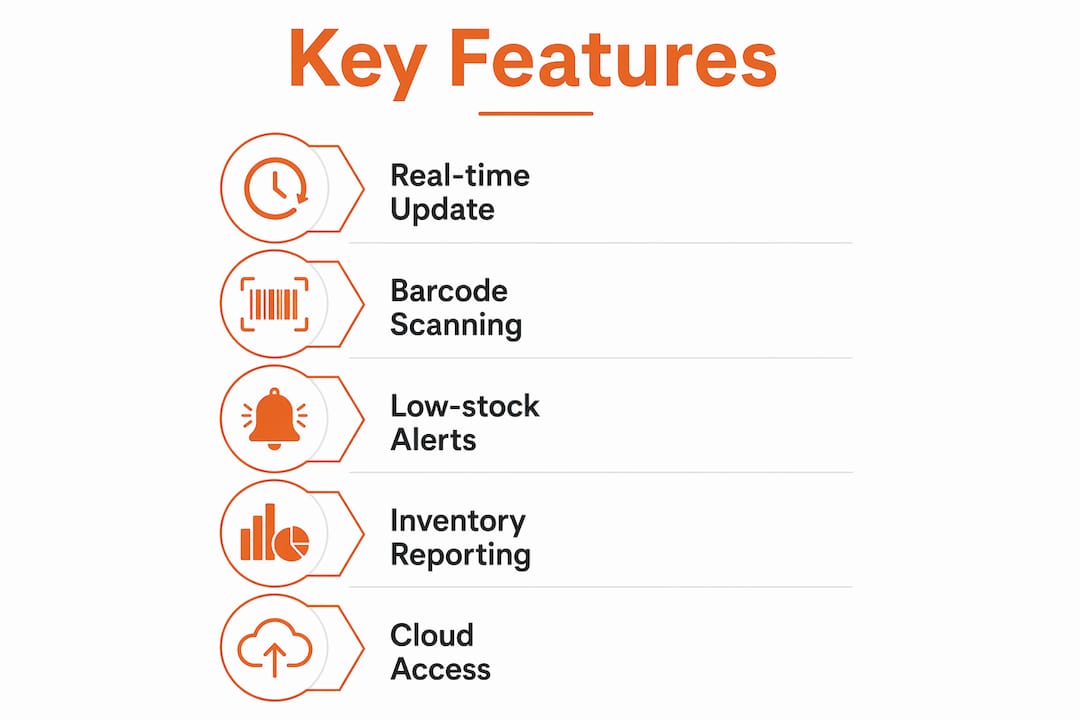
The baseline features of modern inventory tracking systems include SKU and bin location tracking, barcode, RFID, and QR code scanning support, batch and lot tracking, serial number tracking, low-stock alerts, multi-warehouse visibility, and analytics dashboards. These are not optional extras. They are the foundation of any system worth deploying.
Beyond the baseline, look for these capabilities when evaluating options:
- Automated reorder points: The system triggers a purchase order or alert when stock drops below a defined threshold, removing the guesswork from replenishment.
- ABC classification support: High-value A items get counted weekly, B items monthly, and C items quarterly, focusing your team’s effort where it matters most.
- Multi-location visibility: A single dashboard shows stock levels across every warehouse, store, or jobsite in real time.
- Integrations: Connections to ecommerce platforms, point-of-sale systems, and accounting software like QuickBooks Online keep data consistent across your entire operation.
- Mobile app support: Frontline staff use handheld scanners or smartphones to complete receiving, picking, and cycle counts without returning to a desktop terminal.
Here is how common feature sets compare across system types:
| Feature | Basic ERP Module | Standalone WMS | Cloud Omnichannel Platform |
|---|---|---|---|
| SKU and bin tracking | Limited | Full | Full |
| Barcode and RFID scanning | Partial | Full | Full |
| Multi-warehouse visibility | Limited | Full | Full |
| Ecommerce integration | Rare | Partial | Native |
| Real-time reorder alerts | Basic | Advanced | Advanced |
| Mobile app support | Limited | Full | Full |
QuickBooks Online includes low-stock alerts, inventory tracking activation in settings, and detailed inventory reporting. That makes it a practical starting point for small businesses before they need a dedicated WMS.
How to successfully implement inventory tracking software
The single most common reason inventory software implementations fail is that businesses choose the software before they fix their processes. Defining and optimizing your inventory processes before software selection is the correct sequence. The tool enables a good process. It cannot rescue a broken one.
Follow these steps to get your implementation right:
- Audit your current inventory data. Identify duplicate SKUs, missing location codes, and inconsistent unit-of-measure entries. Clean data is the foundation of accurate tracking.
- Standardize your master data. Every item needs a unique SKU, a clear description, and an assigned bin location before you import anything into the new system.
- Run a parallel operation for two weeks. A phased rollout focused on one workflow, such as receiving, reduces risk and builds team confidence before full cutover. This is sometimes called “trust shock” mitigation, and it works.
- Train on scanning discipline. Every transaction must be scanned at the point of movement. Skipping scans, even once, creates variances that compound over time.
- Implement cycle counting from day one. Use ABC cycle counting to prioritize your counting effort. Count A items weekly or biweekly, B items monthly, and C items quarterly.
- Establish governance policies. Define who can make adjustments, how variances are investigated, and what triggers a recount. Policy gaps are where accuracy erodes.
Most inventory accuracy issues stem from poor master data and inconsistent location labeling rather than software interface problems. Fix your data and your labeling before you go live, and you eliminate the most common source of post-implementation frustration.
Pro Tip: Before importing your item catalog, run every SKU through a duplicate check and confirm each one has a bin location assigned. A clean import takes an extra day. Cleaning up bad data after go-live takes weeks.
What practical benefits does inventory tracking software deliver?
The operational gains from deploying inventory tracking software are measurable and consistent across industries. Barcode and scanning-integrated workflows achieve inventory accuracy rates above 99.5%, compared to roughly 63% in non-integrated systems. That gap represents thousands of dollars in phantom inventory losses, missed sales, and emergency purchasing costs.
Here is what you can expect once the system is running correctly:
- Stockout reduction: Real-time reorder alerts prevent you from running out of fast-moving items before a purchase order is placed.
- Overselling elimination: Live stock quantities sync across all sales channels, so you never sell what you do not have.
- Faster order fulfillment: Accurate bin locations mean pickers find items on the first attempt, cutting fulfillment time significantly.
- Better purchasing decisions: Turnover reports and velocity data show you which items to stock more of and which to reduce, replacing gut-feel purchasing with data.
- Time savings: Automated counts and live dashboards replace hours of manual spreadsheet reconciliation every week.
High-SKU-count operations using cloud-based omnichannel inventory platforms maintain accuracy rates near 99.9% by combining automated low-stock alerts with order velocity data. For construction businesses managing materials across multiple jobsites, that level of accuracy directly reduces project delays caused by missing or miscounted materials. You can read more about construction material tracking to see how these principles apply on the jobsite.
Inventory tracking software types: which one fits your business?
Choosing the right system architecture depends on your business size, the number of locations you manage, and how complex your inventory workflows are. The wrong choice creates either too much complexity for a small team or too little capability for a growing operation.
| System Type | Best For | Key Strengths | Limitations |
|---|---|---|---|
| ERP-embedded module | Small to midsize businesses | Single platform, accounting integration | Limited WMS depth |
| Standalone WMS | Midsize to large warehouses | Full bin-level control, advanced scanning | Requires ERP integration |
| Cloud omnichannel platform | Multi-channel retailers and distributors | Real-time sync across channels and locations | Higher cost |
| Mobile scanning layer | Businesses adding scanning to existing ERP | Low cost, fast deployment | Depends on ERP data quality |
Inventory tracking system types range from on-premise installations to cloud-based platforms, with small businesses often starting with ERP tools and mid-to-large operations requiring scalable, integrated platforms with barcode scanning and multi-warehouse support. Cloud-based systems have become the default choice for most growing businesses because they eliminate server maintenance costs and allow remote access from any location.
For construction and contracting businesses, the relevant consideration is whether the system connects to your project management and procurement workflows. Materials sitting in a warehouse are only half the picture. Materials staged at a jobsite, allocated to a specific project, and tracked through installation represent the full inventory lifecycle in construction.
Key takeaways
Inventory tracking software delivers accurate, real-time stock visibility only when clean master data, disciplined scanning workflows, and sound inventory policies are in place before and after go-live.
| Point | Details |
|---|---|
| Process before software | Define reorder policies and clean your SKU data before selecting or deploying any system. |
| Scanning discipline is non-negotiable | Every stock movement must be scanned at the point of transaction to maintain accuracy above 99.5%. |
| Phased rollout reduces risk | Start with one workflow like receiving for two weeks before expanding to full system adoption. |
| ABC cycle counting focuses effort | Count high-value A items weekly and lower-value C items quarterly to optimize labor and accuracy. |
| System type must match complexity | Small businesses start with ERP modules; multi-location operations need a standalone WMS or cloud platform. |
Why process discipline beats software selection every time
I have worked with enough inventory operations to say this plainly: the software is rarely the problem. The problem is almost always the process that runs underneath it.
I have seen businesses spend significant budget on best-in-class WMS platforms, only to have accuracy rates barely improve because their team was not scanning consistently or their bin locations were labeled incorrectly. The software reported what it was told. It was told wrong things.
The insight that changed how I approach implementations is this: inventory process policies like reorder points, safety stock levels, and count frequency fundamentally determine software outcomes. Software cannot fix broken inventory governance. It amplifies whatever process you feed it, good or bad.
What actually works is starting with a two-week parallel run on a single workflow, usually receiving, before touching anything else. That window builds team confidence, surfaces data problems early, and gives management time to reinforce scanning habits before the stakes are high. I have also found that mobile scanning workflows create a complete auditable transaction record at the point of movement, which replaces paper logging and removes the single biggest source of human error in most warehouses.
My honest recommendation: spend as much time on your master data cleanup and location labeling as you do on software evaluation. The system you choose matters less than the data you put into it.
— Rowena
See how Highlevelcrm-rconstructionsolutions supports your operations
If you manage inventory across construction projects, Highlevelcrm-rconstructionsolutions brings the operational visibility you need into one place. Built on over 30 years of construction industry experience, it connects automated lead tracking, project workflows, and custom reporting dashboards in a single platform designed specifically for contractors.
Unlike generic platforms, Highlevelcrm-rconstructionsolutions integrates with industry-specific tools and gives you the reporting clarity to make faster purchasing and project decisions. Contractors using the platform report lead conversion increases of up to 35%, with measurable reductions in project management time and errors. Explore the full CRM features and FAQs to see how it fits your operation, or visit our industries page to find solutions built for your sector.
FAQ
What is inventory tracking software?
Inventory tracking software is an automated system that records stock movements in real time using barcode scanning, RFID, and ERP integration to keep physical and digital inventory counts aligned. It replaces manual spreadsheets with live, location-level stock data.
How does real-time inventory tracking reduce stockouts?
Real-time updates occur at the moment of each transaction, triggering low-stock alerts before quantities reach zero. This gives purchasing teams time to reorder before a stockout affects fulfillment or production.
What accuracy rate does scanning-based inventory software achieve?
Barcode and scanning-integrated systems achieve inventory accuracy above 99.5%, compared to roughly 63% in non-integrated operations. Phantom inventory losses drop to under 0.3% with real-time scanning and bin-level tracking.
How do i migrate from spreadsheets to inventory software?
Audit and clean your current data first, then import standardized SKUs and bin locations into the new system. Run a parallel operation for two weeks on one workflow before full cutover to avoid accuracy loss during the transition.
Which type of inventory software is right for a small business?
Small businesses typically start with an ERP-embedded inventory module like QuickBooks Online, which includes low-stock alerts and basic inventory reporting. As volume and location complexity grow, a standalone WMS or cloud-based platform becomes the better fit.