
Reduce Manual Onboarding Steps at Your Construction Firm
Reducing manual onboarding steps at a construction firm is achieved by adopting automated credential tracking, digital document submission portals, and milestone-based workflows that move critical tasks before workers ever arrive on site. The industry term for this approach is onboarding automation, and it directly addresses the administrative drag that costs construction firms thousands of dollars per hire. Digital induction and credential verification prior to arrival cuts on-site onboarding time from a typical 4–7 days down to 24 hours. That shift alone changes how fast your crews and subcontractors become productive. Tools like Ideagen and platforms built by US Tech Automations have demonstrated this at scale, and the results are consistent: less paperwork, fewer delays, and lower labor costs across the board.
What manual steps slow down construction firm onboarding?
Manual onboarding in construction typically involves the same five bottlenecks, repeated across every new hire and subcontractor. Identifying them is the first step toward eliminating them.
- Document collection. Paper forms, emailed PDFs, and faxed certificates arrive at different times and in different formats. Your admin team spends hours chasing submissions and reconciling inconsistencies.
- Credential verification. Manually checking licenses, certifications, and insurance policies against expiration dates is time-consuming and error-prone. One missed renewal can halt site access.
- Induction scheduling. Coordinating safety briefings, site orientations, and role-specific training across multiple stakeholders creates scheduling conflicts and delays mobilization.
- Approval routing. Documents move from HR to field supervisors to finance, often by email. Without a defined workflow, approvals stall and workers wait.
- Compliance sign-off. Confirming that every subcontractor meets your insurance minimums and regulatory requirements before mobilization requires manual cross-referencing of multiple documents.
Automation targets each of these steps directly. Digital portals collect documents in a single session. Automated workflows route approvals to the right person without manual pushes. Credential tracking flags expiration dates before they become a problem.
Pro Tip: Move document collection to a pre-arrival digital portal. Subcontractors complete submissions before they reach your site, so day one is spent working, not filling out forms.
How do digital tools and portals cut onboarding time?
The biggest time savings in construction onboarding automation come from replacing fragmented manual submissions with a single, centralized portal. Changing the document chase to a branded portal where subcontractors upload everything in one session produces the majority of cycle time reduction. This is not a minor efficiency gain. It is a structural change in how your firm processes new contractors.

Features to prioritize in onboarding software
When evaluating onboarding tools for construction, look for these capabilities:
- Credential automation. The system should track license types, expiration dates, and renewal requirements without manual input.
- Self-service portal. Subcontractors and new hires log in, upload documents, and track their own status. Your team reviews, not chases.
- ERP and accounting integration. Data flows directly into your project management or accounting system, eliminating duplicate data entry.
- Automated approval routing. Tasks auto-assign to HR, field supervisors, IT, or finance based on role and risk level.
- Compliance flagging. The system identifies missing or expired documents before mobilization is approved.
Real-world results: 50% faster onboarding
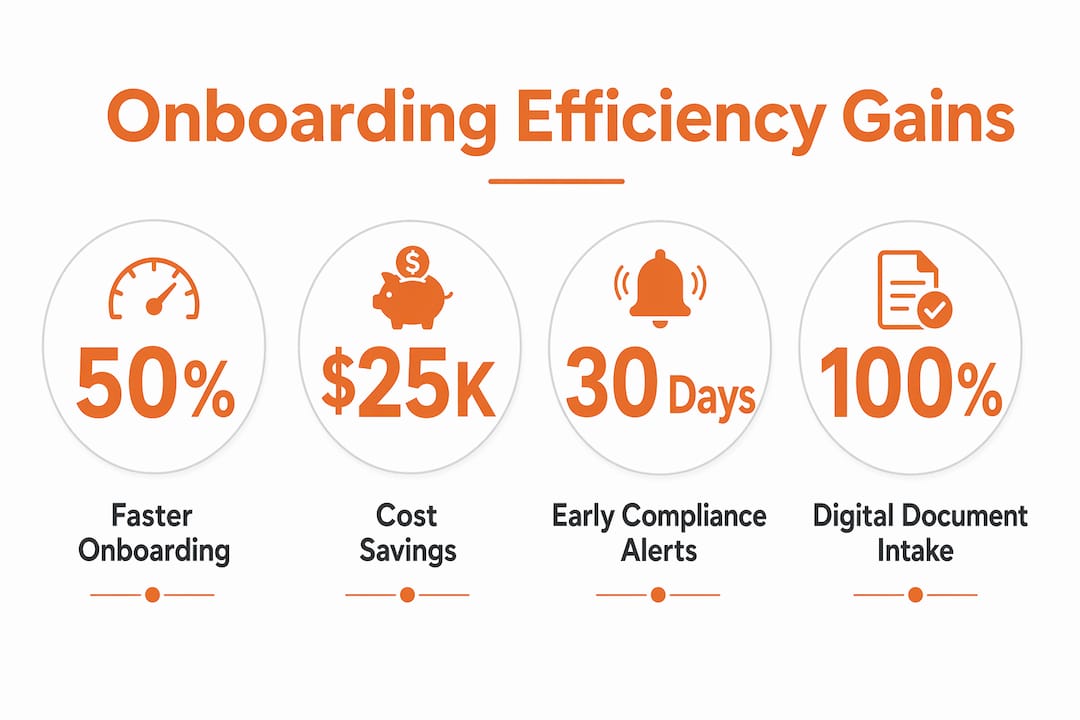
A remodeling contractor using automated credential collection, insurance verification, and compliance tracking cut subcontractor onboarding from 14 to 7 days, saving $94,000 annually. Document collection dropped from 4–6 days to under 24 hours. Insurance verification went from days to near-instant. Those numbers reflect what happens when you replace email chains with a governed digital process.
Setting service-level agreements (SLAs) inside your onboarding workflow adds another layer of control. Automated intake with defined SLA targets of 3 days for low-risk subcontractors and 10 days for bonded or legal reviews improves both speed and consistency. You stop guessing where a contractor stands and start managing to a defined standard.
Pro Tip: Brand your onboarding portal with your firm’s logo and colors. Subcontractors treat a professional portal more seriously than a generic email request, and completion rates improve noticeably.
How should you structure milestone-based onboarding workflows?
A milestone-based onboarding workflow defines exactly what needs to happen, when it happens, and who is responsible. Without this structure, onboarding becomes a series of remembered tasks rather than a managed process.
The 30-60-90 day framework is the standard approach for role-specific onboarding in construction. Here is how to apply it:
- Days 1–30: Foundation. Complete all compliance and credential verification before day one. Assign a site supervisor as the primary contact. Conduct safety orientation and role-specific training within the first week. Set clear performance expectations in writing.
- Days 31–60: Integration. Schedule a formal check-in at day 30 to review early performance. Identify any gaps in training or access. Confirm that all system integrations (payroll, scheduling, project management) are functioning correctly for the new hire or subcontractor.
- Days 61–90: Performance review. Conduct a structured review using role-specific KPIs. Collect feedback from the worker and their supervisor. Identify any compliance renewals due within the next 90 days and trigger automated reminders.
Role-specific milestones with scheduled feedback catch issues early, avoiding costlier problems that surface at day 85 or later. The cost of a compliance failure or a poorly integrated subcontractor at month three far exceeds the time investment of a structured 30-day check-in.
KPI framework by role
| Role | Key Onboarding KPIs |
|---|---|
| Field laborer | Safety orientation complete, PPE issued, site access confirmed |
| Subcontractor | Insurance verified, license current, compliance sign-off received |
| Project manager | System access active, project assignments confirmed, 30-day review scheduled |
| Office staff | Software training complete, payroll setup verified, HR documentation filed |
Onboarding automation orchestrates multi-stakeholder steps by auto-creating tasks and routing them based on role and dependencies. HR does not need to remind IT. IT does not need to remind the field supervisor. The system handles the sequencing.
Pro Tip: Schedule your 30-day check-in as an automatic calendar invite the moment a new hire or subcontractor is added to the system. Waiting until day 28 to schedule it means it often gets pushed to day 45.
How does automated compliance tracking reduce manual follow-ups?
Compliance management is where manual processes create the most risk in construction. A single lapsed certificate of insurance can expose your firm to liability and halt work on a project. Automation removes the human memory requirement from this process entirely.
Effective compliance automation for construction firms includes:
- Defined insurance minimums. Set your required coverage levels in the system. Any subcontractor submission that falls below the threshold is automatically flagged before approval.
- No-mobilization rules. Configure the system so that site access is not granted until compliance is verified. This removes the temptation to let someone start work while paperwork catches up.
- Dual-stage expiration alerts. Automated renewal alerts at 60 and 30 days give subcontractors enough time to renew without disrupting your schedule. A single reminder at 7 days is too late.
- Access control integration. Link your onboarding system to site access controls so that expired credentials automatically trigger a hold on entry until renewal is confirmed.
- Document audit trails. Every submission, approval, and renewal is logged with a timestamp. This protects your firm in the event of a dispute or regulatory audit.
Automated credential tracking flags upcoming certification expiries 30 days in advance, preventing delays in re-onboarding and access changes. That proactive window is the difference between a smooth renewal and an emergency scramble that pulls your project manager off more important work.
Compliance documentation also benefits from automated ingestion and normalization. Subcontractors submit documents in inconsistent formats. A system that normalizes and classifies incoming data reduces the manual record-cleaning your admin team currently handles. You can also learn more about managing compliance documents faster from the subcontractor’s perspective, which helps you design a portal that works for both sides.
Key takeaways
Automating onboarding in a construction firm requires shifting document collection earlier, deploying a centralized portal, and building structured workflows with compliance triggers and milestone reviews.
| Point | Details |
|---|---|
| Move tasks before arrival | Digital portals cut on-site onboarding from days to 24 hours when used pre-arrival. |
| Use a centralized portal | One-session document uploads eliminate the fragmented email chase that delays approvals. |
| Set SLAs by risk level | Define 3-day targets for low-risk and 10-day targets for bonded subcontractors to manage speed and consistency. |
| Apply the 30-60-90 framework | Scheduled milestones and KPI reviews catch integration problems before they become costly. |
| Automate compliance alerts | Dual-stage expiration reminders at 60 and 30 days prevent credential lapses from halting site work. |
Why onboarding automation changes more than just paperwork
I have worked with construction firms that treated onboarding as an administrative afterthought, something to get through before the real work started. That mindset is expensive. Every day a subcontractor spends waiting for credential approval or chasing a missing form is a day your project timeline absorbs the cost.
What I have seen consistently is that the firms making the fastest progress are not the ones with the most sophisticated software. They are the ones that redesigned the process first and then chose technology to support it. Dropping a digital portal onto a broken workflow just digitizes the chaos. You need governed orchestration, as described in construction workflow automation guides, with defined intake, validation, risk routing, and approvals before you automate anything.
The resistance I hear most often from project managers is that subcontractors will not use a portal. In my experience, that resistance disappears when the portal is simple, branded, and mobile-friendly. Subcontractors are not opposed to technology. They are opposed to technology that wastes their time. A well-designed portal that lets them submit everything in one session is faster than the old way, and they know it.
The other lesson I would pass on is this: do not wait for a compliance failure to justify the investment. The $94,000 annual savings documented in the US Tech Automations case study came from a firm that was not in crisis. They were proactive. That is the posture that separates firms that grow from firms that scramble.
— Rowena
See how Highlevelcrm-rconstructionsolutions handles this for you
If you are ready to cut the administrative load from your onboarding process, Highlevelcrm-rconstructionsolutions was built specifically for this. Developed with over 30 years of construction industry experience, it automates credential collection, routes compliance approvals, and tracks document expirations without requiring your team to manage any of it manually.
The platform integrates with your existing project management and accounting tools, so data moves where it needs to go without duplicate entry. You get custom reporting dashboards that show onboarding status by subcontractor, role, and compliance category at a glance. Explore the full CRM features and FAQs to see exactly how the automation works, or visit industries we serve to see how Highlevelcrm-rconstructionsolutions supports firms like yours.
FAQ
What does it mean to reduce manual onboarding steps in construction?
Reducing manual onboarding steps means replacing paper forms, email chains, and manual credential checks with automated digital workflows that collect, verify, and route documents without staff intervention.
How much time can automation save in subcontractor onboarding?
A remodeling contractor using automated credential and insurance verification cut onboarding from 14 to 7 days, saving $94,000 annually. Document collection alone dropped from 4–6 days to under 24 hours.
What is the 30-60-90 day onboarding plan in construction?
The 30-60-90 day plan is a milestone framework that schedules compliance verification, training, performance check-ins, and KPI reviews at defined intervals to catch problems early and confirm full integration.
How does automated compliance tracking prevent site delays?
Automated systems flag certificate expirations at 60 and 30 days in advance and can block site access until renewals are confirmed, removing the risk of a lapsed credential halting project work.
What features should construction onboarding software include?
Look for credential automation, a self-service document portal, ERP integration, automated approval routing, and compliance flagging. These five features address the core bottlenecks in construction firm onboarding.