Contractor Warranty Tracking: Use the 11 Month Walk to Cut Callbacks
Centralize every warranty obligation into one register, assign a single Warranty Champion to own it, and automate the intake-to-close workflow. Start today with three moves: log every outstanding warranty you currently have scattered across job files, schedule an 11-month inspection on any project approaching its one-year mark, and set up one intake channel for owner claims. Software scales the process later, but these process fixes solve most missed-claim problems now.
TL;DR:
- Track all warranty obligations in a centralized register from project closeout, including start dates, responsible parties, and documentation, to avoid missed claims.
- Schedule inspections before the warranty expiration, especially the critical 11-month walk, to identify issues while warranties are still enforceable.
- Automate claim intake, routing, and escalation processes using a construction-specific CRM to ensure timely responses and maintain an audit trail.
- Implement clear subcontractor warranty clauses, including defined terms, start dates, contact info, and response SLAs, to strengthen recovery options.
- Assign a dedicated Warranty Champion responsible for managing claims, inspections, and follow-ups, with leadership involvement for larger projects, to prevent process failure.
Table of Contents
- What Contractor Warranty Tracking Actually Covers
- Core Features Every Warranty Register Needs
- How Do You Move From Closeout to a Resolved Claim?
- Managing Subcontractor Flow-Down and Backcharges
- What Should You Measure, and What Does Warranty Work Actually Cost?
- When Do You Outgrow Spreadsheets for Warranty Tracking?
- Setting Up Automated Warranty Workflows: A Practical Checklist
- Why the Warranty Champion Role Matters More Than the Software
- Where High Level CRM Fits Into Your Warranty Workflow
- Sources
What Contractor Warranty Tracking Actually Covers
Contractor warranty tracking means logging every obligation your company or its subcontractors owe a client after a project closes, then managing that obligation from its start date through its expiration. That includes the warranty terms themselves, who’s responsible for honoring them (you or a specific sub), the documentation proving the work was done to spec, and the claims process when something fails.
The scope grows fast. A single-family remodel might carry a handful of trade warranties. A commercial build carries dozens: roofing, HVAC, electrical, elevators, each with different terms, different manufacturers, and different subcontractors on the hook. Commercial warranty management requires capturing the general contractor’s warranty alongside every subcontractor and equipment warranty, with start dates and the responsible party noted for each, right at closeout. Miss that step, and you lose the paper trail that makes recovery possible later.
Poor tracking has a real cost. Consider what typically goes wrong:
- Expiration dates pass unnoticed, and you eat repair costs that should have been covered by a manufacturer or sub.
- Owners get frustrated waiting for a response, and that frustration shows up in referrals and reviews.
- You lose leverage to recover costs from a subcontractor because nobody documented when their warranty clock started.
- Repeat issues across projects go unnoticed because nobody’s tracking claims by trade or by sub.
Every one of those failures traces back to the same root cause: no single, structured record of who owes what, by when.
Core Features Every Warranty Register Needs
A functional warranty register isn’t a folder of PDFs. It’s a structured record with specific fields tied to every obligation on every job. Skip a field, and you lose the ability to act on it when a claim comes in.
Each entry needs, at minimum:
- Start date of the warranty clock, tied to substantial completion or a specific trigger event, not the contract date.
- Trade and scope the warranty covers, so intake can route claims correctly.
- Subcontractor name and current contact info, because a warranty is useless if you can’t reach who’s on the hook.
- Warranty term and expiration date, calculated automatically wherever possible.
- Supporting documentation, including O&M manuals, product specs, and signed warranty certificates.
On the claims side, intake needs to capture more than a complaint. It needs photos with timestamps, a priority level, and a root-cause tag (installation error, material defect, normal wear) so the data is usable later, not just a pile of tickets. An owner-facing web form that accepts photos and auto-generates a claim record cuts phone tag and creates that timestamped evidence the moment the owner reports the problem.
The workflow layer matters just as much as the data fields. Look for automated acknowledgments so owners aren’t left wondering if their claim went anywhere, routing rules that send electrical issues to your electrical sub without a manual handoff, escalation triggers when nobody responds, and an exportable audit trail you can hand to an insurer, an attorney, or an owner without reconstructing it from memory.
Pro Tip: Build your root-cause tags before you need them. If you wait until you’re staring at fifty open claims to decide on categories, you’ll tag inconsistently and the data will be useless for spotting trade-level patterns later.
How Do You Move From Closeout to a Resolved Claim?
The warranty lifecycle runs on four triggers: project closeout, the proactive inspection window, claim submission, and warranty expiration. Miss any one of them, and something falls through. Structured automation around these triggers is what separates a warranty program that actually reduces callbacks from one that just documents them after the fact.
Here’s the process, step by step:
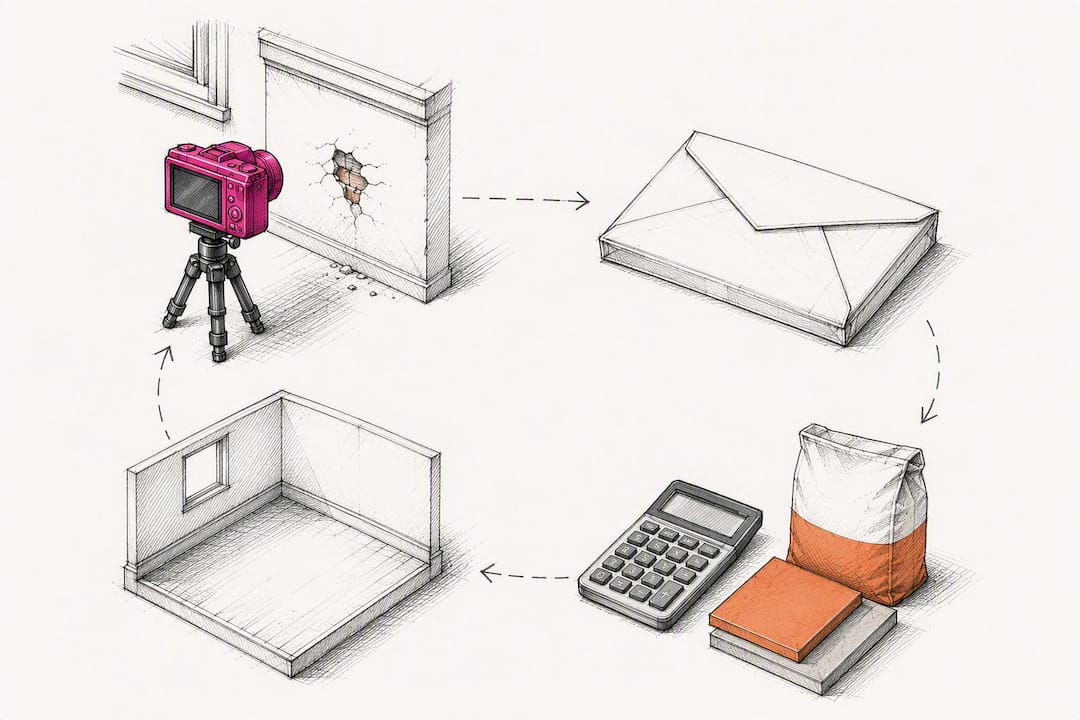
- Capture at closeout. Before the punch list closes, collect every written warranty, start date, O&M manual, and subcontractor contact into the register. This is your last easy chance to get complete documentation, since closeout is the point where warranty data is either captured or lost for good.
- Set the proactive inspection triggers. Schedule check-ins at logical intervals, commonly 30 days, 60 days, and 300 days, culminating in the 11-month walk before the one-year warranty window closes.
- Intake. A claim comes in through your single channel, whether that’s a web form, a portal, or a routed email. It gets timestamped and photo-documented immediately.
- Triage. Someone, ideally your Warranty Champion, reviews severity and assigns a root cause tag within 24 hours of submission.
- Assign. The claim routes to the responsible trade or sub automatically based on the tags you built.
- Schedule. Routine, non-emergency items get grouped into a scheduling window rather than a same-day dispatch.
- Verify and close. Work gets confirmed complete, photo documentation attached, and the claim closes with the audit trail intact.
Set service-level targets around this: acknowledge every claim within 24 hours, and offer scheduling windows rather than open-ended promises for anything that isn’t an emergency. Emergencies, like a roof leak or a failed sump pump, still need same-day response regardless of your normal SLA.
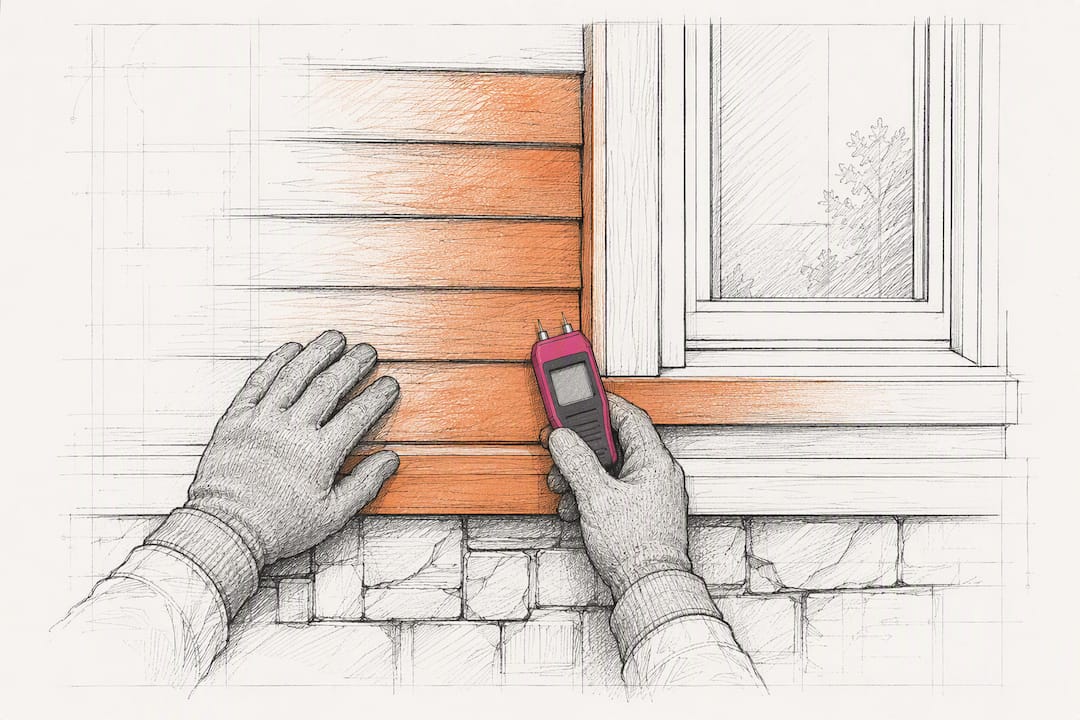
The 11-month walk deserves special attention. A formal inspection at month 11 catches deficiencies while subcontractor warranties are still enforceable, before the one-year window closes and your leverage disappears. It’s one of the highest-return moves in the entire process.
For minor items that surface between inspections, don’t dispatch a truck for every squeaky door. Bundle them into a scheduled “tune-up day,” which cuts dispatch costs and tends to leave owners more satisfied than a string of piecemeal visits.
Pro Tip: When a subcontractor doesn’t respond to a claim within your SLA window, don’t just wait longer. Escalate to a second contact, document the non-response with a timestamp, and start building the evidence file you’ll need if you have to backcharge or complete the work yourself.
Managing Subcontractor Flow-Down and Backcharges
Your warranty obligations to the owner are only as strong as the warranty language you build into subcontractor agreements. If a sub’s contract doesn’t specify a warranty term, a start-date trigger, a current contact, and a response SLA, you’re the one absorbing the cost when they go quiet.
Build these clauses into every subcontractor agreement:
- A defined warranty term (commonly one year, sometimes longer for specific systems like roofing or waterproofing).
- A clear start-date trigger, tied to substantial completion or final inspection, not a vague “upon completion.”
- A named, current point of contact with a phone number and email that gets verified at contract renewal.
- A response SLA, typically 24 to 48 hours, with a defined escalation path if that SLA is missed.
Once claims start flowing through your register, track them by subcontractor, not just by project. Patterns across a rolling 24-month window reveal which subs generate repeat callbacks on the same detail or material, information that belongs directly in your prequalification checklist for future bids. A sub with a clean claims history should get preference over one with a pattern of preventable failures, regardless of their bid price.
When a sub won’t respond or won’t fix the problem, backcharging is your recourse, but only if you’ve documented it correctly. That means dated photos of the defect, a copy of the notice sent to the sub with the response deadline, an invoice or estimate for the corrective work, and proof the sub was given a reasonable window to respond before you acted. Skip any one of those pieces, and a backcharge dispute becomes a lot harder to win.
What Should You Measure, and What Does Warranty Work Actually Cost?
Budgeting for warranty work without a number to anchor it is guesswork, but the honest answer is that the right reserve depends heavily on project type, materials, and the quality of your subcontractor base. Complex commercial builds with more building systems and more subs in the chain typically carry higher warranty exposure than a straightforward residential remodel, so treat any industry rule of thumb as a starting point to adjust, not a fixed target.
What matters more than a single benchmark number is tracking the metrics that tell you whether your program is actually working:
- Resolution time, from claim submission to verified close.
- Claims per project, to spot whether a specific job or design detail is generating disproportionate callbacks.
- Claims by trade, to identify which systems (roofing, plumbing, HVAC) are driving the most warranty activity.
- Cost per claim, including labor, materials, and any subcontractor recovery.
- Reserve as a percentage of contract value, tracked over time so you can refine your estimate on the next bid.
Aggregated claims data is a preconstruction tool, not just a service record. Once you’ve logged enough claims by trade and material, the patterns point directly at which details or products are failing repeatedly, and that’s exactly the information that should feed back into your specs on the next project.
If your electrical sub keeps generating the same GFCI failure across three projects, that’s not bad luck. That’s a detail worth changing before it becomes a fourth callback.
When Do You Outgrow Spreadsheets for Warranty Tracking?
A spreadsheet works fine for a contractor running two or three active jobs with a handful of subs. It stops working the moment your portfolio grows past what one person can hold in their head.
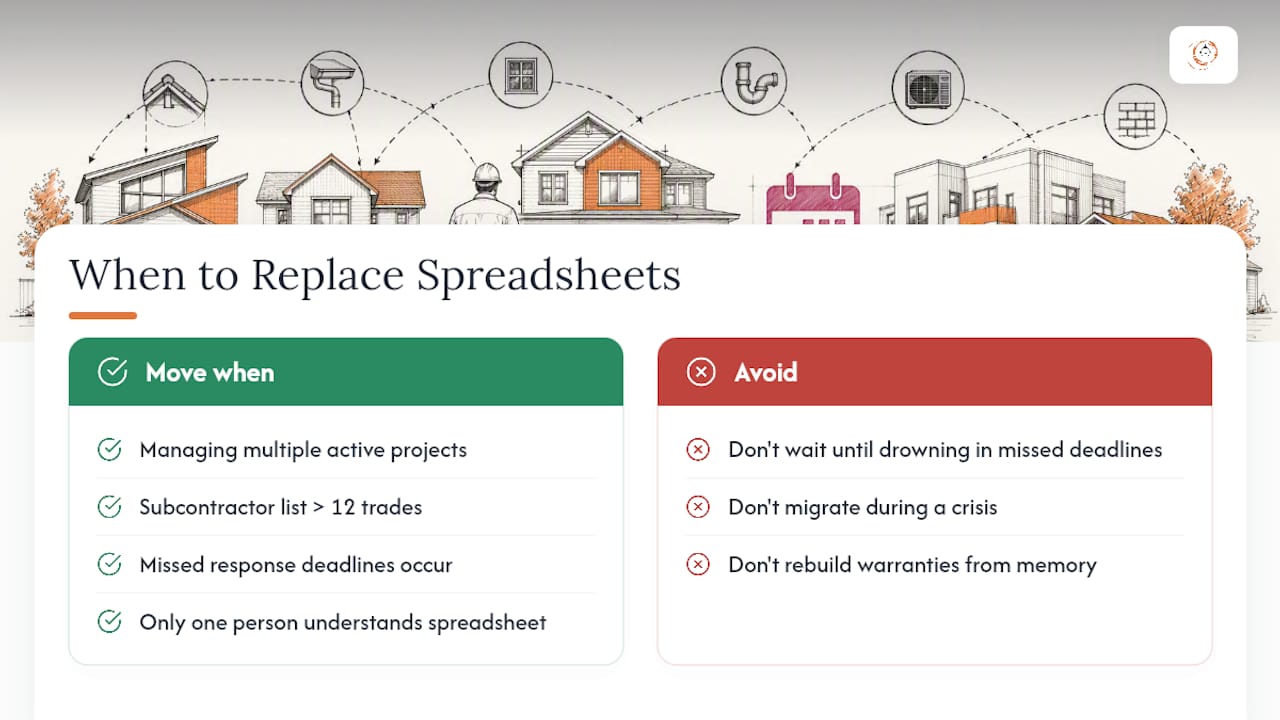
Watch for these scale signals: you’re managing warranty obligations across multiple active projects at once, your subcontractor list has grown past a dozen regular trades, claim volume has climbed to the point where tracking response deadlines by memory means some get missed, or you need someone other than the person who built the spreadsheet to understand it. Any one of those is a sign it’s time to move.
What automation actually delivers once you make that move: proactive reminders that fire automatically instead of relying on someone remembering to check a calendar, consistent intake so every claim gets the same fields captured regardless of who takes the call, portfolio-wide visibility across every active job instead of one spreadsheet tab per project, and an audit trail that survives staff turnover.
Before you adopt a system, confirm it can handle four integration points: a closeout trigger from your project management software that starts the warranty timer automatically, an intake form that owners can actually use without a phone call, subcontractor contact information that syncs rather than goes stale, and reporting that rolls claims up by trade and by sub without manual export work.
Pro Tip: Don’t wait until you’re drowning in missed deadlines to make the switch. The transition is far easier when you migrate ten active warranties calmly than when you’re trying to reconstruct forty of them from memory after a bad quarter.
Setting Up Automated Warranty Workflows: A Practical Checklist
Getting warranty automation running inside a construction-focused CRM comes down to a handful of integration steps, followed by a real test before you roll it out company-wide.
Start with these connections:
- Link your project management software’s closeout event to automatically start the warranty timer for that job.
- Configure the proactive inspection schedule (30, 60, 300 days, and the 11-month walk) to fire reminders without manual scheduling.
- Build the intake form or portal owners will use, and connect it so submissions create a timestamped, photo-documented claim automatically.
- Set routing rules by trade and escalation webhooks that notify a second contact when a claim goes unanswered past your SLA.
Once those pieces are connected, pilot the workflow on a single recently closed project before rolling it out portfolio-wide. Verify that data maps correctly from your PM software into the warranty register, confirm the intake form actually creates a usable claim record, and train your Warranty Champion (and any subs who’ll interact with the system) before you lean on it for a live claim.
A construction-specific CRM platform typically brings workflow templates built around this exact lifecycle, custom reporting dashboards that surface claims by trade or by sub without a manual pivot table, and onboarding support to get your team using it correctly from week one, rather than fumbling through a generic CRM built for a different industry entirely. Contractors using automated CRM workflows for lead and project follow-up have reported conversion increases as high as 35%, and the same automation logic that drives that lift, consistent follow-up, no dropped tasks, applies directly to warranty claim response.
| Setup step | What it prevents |
|---|---|
| PM closeout trigger connected | Warranty clock starting late or not at all |
| Intake form live and tested | Missing photo/timestamp documentation on claims |
| Escalation webhook configured | Unanswered claims sitting silent past SLA |
| Warranty Champion trained | Bottlenecked or inconsistent claim handling |
Why the Warranty Champion Role Matters More Than the Software
Most warranty programs fail before they ever touch a piece of software. They fail because nobody owns the process. A busy project manager juggling five live jobs will always let warranty follow-up slide behind whatever’s on fire that day, and that’s not a character flaw, it’s a predictable outcome of how workload competes for attention.
Appointing a single Warranty Champion fixes that. This person owns intake, owns the inspection calendar, and owns subcontractor follow-up, which means accountability sits in one place instead of dissolving across a team. On larger commercial projects, that person should be the one physically walking the 11-month inspection, not delegating it to whoever’s available, because that walk is where the highest-value catches happen before warranties expire.
Leadership involvement matters more on bigger projects than smaller ones. A principal or senior PM who reviews open claims monthly catches warranty leakage that a Warranty Champion alone might miss under workload pressure.
One more note, aimed at how this industry gets represented in print: warranty tracking, jobsite inspections, and CRM adoption touch a workforce that looks a lot more diverse than most stock construction photography suggests. Editorial imagery for this topic should reflect that, with a genuine mix of race and sex across the people pictured, rather than defaulting to the same narrow image over and over.
— Rowena
Where High Level CRM Fits Into Your Warranty Workflow
A construction-specific CRM platform provides a faster path to organized warranty tracking than building your own system from scratch or forcing a generic CRM to fit construction workflows it was never designed for. Such platforms typically bring automated lead and follow-up workflows, custom reporting dashboards, and subcontractor communication tools together in one system tailored specifically to contractors, suppliers, and consultants.

That means your warranty register, your 11-month inspection reminders, and your subcontractor claim routing can all live inside the same platform you’re already using to manage leads and projects, instead of scattered across a spreadsheet, an inbox, and someone’s memory. Onboarding and training support are often provided to help users configure workflows effectively.
If missed warranty deadlines or subcontractor follow-up gaps are costing you money right now, request a demo through the High Level CRM landing page and walk through how the workflow templates map to your current closeout and claims process.
Sources
- Warranty Tracking Automation: Cut Callbacks 60% Guide
- Commercial Construction Warranty & Closeout Management Guide
Recommended
- Automated Lead Tracking Explained for Contractors
- Benefits of Automated Lead Follow-Up for Contractors
- Automate Follow-Up for Contractor Leads: 2026 Guide
Signed up, or thinking about it? We build the inside of the account — pipelines, workflows, funnels, nurture, migration. Built for construction. Contact us.
Affiliate disclosure. We’re a GoHighLevel affiliate. Sign up through our link and we may earn a commission at no cost to you, or buy direct. Build-out is billed separately, never a software markup.

