
Best Contractor Foreman Alternatives for U.S. Contractors in 2026
What are the top Contractor Foreman alternatives in 2026?
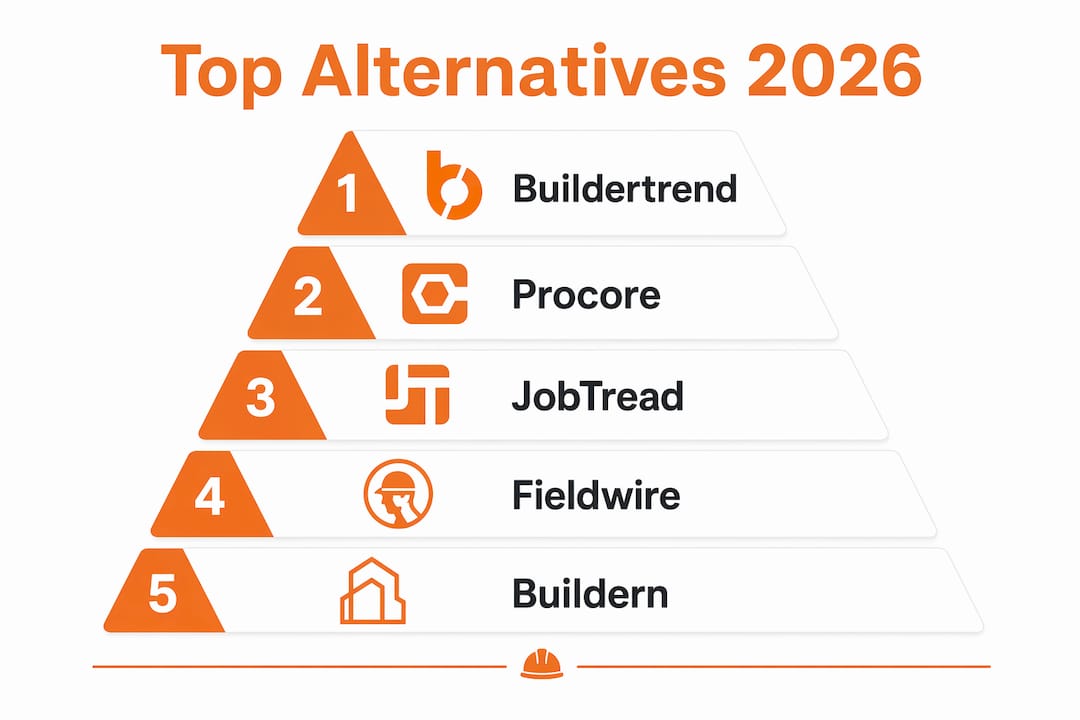
The strongest Contractor Foreman alternatives in 2026 are Buildertrend, Procore, JobTread, Fieldwire, Buildern, INGENIOUS.BUILD, and CoConstruct. Each one addresses a specific gap that Contractor Foreman leaves open, whether that’s enterprise-grade financial controls, mobile field usability, or residential client communication. The right pick depends on your crew size, project complexity, and how tightly you need accounting to connect with your project data.
| Platform | Best For | Starting Price | Key Features | Accounting Integration | Mobile/Field Usability | Scalability |
|---|---|---|---|---|---|---|
| Buildertrend | Home builders, residential PM | $399/month | Client portal, scheduling, RFIs | QuickBooks, Xero | Strong | Mid to large |
| Procore | Large GCs, enterprise projects | $399/month | Advanced project controls, document mgmt | Sage, QuickBooks, Xero | Excellent | Enterprise |
| JobTread | Small contractors | $159/month (annual) | Estimating, customer portal, budgeting | QuickBooks | Good | Small to mid |
| Fieldwire | Field-first teams | Free (limited) | Task tracking, offline sync, plan markup | Limited native | Excellent offline | Small to mid |
| Buildern | Small to mid teams | $250/month | Estimating, Gantt scheduling, client portal | QuickBooks, Xero | Good | Small to mid |
| INGENIOUS.BUILD | Large multi-stakeholder projects | Not publicly listed | Cross-team collaboration, owner/GC/sub connect | Integrated | Good | Enterprise |
| CoConstruct | Residential builders | Contact for pricing | Client communication, estimating, selections | QuickBooks | Good | Small to mid |
| Houzz Pro | Design-build firms | $250/month | Visualization, project management, CRM | QuickBooks | Moderate | Small to mid |
| Buildxact | Residential estimating | $199/month | Takeoff, estimating, scheduling | QuickBooks, Xero | Moderate | Small to mid |
| Sage Construction Suite | Financial-heavy operations | Contact for pricing | Accounting, compliance, project controls | Native (Sage) | Moderate | Mid to enterprise |
| Jobber | Small field service contractors | Contact for pricing | Scheduling, invoicing, CRM | QuickBooks | Good | Small |
| ConstructionOnline | Cloud-first contractors | Contact for pricing | Budgeting, scheduling, estimating | QuickBooks | Good | Small to mid |
| AccuLynx | Roofing contractors | Contact for pricing | Roofing CRM, estimating, production | QuickBooks | Good | Small to mid |
| Archdesk | Mid-market ERP needs | Contact for pricing | Financial mgmt, project controls, compliance | Native | Moderate | Mid-market |
| Viewpoint Spectrum | Mid-large construction ERP | Contact for pricing | Accounting, project mgmt, payroll | Native | Moderate | Mid to large |
| CMiC | Enterprise ERP | Contact for pricing | Finance-first ERP, project controls | Native | Moderate | Enterprise |
| Oracle Primavera Cloud | Portfolio management | Contact for pricing | Scheduling, risk analytics, portfolio mgmt | Oracle ERP | Moderate | Enterprise |
| InEight | Cost and schedule control | Contact for pricing | Cost mgmt, scheduling, document control | Integrated | Good | Large to enterprise |
| Trimble e-Builder | Capital program management | Contact for pricing | Program controls, capital project mgmt | Integrated | Moderate | Enterprise |
| Autodesk Construction Cloud | End-to-end cloud projects | Contact for pricing | Design-to-field integration, document mgmt | Integrated | Excellent | Large to enterprise |
| Autodesk Forma | Design-construction integration | Contact for pricing | Design integration, scheduling | Autodesk suite | Moderate | Mid to large |
| RedTeam Flex | Collaboration and job costing | Contact for pricing | Job cost tracking, collaboration tools | QuickBooks | Good | Small to mid |
| ProjectTeam.com | Document control | Contact for pricing | Document mgmt, scheduling, RFIs | Limited | Moderate | Small to mid |
| BuildBook | Client communication focus | Contact for pricing | Photo sharing, client updates, field logs | QuickBooks | Good | Small |
| Ressio Software | Workflow automation | Contact for pricing | Workflow mgmt, team collaboration | Limited | Moderate | Mid-size |
| JobProgress | Customizable workflows | Contact for pricing | Sales, scheduling, production mgmt | QuickBooks | Good | Small to mid |
| Vitruvi Software | Safety and compliance | Contact for pricing | Quality, safety, compliance tracking | Limited | Moderate | Mid-size |
| ProContractor | Accounting plus project mgmt | Contact for pricing | Estimating, accounting, project data | Native | Moderate | Small to mid |
| Corfix | Small contractor simplicity | Contact for pricing | Estimating, scheduling, CRM | Limited | Good | Small |
| Sage Construction Management | Deep financial compliance | Contact for pricing | Accounting, compliance, real estate mgmt | Native (Sage) | Moderate | Mid to large |
| COINS Construction Cloud | Enterprise ERP and financials | Contact for pricing | Integrated ERP, project controls, financials | Native | Moderate | Enterprise |
Quick verdicts:
- Best for small contractors: JobTread or Corfix for simplicity and transparent pricing
- Best for residential builders: Buildertrend or CoConstruct for client communication
- Best for field teams: Fieldwire for offline-capable mobile tools
- Best for enterprise GCs: Procore, CMiC, or Oracle Primavera Cloud
- Best for design-build: Houzz Pro or Autodesk Construction Cloud
- Best for roofing: AccuLynx
Detailed profiles of the leading alternatives
Buildertrend and Procore: the two most-compared upgrades
Buildertrend is the go-to for residential contractors who need a full project management suite with client-facing features. Its client portal, scheduling tools, and QuickBooks/Xero integration cover most of what a growing home builder needs. At $399/month, it costs more than Contractor Foreman, but the depth of residential-specific features justifies the gap for teams managing multiple active builds.

Procore sits at the other end of the spectrum. It’s built for large general contractors running complex, high-value portfolios. Its document management, RFI tracking, and integration library are genuinely enterprise-grade. The learning curve is real, and so is the price, but for GCs managing multi-million-dollar projects, the advanced project controls pay for themselves in reduced rework and tighter cost tracking. If you’re already exploring Procore’s category, the top Procore alternatives are worth a look too.
JobTread: the clearest upgrade for small contractors
JobTread starts at $159/month on an annual plan and includes estimating, budgeting, and a customer portal in one package. There’s no feature gating by tier, which is rare. It integrates with QuickBooks and handles the core workflow well for crews under 15 people. Past that size, users tend to hit limits in reporting depth and multi-project visibility.
Fieldwire: built for the field, not the office
Mobile usability and offline functionality are the leading cause of software abandonment among field teams. Fieldwire solves that directly. Its offline sync handles photos, daily logs, and task updates without cellular reception, which is exactly what superintendents and subcontractors need on remote sites. The free plan covers basic task tracking; paid tiers add plan markup and more advanced reporting.

Buildern, Buildxact, and CoConstruct: strong mid-tier options
Buildern at $250/month stands out for its fast product development cycle and native QuickBooks/Xero sync. Teams that want frequent feature updates and solid estimation tools tend to stay loyal to it. Buildxact at $199/month is purpose-built for pre-construction takeoff and estimating, making it the strongest choice for residential builders whose biggest bottleneck is accurate quantity takeoffs. CoConstruct focuses on client communication and selections management, which matters most for custom home builders where client experience directly affects referrals.
Enterprise platforms worth knowing
For large contractors, INGENIOUS.BUILD connects owners, GCs, subcontractors, and architects in a single platform, which reduces the coordination overhead that kills margins on complex projects. Oracle Primavera Cloud and InEight both target enterprise portfolio management, with Primavera’s scheduling and risk analytics being particularly strong for program-level oversight. CMiC and COINS Construction Cloud (Access Coins Evo) take a finance-first ERP approach, making them natural fits for large firms where accounting accuracy is non-negotiable.
Standout features by category:
- Accounting depth: Sage Construction Suite, Sage Construction Management (Sage 300 Construction and Real Estate), CMiC, Viewpoint Spectrum
- Field usability: Fieldwire, Autodesk Construction Cloud, Buildertrend
- Estimating focus: Buildxact, Buildern, AccuLynx (roofing-specific)
- Compliance and safety: Vitruvi Software, Archdesk, Sage Construction Suite
- Capital program management: Trimble e-Builder, Oracle Primavera Cloud
Pro Tip: A unified platform that connects office and field data in real time cuts the manual re-entry that creates budget errors. Before committing to any alternative, confirm whether accounting integration is two-way sync or export-only.
Where Contractor Foreman works and where it falls short
Contractor Foreman earns its reputation as one of the most affordable all-in-one tools for small residential teams. It covers safety forms, scheduling, estimating, and basic financials in a single subscription, which is genuinely useful for contractors who are just getting organized.
Contractor Foreman strengths:
- Low entry price relative to feature count
- Covers safety forms and compliance basics
- Scheduling, estimating, and client communication in one place
- Works for small teams that don’t need deep financial reporting
Where contractors outgrow it:
- The interface feels dated, and the learning curve frustrates new users
- Financial reporting is shallow compared to platforms like Sage or Procore
- Scalability breaks down for multi-crew or multi-project operations
- No Xero integration, which limits options for teams outside QuickBooks
- Customer support response times draw consistent criticism in user reviews
- Advanced document management and RFI tracking are limited
Small residential teams on tight budgets often find Contractor Foreman adequate for 12–24 months. After that, growing project volume and crew size tend to expose its limits fast. Selecting software based on current headcount rather than projected growth is one of the most common and costly mistakes contractors make.
How to choose the best alternative for your construction business
The right platform depends on four factors: your current size, where you expect to be in two years, how tightly you need accounting connected, and whether your field teams can actually use the app on a jobsite.
Evaluation criteria to apply:
- Scalability: Does the platform handle your projected project volume, not just your current one? A 5-person crew and a 200-person GC need fundamentally different feature depths.
- Accounting integration: Verify whether the sync is two-way or export-only. One-way exports reintroduce the manual data entry you’re trying to eliminate.
- Pricing transparency: Some vendors bundle contractor management features separately from basic scheduling. Review actual pricing before the sales call.
- Mobile and offline usability: Test the mobile app in a low-connectivity environment during your trial. If field teams can’t use it without cell service, adoption will fail regardless of desktop capabilities.
- Deployment flexibility: Cloud-based platforms like Buildertrend, Procore, and Autodesk Construction Cloud offer anywhere access. On-premises options like some Sage and Viewpoint configurations suit firms with strict data governance requirements.
- Compliance tracking: Subcontractor compliance, insurance certificates, and certifications often require specialized features beyond standard project tools. Confirm whether compliance tracking is in the core platform or an expensive add-on.
Integrated all-in-one platforms reduce the data gaps that come from stitching disparate tools together. But if your needs are highly specialized, a best-of-breed approach with tight API connections can work. The trade-off is ongoing integration maintenance.
Pro Tip: During your trial, run a real project through the platform end-to-end: create an estimate, convert it to a contract, log a daily report from your phone with no Wi-Fi, and pull a job cost report. If any step breaks down, you’ve found your deal-breaker before you’ve committed.
Why the right software choice directly affects your revenue
Contractors who recognize the signs that their project management needs an upgrade and act on them early avoid the costly disruption of emergency software switches mid-project. The business case for choosing the right platform isn’t abstract.
Concrete benefits of the right platform:
- Automated lead tracking captures inquiries before they fall through the cracks
- Centralized workflows reduce back-and-forth between office and field teams
- Custom reporting dashboards give you real-time job cost visibility
- Integrated scheduling prevents crew conflicts and missed deadlines
- Compliance tracking protects you from liability gaps with subcontractors
The CRM for contractors conversation matters here because project management software and CRM serve different but overlapping functions. The strongest platforms either combine both or integrate tightly with a dedicated CRM. Contractors who treat them as separate concerns often end up with client data in one system and project data in another, creating the exact communication gaps that cost jobs.
Highlevelcrm-rconstructionsolutions was built specifically for this problem, drawing on over 30 years of construction industry experience to deliver automated lead tracking, workflow automation, and reporting dashboards designed for how contractors actually work.
How to evaluate alternatives during a trial or demo
Most platforms on this list offer a free trial, a live demo, or both. Use that window deliberately, not just to click around the interface.
What to do during a trial:
- Import a real estimate or project from your current system and check how data migrates
- Test the mobile app offline on an actual jobsite or in a low-signal area
- Run a job cost report and verify the numbers match what you’d expect
- Add a subcontractor profile and check whether compliance documents attach cleanly
- Contact support with a real question and time the response
Data migration is a frequent hidden challenge during software switches. Many platforms export historical data in formats that require manual cleanup, so retaining access to your legacy system during the transition period is worth negotiating before you sign. Ask vendors specifically about data export formats and whether they provide migration support.
Demo calls are useful for seeing the full feature set, but they’re controlled environments. Push the sales rep to show you the accounting integration live, not in a pre-recorded walkthrough. Ask what happens to your data if you cancel. The answers reveal more about the platform than any feature checklist.
Highlevelcrm-rconstructionsolutions: a CRM-first approach worth considering

The platforms compared above are project management tools at their core. If your biggest gap isn’t project tracking but lead management, client communication, and converting more of the inquiries you already receive, Highlevelcrm-rconstructionsolutions addresses that from a different angle.
Built with over 30 years of construction experience behind it, Highlevelcrm-rconstructionsolutions focuses on automated lead tracking, centralized client communication, and custom reporting dashboards tailored to contractors. It integrates with industry-specific tools rather than forcing you into a generic CRM workflow. For contractors who have project management covered but are losing leads or struggling to convert estimates into signed contracts, it fills a gap the platforms above don’t prioritize.
Explore the CRM features built for contractors to see whether it fits alongside your existing project management setup or replaces the disconnected tools you’re currently using to track clients.
Key Takeaways
Choosing the right Contractor Foreman alternative in 2026 requires matching platform depth to your projected growth, not just your current crew size.
| Point | Details |
|---|---|
| Match software to future scale | Selecting based on current headcount causes costly switches within 12–24 months as projects grow. |
| Verify accounting integration type | Two-way sync eliminates manual re-entry; export-only connections reintroduce data gaps. |
| Test mobile offline before committing | Field adoption fails when apps don’t work without cell service; test this during the trial. |
| Compliance tracking needs confirmation | Subcontractor insurance and certification tracking often require specialized features beyond standard project tools. |
| Highlevelcrm-rconstructionsolutions fills the CRM gap | For contractors losing leads or struggling to convert estimates, its construction-specific CRM addresses what project management platforms don’t. |

