
Top 3 gohighlevel.com Alternatives for 2026
Managing construction leads, bids, and projects from a CRM that is not tailored to the industry results in duplicate data entry and overlooked tasks. Many construction CRMs lock features behind sales consultations or require third-party add ons that raise costs. This comparison covers workflow design, pricing, and integration differences so contractors can pick a construction CRM that matches how their teams actually work.
Table of Contents
High Level CRM

At a Glance
Developed with over 30 years of construction experience, High Level CRM centers its tools on contractor workflows rather than generic sales processes. The product routes leads, tracks bids, and ties those items to project records so you see status across jobs. That focus reduces duplicate data entry between sales and project teams.
Core Features
High Level CRM combines Lead & Client Management tools with automated processes that handle repetitive follow ups and status updates. Custom reporting dashboards show bid activity, lead sources, and performance metrics you can export for accounting or proposals. Built-in email and SMS campaigning keeps clients and subs informed from a single interface.
Key Differentiator
The one thing that sets this product apart is its construction-first design. Workflows reflect bid stages, change orders, and contractor communications instead of generic sales funnels. The vendor built integrations specifically for common construction project platforms.
Pros
The product includes industry-tailored features that map to everyday construction tasks, which reduces manual handoffs between office staff and field crews. Automated workflows free up estimating and sales time by handling routine follow up and onboarding messages. Custom dashboards let you compare bids, leads, and project margins in one place, which helps with scheduling and cash-flow planning.
Cons
- Dependent on a third-party platform, GoHighLevel, which may change features or pricing and could alter your total cost or available functionality.
Notable Integrations
- ProCore
- BuilderTrend These integrations let you move project data and schedules between your CRM and job management tools without retyping key fields.
Who It’s For
High Level CRM fits residential and commercial contractors, suppliers, and consultants who want CRM records tied directly to bids and projects. You should have at least one estimating or project manager who will use dashboards daily. Larger teams that require native time tracking may need an additional tool.
Unique Value Proposition
Custom reporting dashboards that combine bid status, lead source, and project margin let you spot losing bids and adjust pricing faster. That visibility shortens the feedback loop between sales and operations and reduces project management errors. For contractors, that can mean tighter scheduling and fewer surprises on closeout.
Real World Use Case
The vendor advertises a case in which a residential contractor recorded a 35% rise in lead conversion, a 50% faster inquiry response time, and a 20% revenue gain in six months. Those results came from using automation to move leads into bids and from dashboards that highlighted slow follow up. For similar firms, the practical effect is fewer missed opportunities and clearer bid pipelines.
Pricing
Pricing details are not listed on the public site. The product documentation labels pricing as not applicable and informational only, so you must contact sales for plan costs and any integration fees. Expect to confirm whether third-party platform fees apply to your account.
Website: https://highlevelcrm-rconstructionsolutions.com
Buildertrend
At a Glance
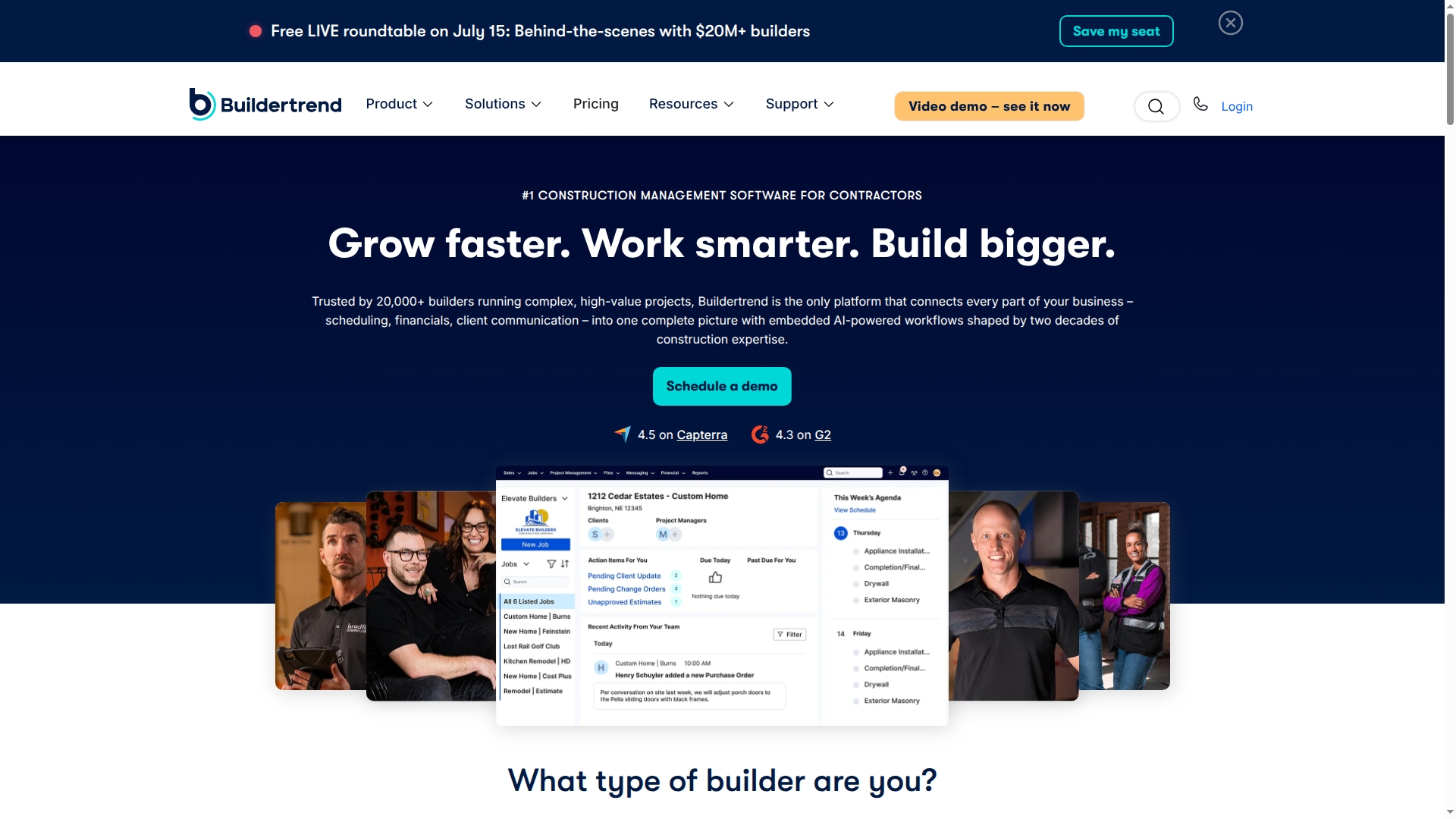
Buildertrend reports more than 20,000 users globally. The platform ties sales, project execution, and financials into one product and includes AI-enhanced workflows for client messages and on-site updates. Contractors use the mobile app for day-to-day coordination and client portals for transparency.
Core Features
Buildertrend combines lead tracking and proposal generation with a client portal that sends real-time updates and messages. Project management covers scheduling, daily logs, change orders, and task tracking while financial tools handle job costing, estimates, and billing. Built-in communication features let teams share files, chat, and send client updates from the field.
Key Differentiator
Buildertrend’s single-system approach links sales, project management, financials, and client communications with embedded AI workflows. That integration targets firms that manage multiple concurrent projects and want fewer disconnected tools. The platform emphasizes construction-specific workflows rather than generic CRM processes.
Pros
Buildertrend reduces the need for separate systems by combining quoting, scheduling, and job accounting in one product. The vendor offers unlimited users and projects inside pricing, which helps growing firms avoid per-user fees. Customer support and industry reputation are strengths reported by many firms, and the mobile app keeps foremen and office staff in sync.
Cons
- The platform may feel overly feature-rich for sole proprietors or single-project users. This can slow initial setup.
- Pricing is customized and can be complex; getting clear costs usually requires a demo or consultation.
- New users face a learning curve because the product contains many interlocking modules.
When It May Not Fit
If you run single small projects each year, Buildertrend’s breadth may add unnecessary overhead. Solo operators who need a lightweight quoting or scheduling tool will likely prefer simpler software. Firms that need fixed, published pricing may find Buildertrend’s consultative sales process frustrating.
Notable Integrations
Buildertrend connects to common construction back-office and CRM tools.
- QuickBooks for accounting syncs and job-level income tracking.
- Xero for firms that use cloud accounting instead of QuickBooks.
- Gusto for payroll data flow to project cost structures.
- The Home Depot Pro Xtra for purchase and vendor connections.
- HubSpot and Salesforce for marketing and sales CRM handoffs.
Who It’s For
Mid-sized to large contractors and builders who manage several projects each year will get the most from Buildertrend. Firms that need job costing tied directly to schedules and change orders will find the product valuable. Companies prepared to invest time in setup and training will capture the most operational value.
Real World Use Case
According to the company, a remodeling firm used Buildertrend to coordinate schedules, manage change orders, and track expenses, and that firm reported a 20% reduction in project delays. That outcome reflects tighter schedule control, clearer client updates, and centralized cost tracking.
Pricing
Buildertrend’s pricing varies based on business needs and configuration. The vendor offers custom quotes and a 10% discount for annual prepayment. Detailed pricing and package comparisons are available through a demo or sales consultation.
Website: https://buildertrend.com
JobTread
At a Glance
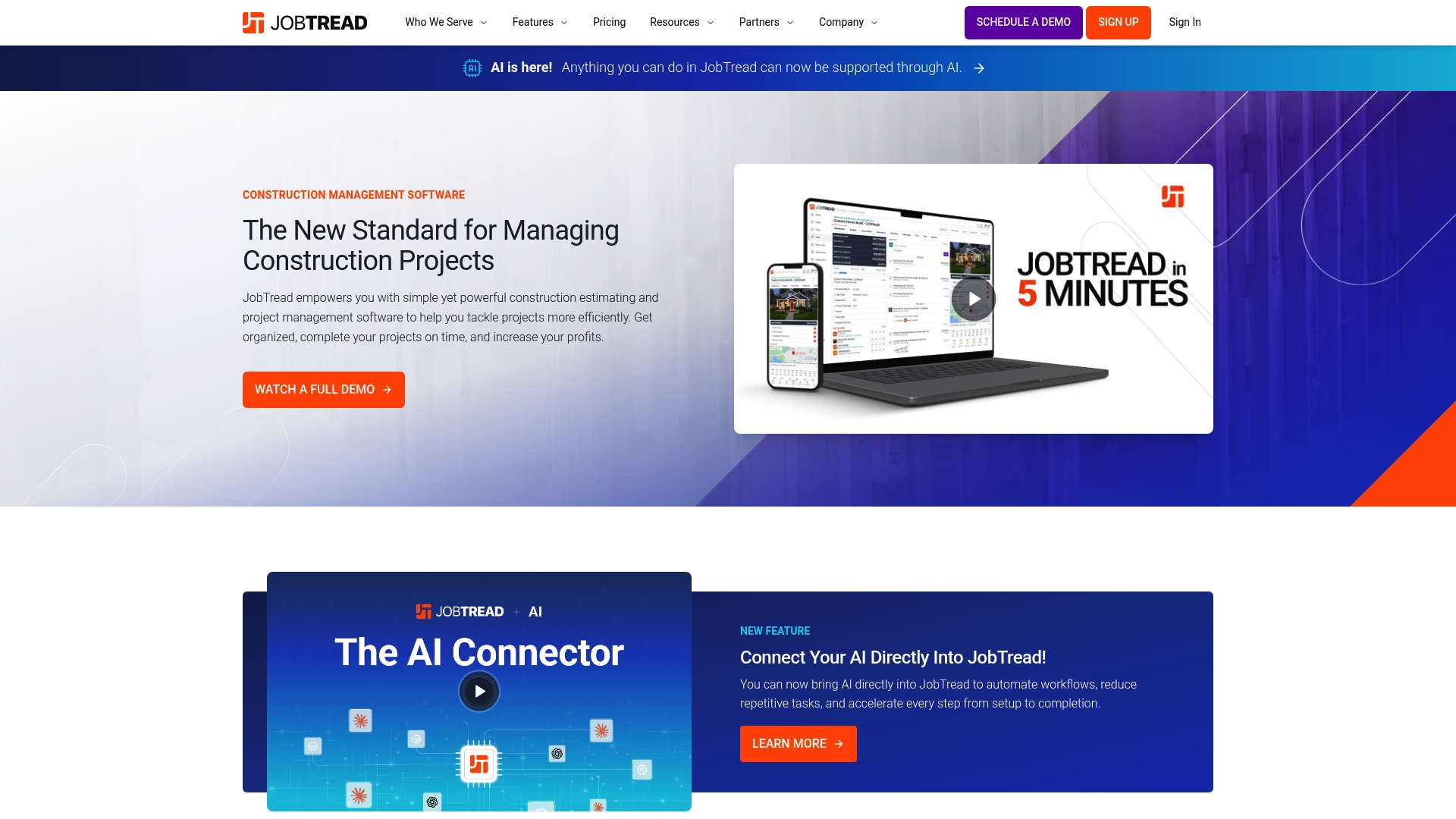
JobTread integrates AI directly into project workflows to automate repetitive tasks and shorten project cycles. The platform also offers client portals with eSignatures and online payments. It targets contractors from remodelers to commercial builders with training and implementation support.
Core Features
JobTread combines project tracking with estimating tools, takeoff support, and bid request management so teams can move from estimate to schedule in one place. It includes CRM functions for sales and client records, plus job finances and budgeting to track costs and margins. Client portals let customers view documents, sign proposals, and pay invoices online.
Key Differentiator
The product’s defining feature is deep AI integration inside project workflows to reduce repetitive work and accelerate task handoffs. That AI sits inside estimating, scheduling, and routine task creation rather than remaining an add-on tool. This design aims to cut manual steps for project teams.
Pros
The vendor reports high customer satisfaction scores and fast growth, and the platform carries industry recognition. Feature coverage spans estimating, job finances, CRM, and client portals, which reduces the number of separate apps you need. Support includes training and free implementation, and a mobile app lets crews update progress from the field.
Cons
- Pricing may be prohibitive for very small firms or those with minimal needs. The monthly commitment and per person add‑on increase entry cost.
- Initial setup and data migration require dedicated effort and attention from your team. Expect time for templates and mappings.
- Advanced features and some integrations have a learning curve. Training helps but adds onboarding time.
When It May Not Fit
If your company handles only a few projects a year and prefers spreadsheets, the platform can feel oversized. Teams that need a plug and play solution with zero setup time will find the implementation and training requirements a poor match. If you require a very narrow, single-purpose tool, JobTread may go beyond what you need.
Notable Integrations
- QuickBooks Online
- Home Depot
- Eagleview
- CompanyCam
- Zapier
- Gusto
- Stripe
- Acorn Finance
Who It’s For
Contractors and project managers who want a single system for estimating, scheduling, finances, and client communication will get the most value. Mid sized remodelers, home builders, and specialty trade contractors that can allocate time for setup and training will benefit. If you run projects across multiple crews and need centralized job control, this fits.
Real World Use Case
A remodeling company uses JobTread to create estimates, send proposals through client portals, schedule crews, and manage invoices. Field crews update job status with the mobile app and the office team reconciles job budgets. The company reports smoother client communication and fewer invoice disputes after adoption.
Pricing
JobTread lists pricing at $199 per month plus $20/month per team member, with tiered discounts available for larger teams. The model combines a base seat with per person fees to scale with crew size.
Website: https://jobtread.com
Comparison of alternatives
High Level CRM, Buildertrend, and JobTread represent leading choices for contractors managing construction-specific tasks efficiently through CRM tools. Each software offers distinct advantages, from integrated workflows to customizable pricing structures, addressing varied operational needs.
Construction-Specific Workflows
High Level CRM excels in its focus on construction-specific workflows, with bid stage tracking, change order updates, and project margin visualization embedded into its design. This approach minimizes manual data entry between teams and increases visibility across sales and operations. In contrast, Buildertrend provides broader functionality for project execution and financial management but lacks deeper focus in CRM features tailored exclusively to industry needs.
Pricing and User Access Flexibility
Buildertrend gains a notable edge with its pricing approach, offering unlimited user access and project inclusion under one subscription. This suits mid-sized to large firms with a diverse workforce requiring expansive coordination capabilities. JobTread, with its added per-team-member pricing structure, can scale efficiently for smaller firms but impacts cost efficiency in larger operations.
Best fit
- Contractors focusing on construction-specific workflows and integrated job management tools will appreciate High Level CRM’s tailored features.
- Builders prioritizing pricing flexibility with numerous users or projects under one subscription will benefit from Buildertrend’s approach.
- Teams requiring dedicated onboarding support and advanced training capabilities should consider JobTread for its implementation focus.
Our pick
High Level CRM caters exceptionally to contractors whose operations require workflows built exclusively around construction processes. Its integration with platforms like ProCore and BuilderTrend strengthens collaboration between CRM records and project management portals. Buildertrend remains a viable alternative for firms emphasizing flexibility in pricing and broader feature integration over industry-specific workflows.
Choosing the right construction-focused CRM is essential for streamlining workflows and optimizing operations. Below is a comparison of notable platforms to help you make a sound decision.
| Product | Core Feature | Key Differentiator | Best For | Pricing | Limitation |
|---|---|---|---|---|---|
| Highlevelcrm-rconstructionsolutions | Lead & client management with automation | Construction-specific design and workflows | Residential and commercial contractors | Price not published | Dependent on GoHighLevel’s features and pricing |
| Buildertrend | Integrated project and client management | Single-system includes AI-enhanced workflows | Mid-sized to large contractors | Price not published | Steep learning curve for initial setup |
| JobTread | Estimating and job finance tracking | AI-driven task automation | Mid-sized contractors and builders | $199/month + $20/user | Initial setup and training requires significant effort |
Choosing the Right CRM to Overcome Construction Workflow Challenges
Contractors face challenges moving leads through bids and projects without wasting time on duplicate data entry or disconnected tools. Highlevelcrm-rconstructionsolutions solves these key user concerns with industry-focused workflows and automated lead tracking that match your construction processes. With over 30 years of construction experience embedded, these custom reporting dashboards give clear visibility into bid status and project margins.
Benefits at a glance:
- Streamlined workflows tailored to contractor bid stages
- Automated follow ups that boost lead conversions by up to 35%
- Integration with construction platforms to reduce errors and delays
Explore how Highlevelcrm-rconstructionsolutions can reduce project management time and improve communication with clients and crews. Visit Highlevelcrm-rconstructionsolutions to learn more and request a demo.
See how a construction-focused CRM can improve your lead pipeline and operations. Book a demo today and experience how automated alerts and custom dashboards help you manage bids, leads, and project updates in one place.
FAQ
How does Highlevelcrm-rconstructionsolutions handle lead management?
Highlevelcrm-rconstructionsolutions offers robust lead management tools that track bids and client interactions in a centralized system. The platform routes leads directly and ties them to project records, reducing duplicate data entry between sales and project teams. This integration allows contractors to maintain clear oversight of their leads and improve communication with their teams.
What is the difference between Buildertrend and Highlevelcrm-rconstructionsolutions?
Buildertrend is known for its single-system approach that combines sales, project management, and financial tools within one platform, which is beneficial for larger teams. In contrast, Highlevelcrm-rconstructionsolutions targets construction workflows specifically, making it particularly effective for contractors who want dedicated CRM functionalities linked directly to projects. This distinction enables you to choose a solution that best fits your operational structure.
Which platform supports the most integrations?
Buildertrend supports a wide array of integrations, including popular tools like QuickBooks for accounting and Home Depot for vendor connections. This extensive integration capability is an important feature if you rely on multiple software platforms. Highlevelcrm-rconstructionsolutions, while focused primarily on construction-related tools, offers integrations that enhance user experience without overwhelming with unnecessary options.
Can I use JobTread if I only need a simple CRM solution?
JobTread may not be the best fit if you only require a lightweight CRM, as it integrates many advanced features that can feel oversized for single-project use. For contractors wanting a straightforward, less complex system, Highlevelcrm-rconstructionsolutions could be more suitable because of its focus on streamlining construction-specific workflows without excessive features.
What pricing can I expect for Highlevelcrm-rconstructionsolutions?
Pricing details for Highlevelcrm-rconstructionsolutions are not publicly listed, as they require contacting sales for accurate information regarding plans and features. This can make budgeting more complex until you receive specific quotes, so it’s beneficial to reach out for clarity on potential costs.

