
The Proposal Follow Up Process That Actually Wins Deals
Your default proposal follow up process should run five touches over roughly three weeks, and one rule governs every single touch: signals beat the calendar. If a prospect opens your proposal twice in one afternoon, that behavior should trigger a response within 24 to 48 hours, regardless of what your schedule says.
In the next 24 hours, do three things:
- Set reminders for day 3, day 7, day 14, day 18, and day 21 after you send any proposal.
- Draft your first touch template now, before the deal goes cold.
- Turn on open or view notifications if your CRM offers them, so you know the moment a prospect re-engages.
This one change (treating engagement as a trigger instead of guessing) is what separates sellers who close on schedule from sellers who chase.
Key Takeaways
A signal-driven, five-touch follow-up process with a value-add in every message consistently outperforms repeated status-check emails.
| Point | Details |
|---|---|
| Default cadence | Send the first follow-up 3 to 5 business days after the proposal, then follow the 5-touch schedule. |
| Signals override the calendar | Respond to opens, forwards, or re-reads within 24 to 48 hours instead of waiting for the next scheduled touch. |
| Every touch needs new value | Reference, objection, reframe, value-add, and graceful breakup each serve a distinct purpose, not a repeated check-in. |
| Match cadence to deal size | Compress the sequence for deals under $5,000; extend it toward 35 days for deals over $75,000. |
| Automate the routine, personalize the signals | Highlevelcrm-rconstructionsolutions handles proposal tracking and reminder automation so sellers can respond to real engagement instead of guessing. |
Table of Contents
- Why a Disciplined Proposal Follow Up Process Wins Deals
- When Should You Send Your First Follow-Up?
- How Do Opens and Forwards Change Your Follow-Up Timing?
- What Does a 5-Touch Follow-Up Sequence Look Like?
- What Should You Actually Say in Each Message?
- Copy-Ready Templates for Every Touch
- When Should You Call or Message on LinkedIn Instead of Email?
- Which Metrics Should You Track to Improve Your Process?
- How Do You Adjust Cadence for Different Deal Types?
- A Systems-First Take on Proposal Follow-Up
- How Highlevelcrm-rconstructionsolutions Puts This Process on Autopilot
- Sources
Why a Disciplined Proposal Follow Up Process Wins Deals
Most reps give up too early. The pattern shows up again and again in construction sales specifically: most sellers stop after one or two touches, even though plenty of deals need five or more contacts before a buyer commits.
That gap is not about persistence for its own sake. It is about what you can actually control.
- You cannot control when a buyer finishes internal budget approval.
- You cannot control when a competing bid lands on their desk.
- You can control how quickly you respond to signs of interest, and how much new value each touch delivers.
Sellers who treat follow-up as a status check (“just checking in”) get ignored. Sellers who add something new (a case study, a pricing clarification, a scope option) each time they reach out get replies. The difference is not effort. It is what you bring to the table on touch three that you didn’t bring on touch one.
When Should You Send Your First Follow-Up?
A few business days is the right baseline when you have no engagement signal at all. That window gives a prospect time to open the proposal and circulate it internally without letting the deal go cold.
Deal size should adjust that baseline. A timing matrix tied to contract value gives you a repeatable structure instead of guesswork:
Smaller deals move fast because buyers make faster decisions with less internal review. Larger contracts need more room for procurement, legal, and multiple stakeholders to weigh in.
Timing within the day matters too. Tuesday through Thursday mornings consistently outperform Monday or Friday sends, when inboxes are either flooded or attention has already checked out for the weekend. If you’re reaching a prospect in a different time zone, aim for their mid-morning window, not yours.
- Never send a follow-up late Friday afternoon.
- Avoid Monday before 10 AM local time, when inboxes are backed up from the weekend.
- If a signal fires outside these windows, respond to the signal anyway. Timing rules exist for when you have nothing else to go on.
How Do Opens and Forwards Change Your Follow-Up Timing?
Engagement data should override your calendar every time. Responding to opens, re-opens, or forwards within 24 to 48 hours consistently produces better reply rates than waiting for your next scheduled touch.
Four signals matter most, and each one calls for a different move:
- A single open, no repeat activity: Wait. One open often just means the email landed and got a glance. Stick to your scheduled cadence.
- Multiple opens in a short window: Reach out within 24 hours. Repeated opens usually mean someone is actively reviewing pricing or scope.
- A forward to a new recipient: This signals a new stakeholder has entered the conversation. Send a short note offering to walk that person through the proposal directly.
- A re-read of the pricing or scope section specifically: Treat this as a live buying signal. Follow up within 24 hours with a note that addresses cost or scope head-on.
Pro Tip: When a signal fires, reference the specific behavior in your message. “I noticed you and your team reviewed the scope section again this morning, happy to walk through the phasing options if that’s useful” reads as attentive, not stalkerish, because it’s true and specific.
What Does a 5-Touch Follow-Up Sequence Look Like?
A structured five-touch sequence with a distinct job for each message outperforms repeating the same “checking in” email five times. Here’s what each touch needs to accomplish:
- Reference touch (day 3 to 5). Point to something specific in the proposal (a line item, a timeline detail) and ask one narrow question. This isn’t a status check, it’s a prompt for a small decision.
- Objection touch (day 7 to 10). Name the blocker you suspect is holding things up (budget timing, a competing bid, internal sign-off) and offer a concrete path around it.
- Reframe touch (day 14 to 18). If the full scope feels stalled, offer a phased approach or a reduced first-phase option. Buyers who won’t commit to everything will sometimes commit to something.
- Value-add touch (day 18 to 22, optional). Send a relevant case study, a material price update, or a project photo that reinforces why you’re the right fit. No ask required here beyond staying visible.
- Graceful breakup (day 21 to 25). Make it easy to say no. This message consistently gets some of the highest reply rates in the entire sequence, because it removes pressure instead of adding it.
Skip touches that don’t fit your deal. A $3,000 job doesn’t need a phased-scope reframe. A $150,000 commercial bid probably needs all five, and possibly a sixth touch involving a second stakeholder.
What Should You Actually Say in Each Message?
Every effective follow-up shares the same four-line skeleton: a subject line that references something specific, a first line tied to that reference, one new piece of value, and a single clear ask or exit. That last part matters more than people think. Two asks in one email means zero replies, because you’ve made the prospect choose between decisions instead of just answering one.
Subject lines fall into four working categories:
- Reference subjects: “Quick question on the Phase 2 timeline”
- Value subjects: “Updated material costs for your project”
- Signal subjects: “Saw you reviewing the scope, happy to clarify”
- Urgency subjects (used sparingly): “Pricing hold expires Friday”
A six-step approach from PandaDoc backs this up: a compelling subject line, direct address, a concise reminder of the proposal’s core value, and a courteous close all outperform generic “just following up” language.
The strongest follow-ups never ask “did you have a chance to look at this?” They ask something the prospect can answer in one sentence: “Does the Phase 1 timeline work for your crew’s schedule?” One narrow question gets answered. A vague one gets ignored.
Copy-Ready Templates for Every Touch
Adapt these directly. Swap in your own project details, and use the recipient’s name and one specific fact from your proposal or discovery call in the first line.
-
Touch 1, Reference (new thread or reply, send Tue to Thu morning) Subject: “Quick question on the [project name] scope” Body: “Hi [name], wanted to check one thing on the proposal I sent, does the phasing on page 2 line up with your crew’s availability in [month]? Happy to adjust if not.”
-
Touch 2, Objection (reply to original thread) Subject: “Re: [project name] proposal, budget timing?” Body: “Hi [name], I know budget cycles can push decisions out. If timing is the holdup, I can put together a phased version that fits a smaller initial commitment. Worth a quick call this week?”
-
Touch 3, Reframe (new thread if no response to touch 2) Subject: “A smaller starting option for [project name]” Body: “Hi [name], rather than the full scope, would starting with [specific phase] make sense? It gets the work moving without the full upfront commitment. Let me know if that’s worth exploring.”
-
Touch 4, Value-add (reply to original thread) Subject: “Recent project similar to yours” Body: “Hi [name], thought you’d want to see this, we just wrapped a project close to what you’re planning. [One-line result]. Still glad to talk through your scope whenever it’s useful.”
-
Touch 5, Graceful breakup (new thread) Subject: “Closing the loop on [project name]” Body: “Hi [name], I’ll assume the timing isn’t right and close this out on my end. If anything changes down the road, I’m happy to pick this back up, just reach out.”
Use a new thread when too much time has passed or the message shifts strategy (like the reframe). Reply to the existing thread when you’re building directly on the last message.
When Should You Call or Message on LinkedIn Instead of Email?
Email carries most of your follow-up sequence, but phone and LinkedIn each have a specific job. Calls work best after touch 2 or 3, once you’ve established context in writing and a live conversation can resolve an objection faster than another email exchange. LinkedIn works well for a light-touch reminder to a stakeholder who forwarded your proposal internally but hasn’t replied directly.
- Phone: Use after an objection touch, when you suspect a quick conversation could unstick a decision. Keep it to 60 seconds: “Hi [name], following up on the proposal I sent, wanted to see if you had questions on scope or pricing before I check back in.”
- LinkedIn: Use for a new stakeholder who entered the conversation via forward. A short connection note referencing the proposal by name works better than a cold pitch.
- Never fire the same ask across three channels in the same week. That reads as pressure, not persistence.
Which Metrics Should You Track to Improve Your Process?
Four numbers tell you whether your proposal follow up process is actually working: reply rate per touch, time from send to first reply, reopen frequency after the proposal goes quiet, and conversion rate after touch 3 specifically. That last metric matters most, since it tells you whether your reframe and value-add touches are doing their job.
Proposal tracking paired with CRM automation is what makes signal-based follow-up realistic at scale. Manually checking whether a prospect reopened a PDF five times a day doesn’t scale past a handful of deals. Automated reminders and open alerts do.
A basic operational checklist:
- Turn on proposal open and reopen alerts.
- Set CRM reminder rules by deal-size tier, matching the matrix above.
- Build one-ask templates for each touch so you’re never writing from scratch under time pressure.
- Define your breakup language once and reuse it, don’t improvise it deal by deal.
- Add a 60 to 90 day nurture recycle for anything that goes fully cold.
Pro Tip: Set your CRM reminders to the matrix defaults, then let engagement signals override them manually. Automation handles the routine reminders; you handle the moments that actually show intent.
How Do You Adjust Cadence for Different Deal Types?
Deal size and cycle length should reshape your sequence, not just your patience level.
- Small deals (under $5,000): Compress the whole sequence into 10 to 12 days. Buyers decide fast here, and a long cadence just makes you look uncertain.
- Mid-market deals ($5,000 to $75,000): Follow the standard 5-touch sequence over 21 to 28 days without much modification.
- Enterprise or multi-stakeholder deals: Add a dedicated stakeholder-orchestration touch, a message aimed at whoever received the forward, not just your original contact.
- Repeat customers: Compress by a third. Trust is already established, so touch 1 and touch 2 can often be combined into one direct check-in.
A Systems-First Take on Proposal Follow-Up
Templates and timing matrices only work if they run without depending on your memory. The biggest failure point isn’t knowing what to say, it’s forgetting to say anything by day 9 because a bigger fire showed up that morning. Automated reminders paired with genuine engagement tracking close that gap far more reliably than willpower does.
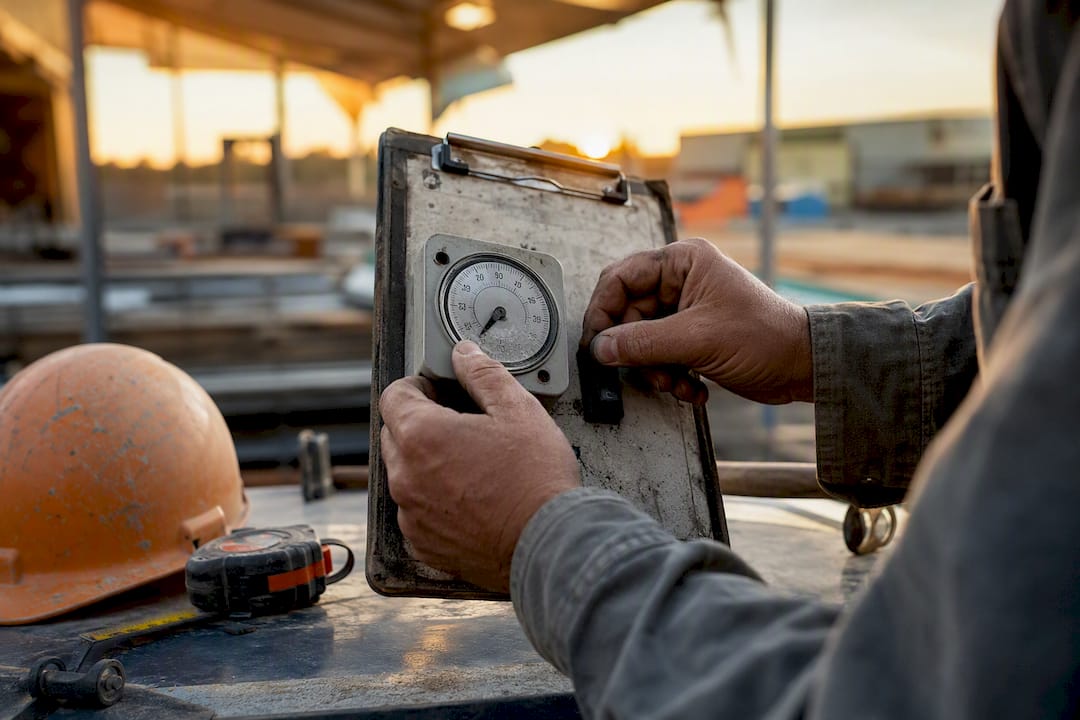
The sellers who close more deals aren’t more persistent by nature. They’ve just built a system that makes persistence automatic.
Pro Tip: Pick one deal-size tier this week and set up its reminder cadence in your CRM before you send another proposal. Fixing the process for one tier beats a vague plan to “follow up more” across everything.
— Rowena
How Highlevelcrm-rconstructionsolutions Puts This Process on Autopilot
Building this sequence by hand in a spreadsheet works until you’re juggling more than a handful of active bids, then something slips. Highlevelcrm-rconstructionsolutions is built specifically for contractors managing multiple proposals at once, and it turns the matrix and signals above into something that runs itself instead of something you have to remember.
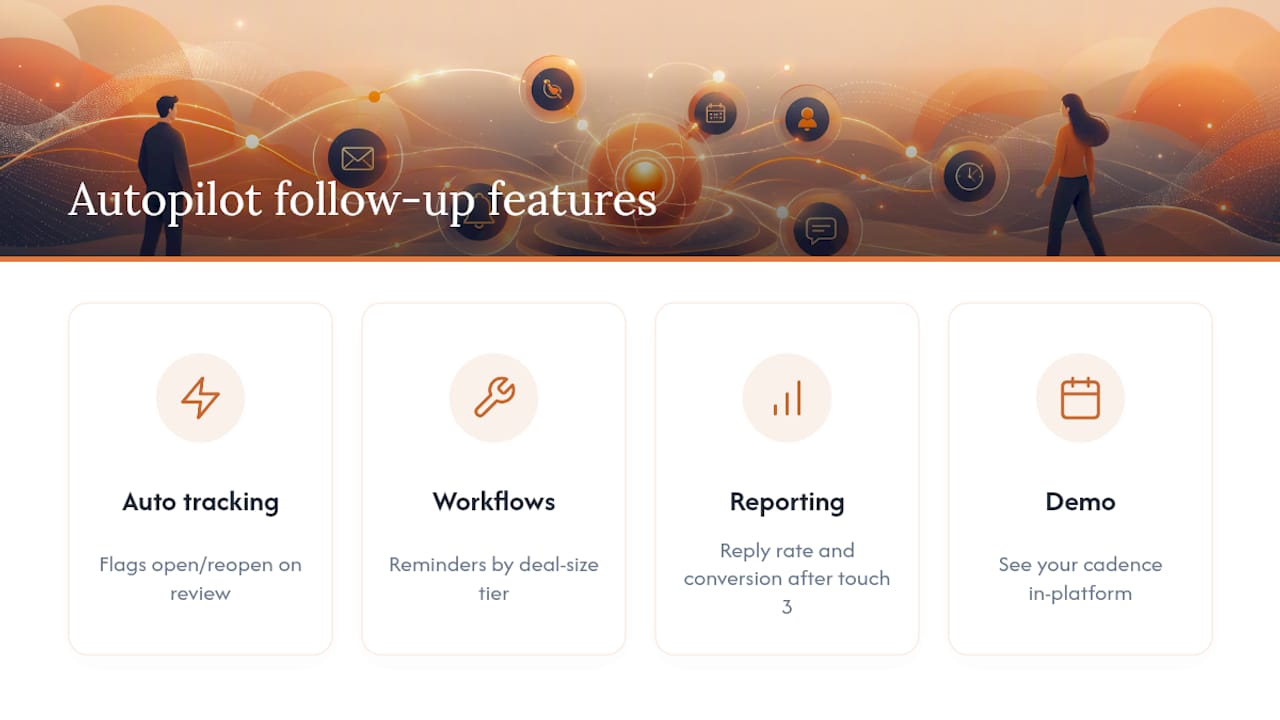
Proposal tracking flags opens and reopens automatically, so touch 2 fires because a prospect actually reviewed your pricing again, not because a calendar reminder said so; this kind of efficiency is exactly what CRM automation software for home service businesses aims to achieve. Workflow automation handles the reminder cadence by deal-size tier, matching the timing matrix without you setting a new reminder for every bid. Custom reporting dashboards surface your reply rate per touch and your conversion rate after touch 3, the exact metrics that tell you whether your sequence needs adjusting.
For a closer look at how proposal tracking supports bid follow-up for construction teams specifically, or a broader look at the platform’s CRM features and FAQs, both are worth a look before your next bid goes out. Book a demo call to see your own follow-up cadence set up inside the platform.
Sources
The timing matrix for proposal follow-up by deal size and the 5-touch sequence framework both come from Afterquoted’s practical sales guides. Proposify’s guide to following up correctly covers tracking and automation in more depth. Build-Construct’s piece on persistence in construction sales grounds the cadence in contractor-specific buying cycles.
- How to Follow Up on a Proposal (the Right Way) | Proposify
- Persistence in Construction Sales: Process, Follow-Up, and the Long Game | Build-Construct

