
Custom Reporting for Contractors: 2026 Guide | High Level CRM - R. Construction Solutions
Custom reporting for contractors is the practice of building tailored, role-specific data views that answer the exact questions your projects and finances demand, rather than forcing your team to work around preset report templates that were never designed for construction. Where a standard report gives you a fixed snapshot, a custom report updates dynamically, filters by job or cost code, and delivers only the metrics each user actually needs.
The difference shows up fast on a real job. A project manager needs labor productivity by phase. Your CFO wants a real-time work-in-progress (WIP) schedule. A field superintendent needs today’s schedule adherence, nothing more. One static report cannot serve all three. Custom reporting solves that by letting each role see the same underlying data through a lens built for their responsibilities.
What is custom reporting for contractors, and what does it include?
Custom reporting in construction contracting means configuring your data system to produce reports that match your specific operational and financial questions, rather than relying on whatever a software vendor decided to include by default. The industry term you will hear alongside it is “role-based reporting,” which refers to designing each report around the user’s daily job function.
The core components of a well-built custom report for contractors include:
- Job costing data: Actual costs versus budgeted costs, broken down by cost code, phase, and trade
- WIP schedules: Real-time WIP reporting that updates as labor approvals, subcontractor invoices, and material purchases enter the system
- Labor hours and productivity: Hours logged per phase compared to estimated hours, flagging overruns before they compound
- Financial performance: Revenue recognition, margin by job, and cash flow position
- Schedule adherence: Planned versus actual progress at the activity level
- Role-based views: Separate layouts for project managers, executives, accountants, and field superintendents
- Drill-down capability: The ability to click from a summary figure into the underlying transactions without exporting data
These elements together give contractors the financial transparency and project visibility that generic reports simply cannot provide.
What makes custom reports more effective than standard ones?
Standard reports answer the questions the software developer anticipated. Custom reports answer yours. That gap matters most in construction, where job cost relationships between labor, materials, subcontractors, and WIP are complex enough that preset templates routinely obscure the data you need most.
The practical advantages of purpose-built contractor reporting include:
- Faster decisions because the right data is already filtered and formatted
- Early detection of job fade, cost overruns, and schedule slippage
- Financial statements that reflect current project conditions, not last month’s reconciliation
- Reduced manual work by eliminating repetitive data exports into spreadsheets
- Consistent, reusable report formats that update automatically as new data enters the system
- Improved confidence from lenders and bonding partners who can see accurate, current WIP data
Tools like DataGenie™ within the FOUNDATION® accounting platform let contractors build interactive reports directly from live accounting data, with drill-downs and filters that adjust in real time without rebuilding the report from scratch.
Pro Tip: When starting a new custom report, build from a blank template rather than modifying a complex standard report. Construction job cost relationships are intricate, and standard report structures often carry hidden data dependencies that make customization harder, not easier.

How do you tailor reports for different contractor roles and project needs?
Role-based reporting is where custom reporting pays off most visibly. A report that works for your CFO will overwhelm a field superintendent, and a report built for a project manager will leave an executive asking for the summary they actually need. Successful firms strip away unnecessary data layers for each user group, keeping only the metrics relevant to that person’s daily decisions.
Step-by-step framework for creating tailored reports
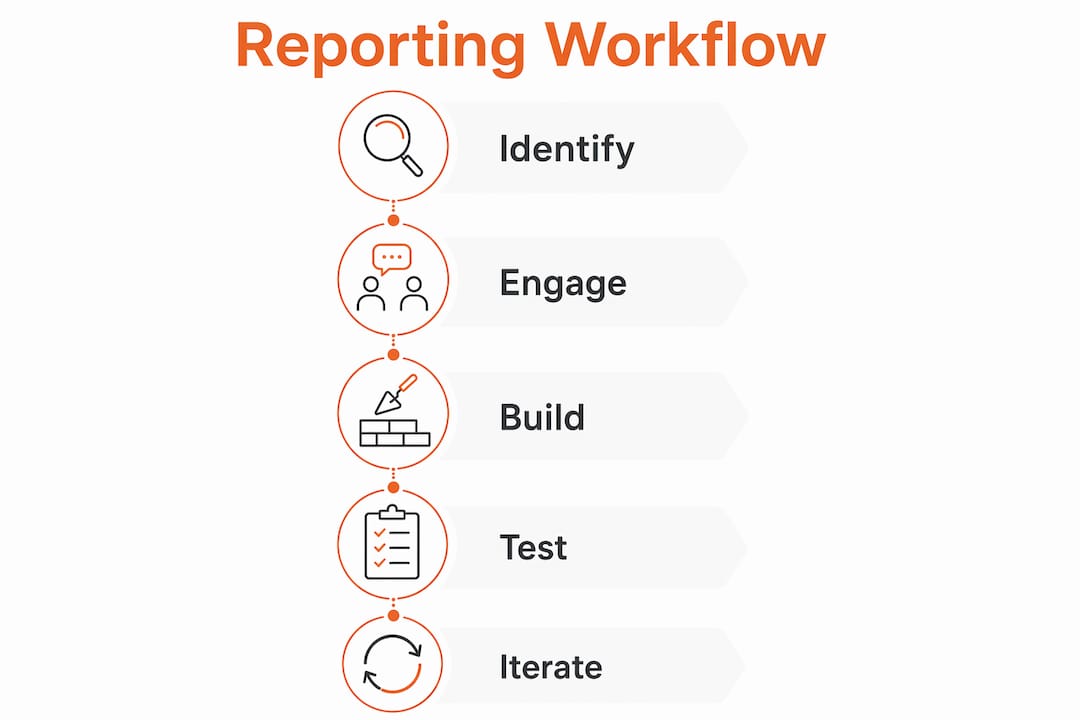
- Identify the user’s core question. Ask each role: “What decision are you making with this report?” A superintendent wants to know if today’s crew is on pace. A CFO wants to know if the job will finish within margin.
- Select the relevant data fields. Pull only the fields that answer that question. Extra columns create noise and reduce adoption.
- Set filters and parameters. Define the job range, date range, cost codes, and phases the report should cover by default.
- Design the layout for the audience. Executives need summary dashboards. Project managers need line-item detail with variance flags. Field teams need simple, mobile-friendly formats.
- Build in drill-down paths. Let users click from a summary total into the underlying transactions without leaving the system or opening a spreadsheet.
- Schedule automated delivery. Configure the report to run and distribute on a set cadence so recipients get current data without requesting it manually.
- Test with end-users before finalizing. Involve the people who will use the report in the review process. They will catch missing fields and confusing layouts that you will not notice from the outside.
Key customization options to consider for each report:
- Dynamic filtering by job, phase, cost code, or date range
- Conditional formatting to flag variances above a set threshold
- Automated scheduling for daily, weekly, or monthly delivery
- Export formats matched to the audience (PDF for executives, Excel for accountants)
- Mobile-optimized layouts for field personnel
Involving end-users early in report design is the single most effective way to prevent unused reports. Contractors frequently invest in reporting tools and then discover the reports do not match how their teams actually work, which leads to workarounds and abandoned workflows.
How do custom reports improve construction management in practice?
The most common applications of custom contractor reporting cover four areas: job cost monitoring, labor productivity, schedule adherence, and financial performance. Each one benefits from reports that update continuously rather than waiting for a monthly close.

Pre-configured role-based templates aligned to specific project roles, from field personnel to senior stakeholders, speed up insight-sharing and keep teams aligned across reporting periods. When a project manager can generate a schedule-driven narrative report in seconds after each update, the team spends less time formatting slides and more time acting on what the data shows.
Best practices for getting real value from custom reporting:
- Maintain a single source of truth by keeping reports connected to live system data rather than exported files
- Automate report refreshes so data is current when decisions need to be made
- Set up alerts or conditional flags for cost overruns, schedule slippage, or WIP variances above defined thresholds
- Restrict data access by role to protect sensitive financial information and maintain data privacy
- Document each report’s purpose and data sources so new team members can interpret results correctly
- Review report utility quarterly and retire reports that no longer drive decisions
Pro Tip: Treat your custom reports as living tools, not finished products. As projects grow more complex and your team’s questions evolve, your reports should evolve with them. Schedule a quarterly review to confirm each report still answers the question it was built for.
Manual spreadsheet exports create version control problems that compound over time. When multiple team members work from different exported copies of the same data, discrepancies appear in financial statements and project status updates, creating confusion rather than clarity. Embedding reports directly within your construction accounting system eliminates that problem entirely.
For contractors managing job costing and project expenses across multiple active jobs, the shift from static exports to live, embedded reporting is one of the most immediate improvements available.
What do industry experts say about real-time and role-based reporting?
Finance and construction professionals who work with contractors daily are consistent on one point: monthly reporting cycles are too slow for the decisions contractors face.
“When WIP data updates continuously, financial statements more accurately reflect current project performance. Controllers can identify potential job fade earlier and update forecasts before problems escalate. Real-time WIP reporting reduces that risk by aligning project data and financial reporting more closely. When project conditions change, the financial statements change with them, and financial partners maintain confidence in your reporting.”
— Baker Tilly, construction finance advisory
That perspective reflects what construction-focused finance teams see repeatedly: the gap between when a cost event happens on the job site and when it appears in a financial report is where margin surprises originate. Closing that gap through continuous, automated WIP reporting is not a technical luxury. It is a financial control.
Project management professionals make a parallel argument about role-based design. Reports that strip complexity and surface only the metrics relevant to a user’s daily work get used. Reports that dump every available data field get ignored. The AACE Total Cost Management Framework formalizes this principle, emphasizing fitness-for-purpose, role-based communication, and standardized performance tracking as the foundation of effective schedule reporting.
Organizational change management is the piece contractors most often overlook. Building a great report is only half the work. Training your team to interpret it, act on it, and trust it over informal workarounds determines whether the investment pays off. Contractors who involve end-users in report design and provide hands-on training see far higher adoption rates than those who deploy reports without that preparation.
Highlevelcrm-rconstructionsolutions brings more than 30 years of construction industry experience to this challenge, with reporting dashboards built specifically for how contractors operate, not adapted from generic business software. Understanding why construction-specific tools outperform general-purpose platforms comes down to exactly this: the data relationships, role structures, and reporting cadences in construction are different enough that generic tools consistently fall short.
Highlevelcrm-rconstructionsolutions gives contractors reporting built for the field
Contractors who have read this far know what good custom reporting requires: live data, role-specific views, automated delivery, and a system that understands construction accounting from the ground up. Highlevelcrm-rconstructionsolutions delivers exactly that, built on over 30 years of direct construction industry experience.

Unlike general-purpose CRM platforms that treat construction as just another industry vertical, Highlevelcrm-rconstructionsolutions integrates custom reporting dashboards with automated lead tracking, job-specific workflows, and construction-native data structures. Your project managers get the job cost views they need. Your executives get the financial summaries that support confident decisions. And your field teams get the schedule data that keeps work moving. Some contractors using the platform report improved lead conversion rates, a direct result of having cleaner data and faster visibility into where opportunities stand.
The next step is straightforward. Visit the industries we serve page to see how Highlevelcrm-rconstructionsolutions is already working for contractors like you, or review the CRM features and reporting tools in detail to find the configuration that fits your operation. You can also explore construction management approaches that pair well with strong reporting systems.
Key takeaways
Custom reporting for contractors means building live, role-specific data views that answer real project and financial questions, replacing static exports with reports that update automatically and drive faster decisions.
| Point | Details |
|---|---|
| Custom vs. standard reports | Custom reports answer your specific operational questions; standard reports answer the software developer’s assumptions. |
| Real-time WIP reporting | Continuous WIP updates let controllers identify job fade early and keep financial partners confident in your statements. |
| Role-based design | Strip each report to only the metrics that user’s role requires; complexity reduces adoption and utility. |
| Avoid spreadsheet exports | Manual exports create version control problems; embedding reports in live systems maintains a single source of truth. |
| Highlevelcrm-rconstructionsolutions | Built on 30+ years of construction experience, it delivers custom reporting dashboards and CRM tools designed specifically for contractors. |

