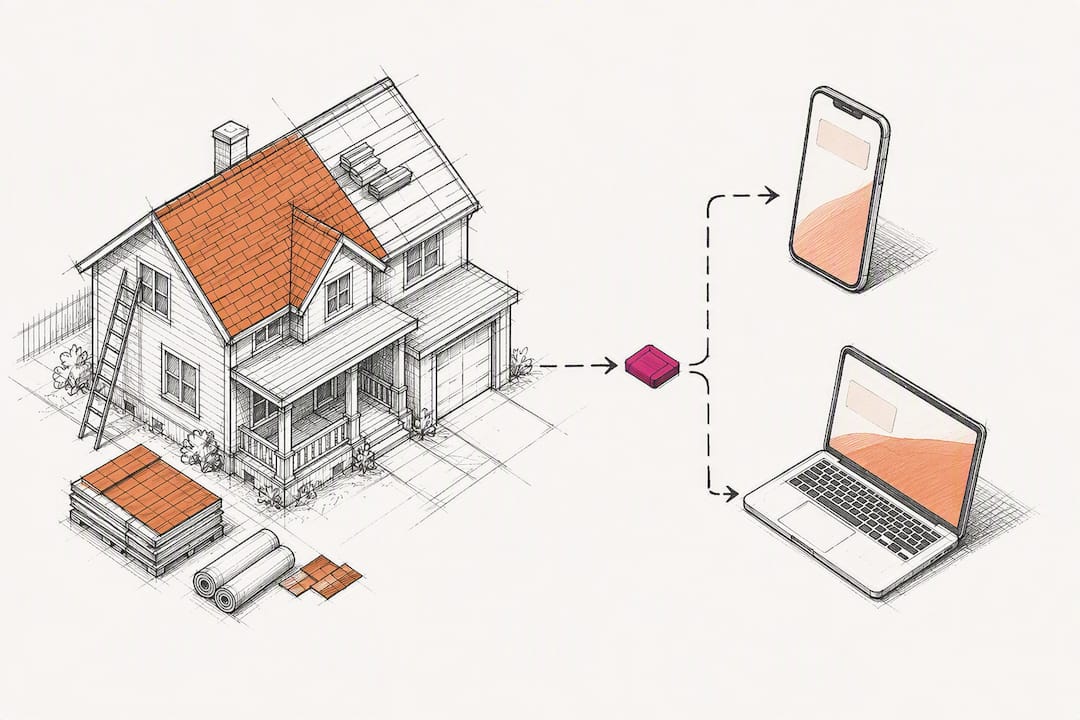
Contractor Marketing Automation Playbook: 5 Flows, Costs, KPIs
The five automations that move the needle for contractors are speed-to-lead texting, estimate follow-up sequences, missed-call rescue, post-job review requests, and dormant-customer reactivation. Contractors who build all five typically see faster response times and more booked jobs, and many recover their subscription cost in about two to four months. A contractor-focused CRM is usually the fastest way to get there without hiring a developer.
TL;DR:
- Building speed-to-lead and missed-call rescue automations first offers the quickest return, with setup times of 15 to 25 hours and immediate lead protection.
- Implementing these automations can reduce cost per booked job by about 40 percent when response times improve from over an hour to within five minutes.
- Most contractors see a payback in two to four months, especially when automation increases their close rate from 15 percent to around 25 percent.
- Connecting a contractor-specific CRM that tracks job statuses and integrates estimating saves time and prevents common setup stalls caused by bad contact data and inconsistent pipeline stages.
- Tracking key KPIs such as response time, response rate, and conversion rate, along with proper lead source and outcome monitoring, is essential for measuring automation success.
Table of Contents
- What Contractor Marketing Automation Actually Fixes
- The Five High-Impact Automation Sequences Worth Building
- What Automation Costs and When It Pays For Itself
- Setup Time, Integrations, and Where Projects Stall
- KPIs Every Contractor Must Track
- A Practical Setup Checklist and Message Templates
- Why Contractor-Specific CRM Experience Changes the Outcome
- When to DIY Automations vs. Hire a Setup Partner
- How High Level CRM Puts These Five Automations to Work
- Sources
- FAQ
What Contractor Marketing Automation Actually Fixes
Contractor marketing automation is the practice of using software to trigger timely, repeatable follow-up with leads and past customers, without a human having to remember to do it. That’s the plain definition, but the real story is in the timing. More than half of home service contractors take multiple days to respond to new inquiries, according to CallRail’s home services benchmarks, while research on online sales leads shows that leads contacted within five minutes convert at dramatically higher rates than leads contacted even an hour later.
That gap is where automated marketing for contractors earns its keep. A homeowner who fills out a form for a roof estimate is usually shopping three companies at once. Whoever calls first often wins the job, not whoever does the best work. Automation closes that window by firing a text or email the moment a lead lands, before your competitor’s voicemail even picks up.
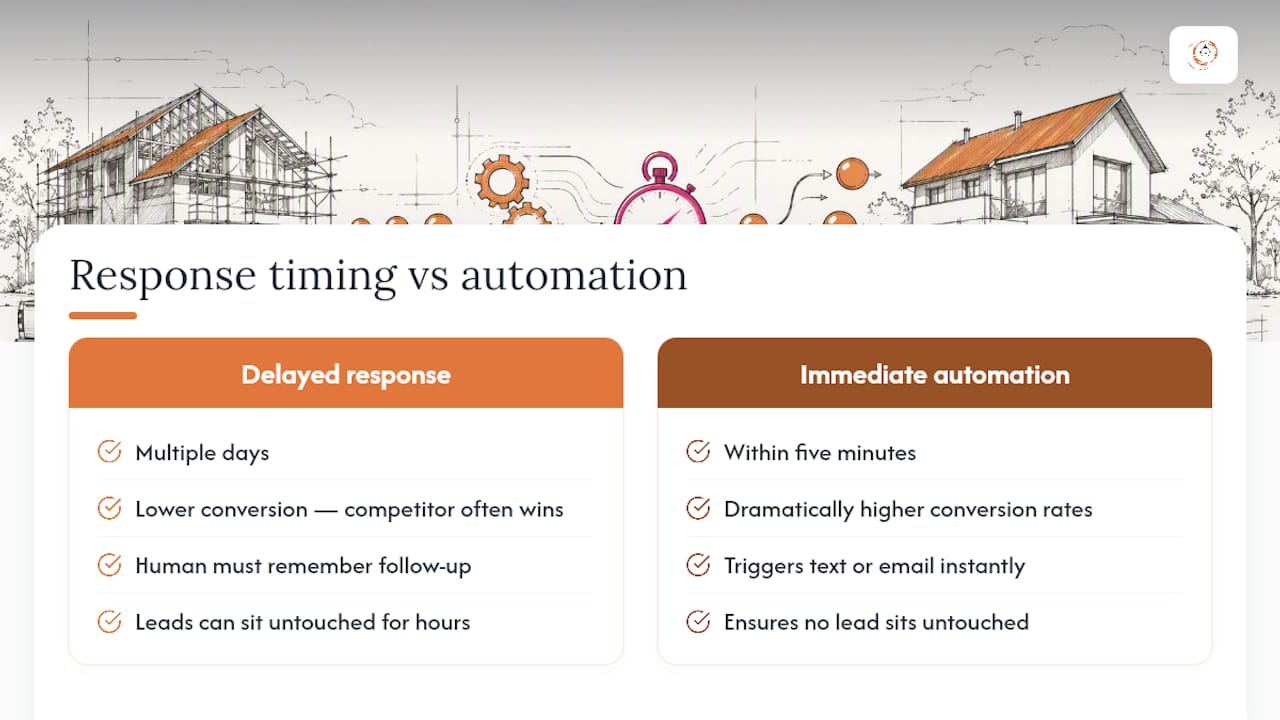
This isn’t about replacing your sales process. It’s about making sure no lead sits untouched for six hours because your estimator was on a roof.
The Five High-Impact Automation Sequences Worth Building
Each of these flows solves a specific leak in the lead-to-booking pipeline. Build them in this order for the fastest return.
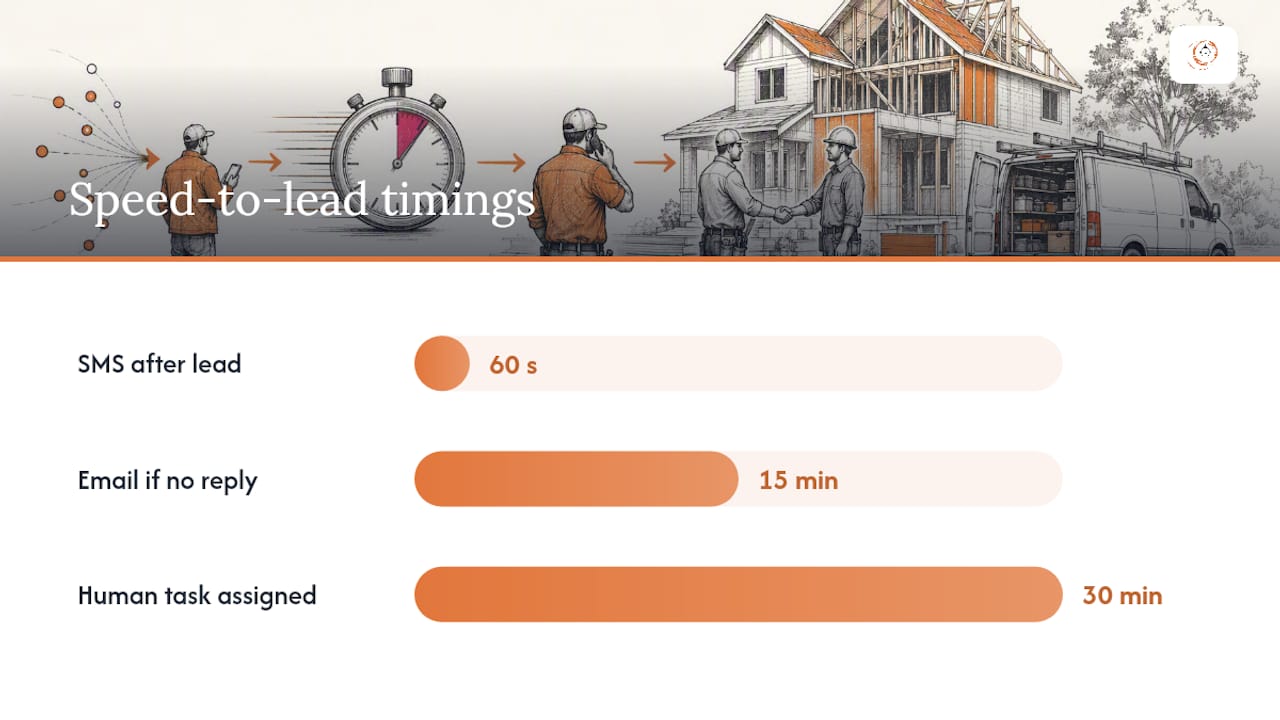
- Speed-to-lead. The moment a form, call, or chat comes in, an automated text should go out within 60 seconds, with a 5-minute window as the outside limit. Mix channels: an instant SMS, followed by an email if there’s no reply within 15 minutes, then a task for a human to call.
- Estimate follow-up. After you send a quote, silence kills deals. A three-to-five touch cadence over 10 days (text on day 1, email on day 3, call reminder on day 5, final check-in on day 10) keeps your bid top of mind without sounding desperate.
- Missed-call rescue. Every unanswered call should trigger an instant text back, something like “Sorry we missed you! Text us your job details or we’ll call you back within 15 minutes.” Route the reply to whoever’s on dispatch that day, and track how many of these convert to booked estimates.
- Post-job review request. Send the review link within 2 to 4 hours of job completion, while the fresh paint smell or clean gutters are still top of mind. Contractors using auto-SMS review requests report gaining 10 to 20 new Google reviews per month, which directly supports local pack visibility.
- Reactivation. Segment your customer database by last service date and trigger a re-engagement email or text at the 12-month mark, offering a seasonal service or a maintenance check.
Pro Tip: Don’t build all five at once. Launch missed-call rescue and speed-to-lead first. They require the least setup and protect leads you’re already paying to generate.
What Automation Costs and When It Pays For Itself
Most contractors land in the $149 to $499+ per month range for a marketing automation and CRM stack, with setup running 15 to 25 hours depending on how many integrations you need, per PipelineOn’s industry pricing data. Contractor marketing benchmarks for 2026 recommend spending 5% to 10% of gross revenue on marketing overall, with top performers pushing 7% to 10% while closely tracking cost per booked job, according to Elev8 Operations.
The math is straightforward once you have your numbers:
- Cost per lead (CPL): $80
- Close rate before automation: 15% → cost per booked job: $533
- Close rate after automation (25% from faster response and better follow-up): $320 per booked job
Quick math: A 10-point close-rate improvement on a $80 CPL cuts your cost per booked job by roughly 40%, often paying back a $299/month subscription in a single closed job.
That payback window shrinks fast for any contractor closing average tickets above a few thousand dollars.
Setup Time, Integrations, and Where Projects Stall
Core automations (speed-to-lead, missed-call rescue, review requests) typically take 15 to 25 hours to configure correctly, per PipelineOn. Custom integrations with estimating software or accounting platforms add time on top of that baseline.
- Call tracking and form capture. Every phone number and web form needs a tracked line so you know which channel produced the lead.
- Google Business Profile connection. GBP can generate 30% to 50% of contractor calls when properly optimized and linked to your automation flows, according to Elev8 Operations.
- Conversion tracking. Meta Pixel, Conversion API (CAPI), and Google Tag Manager need to fire correctly, or your ad platforms optimize toward clicks instead of booked jobs.
Projects stall most often on dirty contact data, inconsistent pipeline stage names across teams, and nobody owning the CRM after the initial setup call ends.
KPIs Every Contractor Must Track
Cost per booked job is the metric that ties everything together: total marketing spend divided by number of jobs actually scheduled, not just leads generated. If you spend $4,000 a month and book 12 jobs, your cost per booked job is $333.
Beyond that headline number, track these weekly:
- Speed-to-first-contact: average minutes from lead capture to first outreach attempt.
- Response rate: percentage of leads who reply to your first touch.
- Estimate-to-book conversion: percentage of sent quotes that turn into signed jobs.
- Review velocity: new reviews per month, tied directly to your post-job automation.
Contractors who install full conversion tracking, including CAPI, see tracked conversions improve by 30% to 50% compared to accounts running without it, per Elev8 Operations. Untracked mobile conversions simply vanish from your reporting, which makes your ad spend look worse than it actually is.
Build a simple dashboard with four columns: source, pipeline stage, owner, and outcome. Review it every Monday morning before your team starts calling.
A Practical Setup Checklist and Message Templates
Building these flows doesn’t require a developer. It requires a checklist and a few templates you can adapt.
- Set up speed-to-lead first. Trigger: any new form submission or missed call. Timing: SMS within 60 seconds, email at 15 minutes if no reply, task assigned to a human at 30 minutes.
- Build the estimate follow-up cadence. Trigger: estimate marked “sent” in your pipeline. Timing: text day 1, email day 3, call task day 5, final email day 10.
- Add missed-call rescue. Trigger: any unanswered inbound call. Timing: instant text, no delay.
- Launch review requests. Trigger: job status changed to “complete.” Timing: 2 to 4 hours after completion.
- Turn on reactivation. Trigger: last service date crosses 12 months. Timing: email plus SMS combo, spaced three days apart.
Sample SMS for missed-call rescue: “Hey, this is [Company Name]. Sorry we missed your call! Reply with your address and what you need, and we’ll get back to you within 15 minutes.”
Sample review-request text: “Thanks for choosing [Company Name] for your project! Mind leaving us a quick Google review? It takes 30 seconds: [link]”
Keep every message short, name the company, and give one clear next step. A step-by-step follow-up guide can help you map out cadences before you build them inside your CRM.
Pro Tip: Write your templates in a plain text document first. Trying to draft message copy inside a CRM’s workflow builder while also configuring triggers is where most setups slow down.
Build speed-to-lead and missed-call rescue first. They protect leads you’ve already paid for, and they show measurable results within the first two weeks.
Why Contractor-Specific CRM Experience Changes the Outcome
Generic CRMs weren’t built around job statuses, estimate cycles, or subcontractor scheduling, which is exactly where most off-the-shelf automation setups break down for contractors.
Users of contractor-focused CRM platforms report increases in lead conversion of around 35% after implementing automated tracking and workflow triggers tied to their actual job pipeline.
The features that matter most for contractors specifically are estimating integrations that sync quote status into automation triggers, job-status changes that fire the right message at the right stage, and built-in supplier and subcontractor communication tools that keep a project moving without a dozen side text threads. You can see how this plays out in reported contractor CRM conversion improvements.
— Rowena
When to DIY Automations vs. Hire a Setup Partner
If you’re getting under 20 leads a month and have someone comfortable with software, building these flows yourself is realistic and cheap. Once volume climbs, or you need estimating and accounting integrations working together, paid onboarding usually pays back within the first month of faster response times alone.
Before hiring a setup partner, ask what triggers they’ll configure, how they handle your existing contact list, and what training they provide your team after launch.
How High Level CRM Puts These Five Automations to Work
There are CRM platforms that integrate multiple automations such as speed-to-lead texting, estimate follow-up, missed-call rescue, review requests, and reactivation into a single contractor-specific workflow rather than relying on separate tools and integrations.

Some contractor-focused CRM platforms feature lead tracking integrated with job status, so triggers like a missed call or sent estimate automatically send the appropriate messages. Review requests and reactivation sequences can be automated and run against existing customer databases without manual exports.
If you’re ready to see how this fits your specific trade, whether you run a roofing crew, an HVAC company, or a general contracting firm, check out Industries We Serve and book a demo to walk through your current pipeline with our team.
Sources
- Contractor CPL benchmarks 2026 — Elev8 Operations
- The short life of online sales leads — HBR
- Home services marketing statistics — CallRail
FAQ
What Are the Best Marketing Strategies for Contractors?
The highest-leverage strategies combine fast lead response, a hybrid paid channel mix of Meta, Google, and Local Service Ads, and consistent review generation, since top-performing contractor accounts share sub-5-minute response times and service-specific landing pages.
What Does a Marketing Automation Specialist Typically Handle?
A marketing automation specialist builds and manages the trigger-based workflows covered in this guide, from speed-to-lead texting to review requests, rather than running paid ad campaigns directly. Salary varies widely by region and experience level and isn’t standardized industry-wide.
What Are Examples of Marketing Automation for Contractors?
A missed-call text-back, an automatic review request sent hours after a completed job, and a 12-month reactivation email to a dormant customer are all common examples. Each runs without a person manually sending the message.
How Much Does Contractor Marketing Automation Cost?
Most contractors spend between $149 and $499 or more per month on a CRM and automation stack, with setup taking roughly 15 to 25 hours for the core five automations, based on PipelineOn’s pricing data.
Which CRM Works Best for Contractor-Specific Automation?
A contractor-focused platform like Highlevelcrm-rconstructionsolutions tends to outperform generic CRMs because job-status triggers, estimating integrations, and subcontractor communication are built into the workflow instead of requiring custom development.
Recommended
- Reduce Marketing Costs with CRM Automation for Contractors
- Automate Follow-Up for Contractor Leads: 2026 Guide
- Client Onboarding Automation Best Practices for Contractors
- Benefits of Automated Lead Follow-Up for Contractors
Signed up, or thinking about it? We build the inside of the account — pipelines, workflows, funnels, nurture, migration. Built for construction. Contact us.
Affiliate disclosure. We’re a GoHighLevel affiliate. Sign up through our link and we may earn a commission at no cost to you, or buy direct. Build-out is billed separately, never a software markup.

