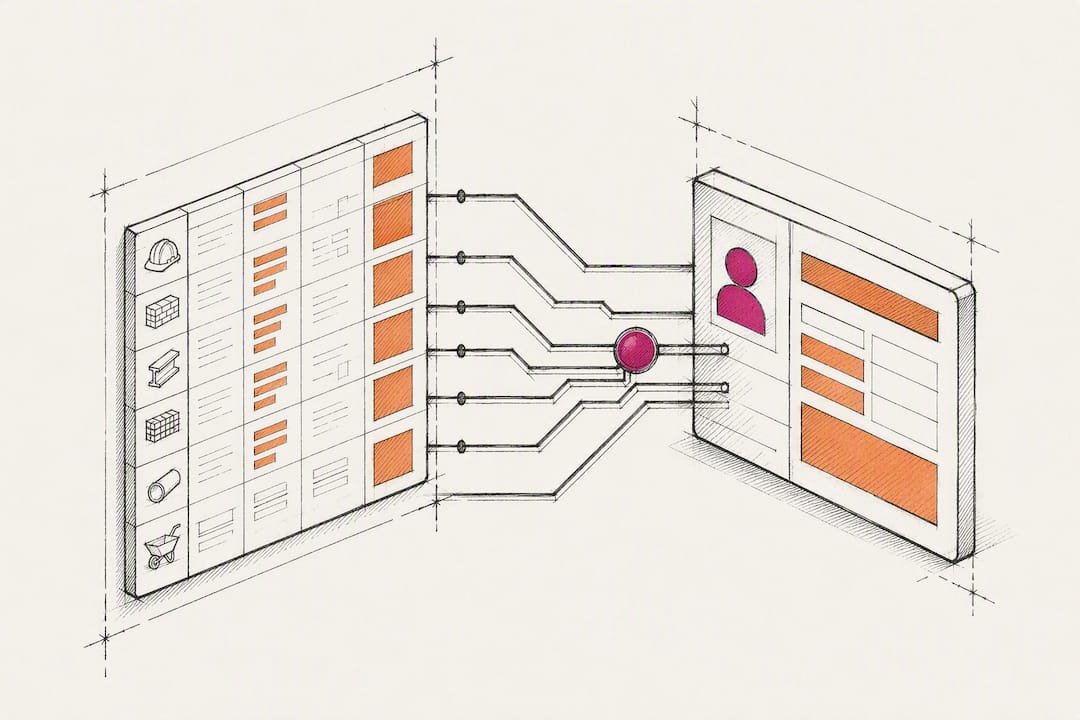
Contractors: Start Estimating CRM Integration With a Data Map
Connecting your estimating software to your CRM eliminates double entry and turns every won opportunity into a ready-to-execute project record without a single copy-paste step. Estimators, project managers, and operations leads at small-to-mid-size firms benefit most, and the fastest path to a clean rollout is a data map built before any tool gets touched. Scan the checklist below, then start there.
TL;DR:
- Building a data map before integration ensures accurate field matching and accountability, reducing errors and drift over time.
- Locking cost fields to one-way sync from estimation to CRM prevents accidental overwrites and preserves margin protection.
- Regular monthly validation of record totals and error logs is essential to catch small sync failures that can become costly.
- Native integrations offer the deepest and most reliable sync but are limited to supported platform pairs, while connectors are faster and more flexible.
- Starting with a connector is the best option if no in-house developer is available, with a move to custom API later to improve field-level accuracy.
Table of Contents
- What Does Estimating CRM Integration Actually Get You?
- How Does Data Actually Move Between Systems?
- Native Integration, Connector, or API: Which Fits Your Team?
- Your Step-by-Step Plan for a Clean Rollout
- What Breaks After Go-Live, and How Do You Catch It?
- Who’s Behind This Guidance, and What Backs It Up
- Why “Data Map First” Beats Every Other Approach
- How High Level CRM Handles Estimating Integrations
- Sources
What Does Estimating CRM Integration Actually Get You?
Connecting your estimating tool to your CRM does one thing above all else: it makes the estimate the single source of truth for cost data. That protects margin, because nobody is retyping totals into a second system where a fat-finger error can quietly erase profit. It also reduces disputes with clients and subcontractors, since the numbers a project manager sees match exactly what the estimator built.
Integrating CRM with estimating tools cuts errors and speeds up workflows by preventing duplicate data entry and keeping records in sync. Firms that automate the handoff from won deal to project record also avoid the manual re-entry that causes data loss between sales and operations.
Pipeline analytics improve too. Once estimate data flows into your CRM automatically, you can see win rates by job type, average estimate size, and which reps close fastest, which sharpens how you allocate estimating time.
Track these KPIs starting week one:
- Average time from closed-won to active project record
- Sync error rate (failed or partial transfers per week)
- Estimate-to-project cost variance after handoff
Pro Tip: Pull a baseline on these three numbers before you integrate anything. Without a “before” snapshot, you can’t prove the integration paid for itself.
How Does Data Actually Move Between Systems?
Every integration runs on triggers, not magic. A trigger fires, a record updates, and the right fields move to the right place. Get the trigger list wrong and you either flood your CRM with junk or miss the handoff entirely.
- Closed-won triggers project record creation in your CRM or project management tool.
- Create-estimate triggers a new opportunity or updates an existing one with current pricing.
- Accept-subcontractor-quote triggers a cost update and notifies the project manager.
The fields that typically travel: customer name and contact, job site address, line items, totals, cost codes, and subcontractor or general contractor details. Not every field should move both directions. Lock cost fields to one-way sync, flowing from your estimating system outward, so downstream tools can display status and progress updates without ever overwriting the numbers your estimator built. A recommended control here is making the estimating system the single source of truth for cost data, full stop.
Native Integration, Connector, or API: Which Fits Your Team?
The right method depends on your budget, your technical bench, and how much field-level accuracy you actually need.
- Native integrations offer the deepest sync between two specific platforms but only work if your vendor already built the pairing you need.
- Connectors like Zapier or Make bridge tools without native support, at a lower upfront cost and a setup timeline measured in days, not months.
- Direct API or webhook integrations give full control over field mapping and logic, but require developer time and ongoing maintenance.
Native tools trade flexibility for depth: fewer supported pairings but tighter field-level sync, while connectors trade some precision for reach and speed. Contractors most often prioritize integrations around bids, proposals, and estimate follow-up as their first automation target.
Pro Tip: If you have no in-house developer, start with a connector. You can always graduate to a custom API once you know exactly which fields you actually use.
Your Step-by-Step Plan for a Clean Rollout
Skipping the data map is the single most common reason integrations go sideways. Do the steps in order.
- Inventory both systems and list every field that needs to sync.
- Build a Data Map: source field, destination field, and an example value for each, labeled consistently so nobody guesses.
- Choose your integration method (native, connector, or API) and draft a timeline and budget.
- Build test cases and validate them against sandbox records before touching live data.
- Pilot with a small batch of real jobs, then train your team and set a rollback plan.
Cost and timeline vary a lot by scope. A basic connector setup can run cheap, while a fully custom API project needs real developer budget and weeks of build time.
| Step | Owner | Typical output |
|---|---|---|
| Data map | Estimator + PM | Shared spreadsheet with field pairs |
| Method selection | Ops lead | Budget and timeline document |
| Sandbox test | IT or integrator | Validated test records |
| Pilot | Project team | 5 live jobs synced cleanly |
For a broader look at setup fundamentals, see how to set up a CRM for your construction business.
What Breaks After Go-Live, and How Do You Catch It?
Most sync failures aren’t dramatic. They’re small, repeated, and easy to miss until a project manager is working from stale numbers.
The usual suspects: mismatched cost codes between systems, duplicate customer records created by inconsistent naming, and free-text variations (think “Job Site Rd.” versus “Job Site Road”) that break automated matching.
Run this validation routine monthly, not just at launch:
- Spot-check five to ten recent records against the source estimate.
- Reconcile totals between your estimating tool and CRM for a sample of closed jobs.
- Review error alerts and failed sync logs weekly, not just when someone complains.
Pro Tip: Assign one person, not a rotating team, to own sync health. Integration projects hold up best with a designated owner running a monthly reconciliation to catch drift after any software update.
Most fixes are simple: a remapped field, a corrected naming convention. Escalate to your integrator or vendor when errors touch cost fields directly, since that’s where a small glitch turns into a real financial mistake.
Who’s Behind This Guidance, and What Backs It Up
This guide comes from Rowena Tulacz, who writes on construction CRM workflows for Highlevelcrm-rconstructionsolutions, built on more than 30 years of hands-on construction experience folded into the product itself.
That experience shows up in specific features, not just marketing copy:
- Automated lead tracking that flags stalled opportunities before they go cold
- Custom reporting dashboards built around construction KPIs, not generic sales metrics
- Native estimating integrations designed around cost-code structures contractors already use
Contractors using High Level CRM’s integrated workflow report notable increases in lead conversion, driven largely by faster, cleaner handoffs from estimate to active project. Photography across our resources reflects the real diversity of today’s construction workforce, estimators, project managers, and field leads of every background, because that’s who’s actually running these systems. Photography across our resources reflects the real diversity of today’s construction workforce, estimators, project managers, and field leads of every background, because that’s who’s actually running these systems.
Why “Data Map First” Beats Every Other Approach
Most integration advice jumps straight to tool selection: pick a connector, flip a switch, done. That’s backwards. The tool matters far less than knowing exactly which field feeds which field, and what happens when two systems disagree about a cost code.
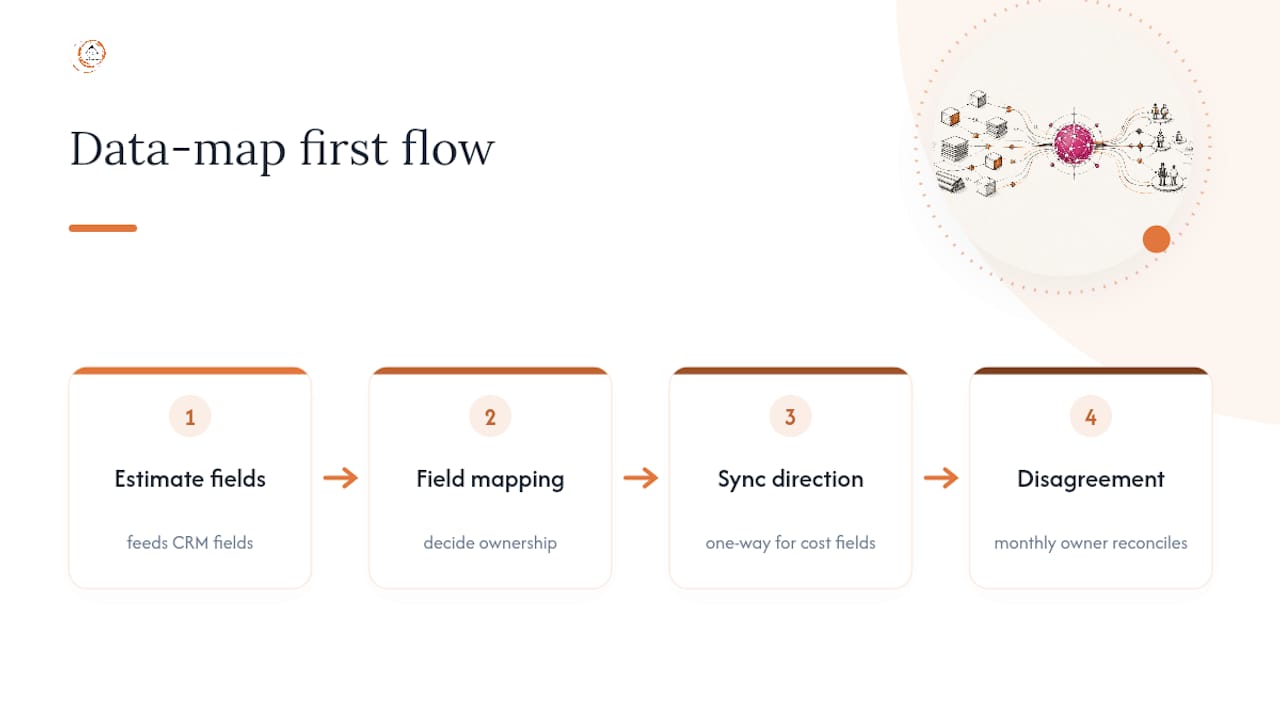
The research bears this out. Every implementation guide worth following starts with mapping, not software. Skip that step, and you’ve automated your existing mess, just faster. I’d go further than most guides do: don’t just map fields, decide ownership. Someone needs to be accountable for reconciliation every month, or drift creeps in silently until a project manager is quoting from numbers that no longer match the estimate.
The most overlooked piece of the field mapping is direction. Contractors default to two-way sync because it sounds more powerful, but locking cost fields to one-way, from the estimate outward, prevents a downstream tool from ever corrupting the number that actually protects your margin. Start there, then add complexity. Not the other way around.
— Rowena
How High Level CRM Handles Estimating Integrations
Highlevelcrm-rconstructionsolutions is built specifically for the handoff problem this guide covers. Where generic CRMs treat estimating integration as an afterthought, High Level CRM was built around construction workflows from the start, so your estimate-to-project handoff isn’t bolted on, it’s the foundation.

A demo with our team includes a real data-map session for your actual tools, a realistic timeline, and a walkthrough of which integration method (native, connector, or API) fits your budget and technical bench. You’ll leave with a concrete plan, not a sales script.
If you’re ready to see what a construction-specific setup looks like for your trade and team size, visit Industries We Serve to find your fit and request a demo.
Sources
Recommended
- How to Set Up a CRM for Your Construction Business
- Construction CRM Integrations: What to Connect First
- Construction CRM Implementation: A Practical Rollout Playbook
- Mobile CRM for Contractors: Field-Ready Lead-to-Invoice
Signed up, or thinking about it? We build the inside of the account — pipelines, workflows, funnels, nurture, migration. Built for construction. Contact us.
Affiliate disclosure. We’re a GoHighLevel affiliate. Sign up through our link and we may earn a commission at no cost to you, or buy direct. Build-out is billed separately, never a software markup.

