
JobTread vs. Construction CRM Explained for Contractors
JobTread is a construction-focused operational platform built for project execution, not a traditional sales CRM designed for lead nurturing and pipeline management. Contractors evaluating their software options often conflate the two, which leads to buying the wrong tool or expecting one platform to do everything. The jobtread versus construction crm explained debate comes down to a single question: where does your biggest bottleneck sit? If it’s in running jobs after the contract is signed, JobTread delivers. If it’s in converting leads before the contract exists, you need a dedicated construction CRM. Most growing firms need both, and understanding why is the first step to building a system that actually works.
What is JobTread’s role compared to generic CRM tools?
JobTread and a sales CRM solve different problems at different stages of the construction business cycle. Confusing them costs contractors time, money, and leads.

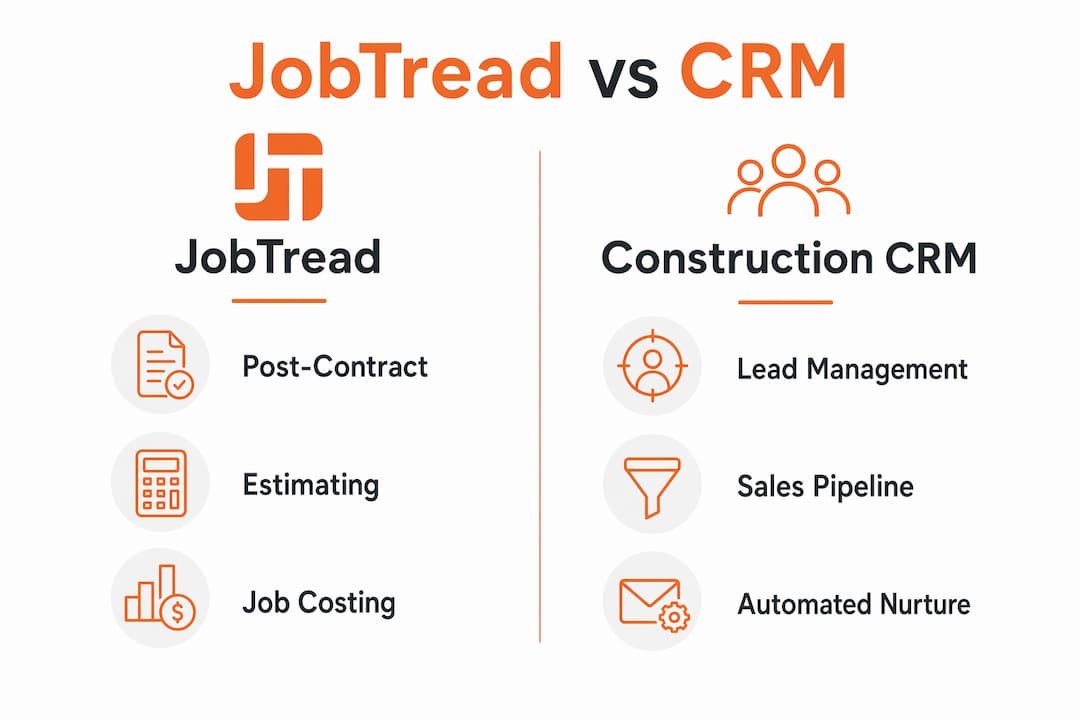
A generic CRM handles pre-contract activities: lead capture, automated follow-up sequences, pipeline tracking, and sales forecasting. It answers the question, “Where is this prospect in my sales process?” JobTread answers a different question entirely: “How is this job progressing, and are we on budget?”
JobTread’s core strengths sit firmly in post-contract execution:
- Estimating and proposals: The built-in proposal builder generates professional PDFs with e-signatures, reducing back-and-forth with clients.
- Change order workflow: Change orders are tracked, approved, and logged inside the job record, keeping everyone accountable.
- Job costing: Actual costs are compared against estimates in real time, so you know your margin before the job closes.
- Client communication: The job feed consolidates client messages, documents, and approvals into one timeline, cutting down on phone calls.
- Subcontractor coordination: Bid requests and cost catalogs let you reuse standard estimates and coordinate subs without rebuilding from scratch each time.
- QuickBooks Online sync: Financial data flows directly to your accounting system without manual re-entry.
Generic CRMs like HubSpot specialize in automated lead nurture sequences and pipeline tracking but lack construction-specific features like job costing and change order management. That gap is real and significant for any contractor managing multiple active projects.
Pro Tip: Map your workflow on paper before buying any software. If you lose more revenue to poor job execution than to lost leads, start with an operational platform. If your close rate is the problem, start with a sales CRM.
Many firms require pairing a sales CRM with JobTread to cover both lead management and project execution effectively. Choosing solely based on “all-in-one” claims often overlooks the actual operational bottleneck.
Which construction companies benefit most from JobTread?
The best software fit depends on trade specialty, project complexity, and company size rather than any universal ranking. Choosing the right tool requires an honest look at where your business actually loses time and money.
JobTread is best suited for:
- Residential custom home builders who need integrated estimating, job costing, and client portals in one place.
- Remodelers managing multiple concurrent projects who rely on QuickBooks Online for accounting.
- General contractors who win work through referrals and relationships rather than high-volume inbound lead generation.
- Firms with complex project workflows where change orders, subcontractor bids, and client approvals are daily activities.
Contractors who benefit more from a dedicated sales CRM tend to share a different profile. They run high lead volume, compete on speed of response, and need automated follow-up to stay competitive. Specialty trade contractors in HVAC, plumbing, or electrical often fall into this category because their sales cycle is shorter and their lead volume is higher.
JobTread is best suited for residential custom home builders and remodelers needing integrated estimating, job costing, client portals, and QuickBooks Online workflows. Pricing simplicity and feature integration help these firms control budgets and operations without juggling multiple disconnected tools.
Pro Tip: Before evaluating any platform, write down your top three operational headaches. If two of three involve winning work, prioritize a sales CRM. If two of three involve running jobs, prioritize an operational platform like JobTread.
Protecting your business during this evaluation also matters. Understanding contractor risk management alongside software selection helps you build a more complete operational foundation, not just a digital one.
How do contractors manage the lead-to-project hand-off?
The hand-off gap is the most underestimated problem in construction software. It is the moment a signed contract moves from your sales CRM into JobTread, and without a clear process, it becomes a manual scramble.
Here is what that gap typically looks like in practice:
- Lead closes in the sales CRM. A rep marks the deal as won, but the job record in JobTread does not exist yet.
- Someone manually creates the job. A project manager or admin re-enters client details, scope notes, and contact information into JobTread by hand.
- Welcome communication falls through. Without automation, sending a welcome packet or booking a kick-off call depends on someone remembering to do it.
- Documents live in two places. Proposals and contracts sit in the CRM while job files live in JobTread, creating version confusion.
- Delays compound. Each manual step adds hours. Across dozens of projects per year, that adds up to weeks of lost productivity.
Without a workflow automation layer, hand-off processes between a sales CRM and JobTread remain labor-intensive and error prone, limiting how far your business can scale. Automation can improve accuracy, reduce delays, and sharpen client communication at the exact moment a new client relationship begins.
The critical challenge contractors face is managing the manual hand-off from lead capture in CRMs to active project management in JobTread. Most firms still handle welcome packets, kick-off calls, and data transfer manually without any automation in place.
Pro Tip: Use a workflow automation tool like Zapier or Make to trigger a new JobTread job creation the moment a deal is marked “won” in your sales CRM. This one automation alone eliminates the most common source of hand-off errors.
Reviewing your onboarding automation options before selecting software helps you understand which platforms support this kind of integration without requiring custom development.
What features and pricing does JobTread offer?
JobTread’s pricing starts at $199/month for one internal user, with additional users at $20/month each. A 20% annual discount applies when you pay upfront, and a 30-day money-back guarantee reduces the risk of committing before you are confident. That pricing structure is transparent and predictable, which matters when you are budgeting software costs against project margins.
The core feature set covers the full operational lifecycle of a construction project:
- Estimating and cost catalogs: Reuse standard line items across projects to build estimates faster.
- Proposals with e-signatures: Send professional PDFs directly from the platform and collect client approval digitally.
- Change order management: Track every scope change with a clear approval trail.
- Job costing: Compare budget to actual costs at any point in the project.
- Client portal: Clients view documents, approvals, and updates without calling your office.
- QuickBooks Online sync: Accounting stays current without duplicate data entry.
JobTread’s CRM features serve primarily as a link between customer contact records and job data rather than providing advanced sales pipeline capabilities. That distinction matters when you are deciding whether JobTread alone covers your needs.
The table below shows how feature categories compare across platform types, using generic labels to help you evaluate your options clearly.
| Feature category | Entry-level field apps | JobTread | Enterprise platforms |
|---|---|---|---|
| Estimating and proposals | Basic | Full-featured | Full-featured |
| Job costing | Limited | Full-featured | Full-featured |
| Sales pipeline tracking | None | Basic | Full-featured |
| Lead nurture automation | None | None | Full-featured |
| QuickBooks integration | Varies | Native | Varies |
| Client portal | None | Included | Included |
Pro Tip: When demoing JobTread, test the mobile experience on a job site, not just in the office. Field usability and offline access are where many platforms fall short, and you will not discover that in a screen-share demo.
Contractors who want to see how JobTread stacks up against other platforms can review a detailed JobTread alternatives breakdown before making a final decision.
Key Takeaways
Construction firms that separate their sales CRM from their operational platform consistently outperform those trying to force one tool to do both jobs.
| Point | Details |
|---|---|
| JobTread is operational, not sales-focused | It manages post-contract execution, not lead nurturing or pipeline tracking. |
| Sales CRMs fill the pre-contract gap | Automated follow-up and pipeline tracking require a dedicated sales CRM alongside JobTread. |
| The hand-off gap is a real cost | Manual data transfer between systems wastes hours and introduces errors that compound across projects. |
| Automation is the fix, not a workaround | Workflow automation tools eliminate the hand-off gap and make two-system setups practical to run. |
| Fit depends on your bottleneck | Choose software based on where you lose the most time: pre-sale or post-contract. |
What I’ve learned from watching contractors pick the wrong tool
After years of working with construction firms on their software stacks, the pattern I see most often is this: a contractor buys JobTread expecting it to replace their sales process, then wonders six months later why their close rate has not improved. JobTread did not fail them. They asked it to solve a problem it was never designed to solve.
The contractors who get this right do one thing differently. They define their workflow in two halves before they buy anything. The first half is winning the job. The second half is running it. They pick a tool for each half, then connect the two with automation. That approach is not complicated, but it requires intellectual honesty about where the real problem lives.
Successful contractors realize they need integrated systems rather than a single “all-in-one” platform to cover both sales and operations adequately. The firms I have seen scale fastest are the ones who stopped searching for one perfect platform and started building a connected system instead.
My honest recommendation: pilot JobTread for 30 days on two or three active projects before committing. Use that time to map exactly where the gaps appear. If you find yourself wishing for better lead follow-up or automated client outreach before the contract is signed, that is your signal to add a dedicated construction CRM to the stack. The real CRM outcomes that matter most come from pairing the right tools, not from expecting one platform to carry everything.
— Rowena
How Highlevelcrm-rconstructionsolutions fits into your construction software stack
Highlevelcrm-rconstructionsolutions is built specifically for contractors who need a sales CRM that understands construction, not a generic platform adapted for it. Developed with over 30 years of construction experience, it covers automated lead tracking, custom reporting dashboards, and pre-sale workflows that operational platforms like JobTread do not address.

Some users report lead conversion rate increases of 35% after switching to a construction-specific CRM. Highlevelcrm-rconstructionsolutions integrates with industry tools and fills the pre-contract gap that leaves so many contractors losing work they should be winning. If you are ready to see exactly what a purpose-built construction CRM covers, the CRM features and FAQs page walks through capabilities, common questions, and how the platform fits alongside operational tools like JobTread.
FAQ
What is the main difference between JobTread and a construction CRM?
JobTread manages post-contract project execution, including estimating, job costing, and change orders. A construction CRM manages pre-contract activities like lead nurturing, pipeline tracking, and automated follow-up.
Can JobTread replace a sales CRM for contractors?
JobTread’s CRM features link contact records to job data but do not provide advanced sales pipeline or lead automation capabilities. Most growing firms need both a sales CRM and JobTread to cover the full business cycle.
How do I handle the hand-off from my CRM to JobTread?
The most effective approach is a workflow automation tool that triggers a new JobTread job record the moment a deal closes in your sales CRM. Without automation, this hand-off relies on manual data entry and is prone to delays and errors.
Who is JobTread best suited for?
JobTread is best suited for residential custom home builders and remodelers who need integrated estimating, job costing, client portals, and QuickBooks Online sync in a single operational platform.
When should a contractor switch from JobTread to a dedicated CRM?
A contractor should add or switch to a dedicated construction CRM when their primary bottleneck is lead conversion rather than project execution. If leads are coming in but not closing, a sales CRM with automated follow-up addresses that gap directly.

