
US Contractors: Cut Change Order Approvals by Nearly Half with AIA G701
A change order approval is the signed agreement that turns a proposed adjustment to scope, cost, or time into an enforceable part of the construction contract. The single best practice is simple to state and hard to skip: document the exact scope, itemize every cost, spell out the schedule impact, submit it within your contract’s notice window, and get it signed on a standard form like AIA G701 before work proceeds. Everything below breaks that down into a workflow you can run on your next job.
TL;DR:
- The change order approval process becomes more efficient when actions like documenting triggers, itemizing costs, and obtaining signatures follow a consistent workflow every time.
- Signing authority levels should be predefined based on project size and complexity to prevent delays, with smaller changes approved rapidly by project managers and larger ones requiring owner or executive sign-off.
- Properly filled change order documents must include detailed scope descriptions referencing specific drawings and specs to avoid disputes and ensure clear scope boundaries.
- Tracking fields such as submission date, status, requested and approved amounts, and approval dates prevent overlooked pending change orders that can negatively impact cash flow and project profitability.
- Common delay causes include missing notice windows, vague scope descriptions, work starting before approvals, and neglecting to review pending change orders regularly.
Table of Contents
- How Does the Change Order Approval Process Actually Flow?
- What Are the Steps to Get a Change Order Approved?
- What Belongs in a Change Order Document?
- Who Approves What: Authority Levels and Routing
- How Do You Track and Follow Up on Pending Change Orders?
- What Mistakes Slow Down Change Order Approvals?
- What Thirty Years of Watching Change Orders Fail (or Fly Through) Teaches You
- Where to Find the Official Forms and Standards
- Sources
How Does the Change Order Approval Process Actually Flow?
Every change order moves through the same basic gates, even when the paperwork looks different from job to job. A potential change order (PCO) or written notice starts the clock, pricing follows, then technical and owner review, then signatures, then the contract itself gets updated and the field crew gets the word.
Here’s the sequence most commercial and residential projects follow:
- Trigger: A field condition, RFI response, or owner request creates a potential change order or notice.
- Pricing: The contractor builds a priced proposal with labor, material, and subcontractor backup.
- Technical review: The architect or engineer checks the scope against drawings and specs.
- Owner review: The owner or owner’s rep evaluates cost, schedule, and necessity.
- Approval and signature: Authorized parties sign, often on a G701 or equivalent form.
- Contract update and notice: The change becomes part of the contract, and the site team is notified.
Variations show up depending on contract type. Public agency and procurement-heavy projects often route through PO change orders instead of contract amendments. Owners sometimes issue a Construction Change Directive (CCD) or an Architect’s Supplemental Instruction (ASI) to authorize work before pricing is finalized. Turnaround times and dollar thresholds also vary widely. A $2,000 field adjustment might get a same-day verbal approval, while a $200,000 scope change can sit in owner review for weeks.
What Are the Steps to Get a Change Order Approved?
Getting change order approvals across the finish line consistently comes down to sequencing, not luck. Follow this order every time:
- Log the trigger the same day it happens. Record it in your daily report, then send written notice per your contract’s notice clause. Most contracts require notice within a set number of days, and missing that window can waive your right to recovery.
- Create the PCO immediately to preserve your rights. You do not need final pricing yet. Issuing a PCO fast and pricing it later is standard practice precisely because it separates the urgent step (notice) from the slower one (accurate cost buildup).
- Build the price with real backup. Itemize labor hours, material costs, subcontractor quotes, and equipment. Include extended general conditions if the schedule shifts, since site overhead adds up fast on delayed jobs. Tie every number to an invoice, vendor quote, or unit price already in the contract.
- Route it for technical review. The architect or engineer checks whether the scope description lines up with drawing numbers and spec sections. Vague language gets kicked back here more than any other reason.
- Present it to the owner with clear backup, not just a total. Offer alternatives where you can, and reference any allowances already built into the contract. A well-organized submittal with itemized costs and referenced drawings moves faster through negotiation than an informal email ever will, according to ConstructConnect’s analysis of the change order process.
- Get it signed, wet or electronic, with a date and time stamp. Distribute executed copies to every party the same day.
Pro Tip: Keep a one-page cheat sheet of your contract’s notice deadline, approval thresholds, and required signatories taped inside your site trailer. Half of all missed notice windows come down to nobody checking the contract before the deadline passed.
What Belongs in a Change Order Document?
The AIA G701 form sets the industry standard for what a defensible change order actually contains, and it works whether or not you use the AIA form itself. A properly completed G701 requires:
- Change order number, issued sequentially
- Date, project name, and project address
- Names of the contractor, owner, and architect
- Scope description referencing specific drawing numbers and spec sections
- Contract sum adjustment, broken into labor, material, and subcontractor line items
- Time adjustment, stated in days, with a new substantial completion date
- List of attachments (quotes, sketches, RFI responses)
- Signature block for owner, contractor, and architect
Scope language is where most change orders fall apart under scrutiny. “Additional electrical work per owner request” invites disputes. “Install four 20-amp circuits per Drawing E-201, Revision 3, to support relocated break room per RFI #14” leaves no room for argument later.
Many contractors report having a defined change order process, but a smaller portion apply it consistently, according to ConsensusDocs. That gap between having a process and running it every time is where most lost revenue and disputes come from.
Signature rules matter more than most teams treat them. Electronic signatures hold up in most jurisdictions when the platform captures a timestamp and an audit trail, but distribute executed copies to every party immediately. A signed original sitting in one inbox does nothing for the field crew who needs proof before they order material.
Who Approves What: Authority Levels and Routing
Not every change order needs the same eyes. Setting tiers ahead of time keeps small changes moving fast and keeps large ones from slipping through without proper scrutiny.
- Small, routine changes (often under a few thousand dollars) typically get sign-off from the project manager or owner’s site representative.
- Medium or technically complex changes usually route through the architect or a procurement reviewer before owner approval.
- Large scope or cost changes require owner or executive sign-off, sometimes with board or finance approval on bigger contracts.
Owner-side workflows benefit from defined approval thresholds and turnaround SLAs built into project governance, not decided case by case. Write the dollar thresholds, the approval sequence, and escalation contacts into your project procedures manual before the first change order shows up.
Procurement PO change orders and formal contract amendments are not interchangeable. A procurement officer can often sign off on a purchase order adjustment for materials or minor scope tweaks. Anything that changes the underlying contract sum or time, though, needs the actual contracting parties’ signatures, not just a procurement stamp.
How Do You Track and Follow Up on Pending Change Orders?
An unmanaged pile of pending change orders is a cash flow problem wearing a paperwork disguise. Every day a CO sits unsigned is a day of work you may have already performed without a guaranteed path to payment.

Run this cadence: issue the PCO the same day the trigger happens, submit the priced proposal within 7 to 21 days depending on your contract terms, follow up in writing at the 14 day and 30 day marks if there’s no response, and review your full change order log every week without exception.
Your register needs these fields tracked for every single change order:
| Field | Purpose |
|---|---|
| CO number | Sequential tracking and reference |
| Description | Quick scope identification |
| Submitted date | Starts the clock for follow-up |
| Status | Pending, approved, rejected, or in negotiation |
| Amount requested / approved | Tracks pricing negotiation gaps |
| Date approved | Confirms contract update trigger |
| Date billed | Links to invoicing cycle |
| Date paid | Confirms cash actually landed |
Aged pending change orders distort your work-in-progress reports, making a job look more profitable than it is until the bill finally lands or gets disputed. Surface pending CO exposure in every WIP review, not just at month end.
What Mistakes Slow Down Change Order Approvals?
Most delays trace back to a handful of repeat offenders, and each one has a fix that takes less effort than the mistake itself costs.
- Missing the contractual notice window. Calendar every notice deadline at contract signing and train field staff to flag anything unusual the same day it happens.
- Writing vague scope descriptions. Require a drawing or spec reference on every line item before it leaves your desk.
- Starting work without authorization. If the owner needs work started before a final CO is signed, insist on a written directive or CCD that preserves your right to price later.
- Letting PCOs age untouched. A weekly log review with formal escalation at 14 and 30 days keeps pending items from becoming forgotten liabilities.
Pro Tip: If an owner verbally tells you to proceed before paperwork is signed, follow up within the hour with a written confirmation email. That single habit has saved more contractors from unpaid change orders than any contract clause ever will.
What Thirty Years of Watching Change Orders Fail (or Fly Through) Teaches You
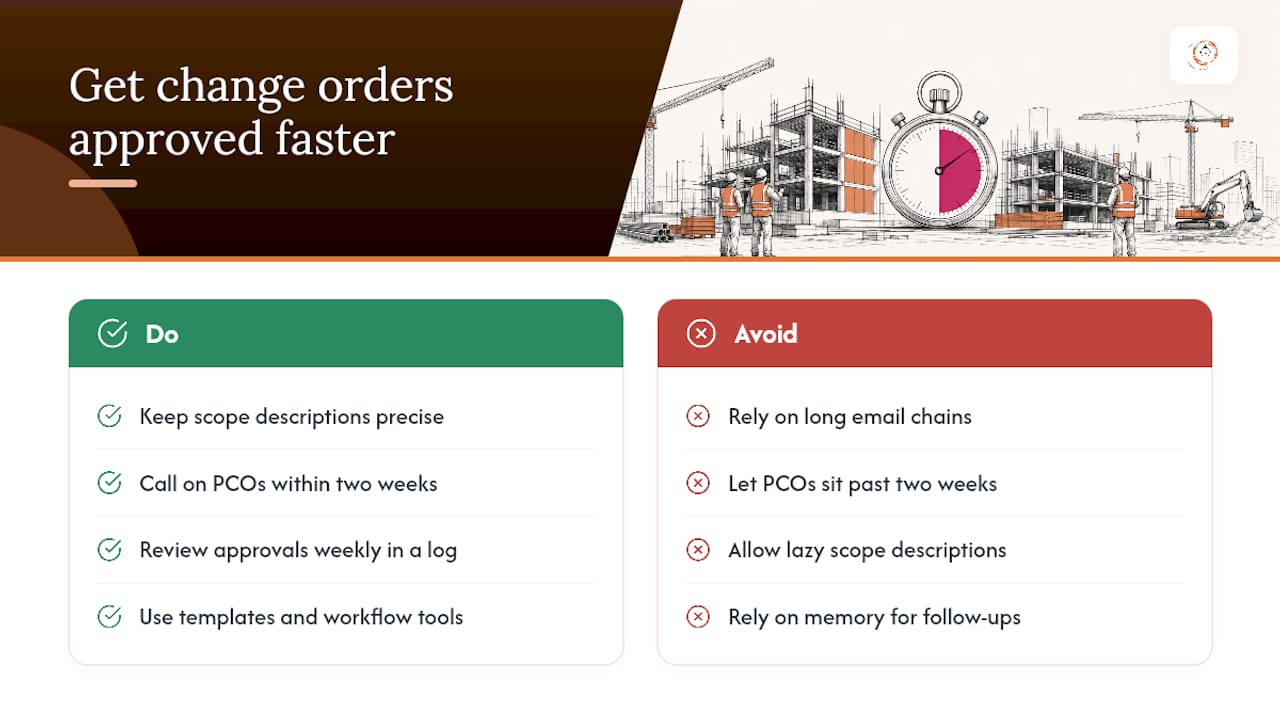
The contractors who get change order approvals fast are rarely the ones with the most polished software. They’re the ones who never let a scope description get lazy and never let a PCO sit past two weeks without a phone call. One mid-size mechanical contractor I’ve seen described in industry case studies cut its average approval time nearly in half simply by moving from email chains to a disciplined weekly log review. Nothing about the pricing changed. The discipline did.
Templates and structured workflow tools built for construction help enforce that discipline instead of relying on memory. If you want a starting point, our guide on construction estimating workflow best practices walks through the pricing side of this exact process.
— Rowena
Where to Find the Official Forms and Standards
- AIA G701 form guidance for the standard change order document
- ConsensusDocs change order procedures for consistency benchmarks
- Deltek’s construction change order overview for digital workflow guidance
- Practical approval tips from AMAN Engineering on routing and presentation
Download the G701 and build a change order register template before your next project kicks off. If manual tracking is eating your week, High Level CRM’s construction-specific tools automate the routing, logging, and notification steps covered here, and our feature overview walks through exactly how the approval tracking works.
Sources
- How to Fill Out the G701 Form: AIA Construction Change Order - LegalClarity
- ConsensusDocs: Using change order procedures that work
- Construction change orders — Deltek
Recommended
- Streamline Your Commercial Construction Bid Workflow
- Why Contractors Need Construction-Specific Tools
- Build Faster Estimate Templates: A Contractor’s Guide
Signed up, or thinking about it? We build the inside of the account — pipelines, workflows, funnels, nurture, migration. Built for construction. Contact us.
Affiliate disclosure. We’re a GoHighLevel affiliate. Sign up through our link and we may earn a commission at no cost to you, or buy direct. Build-out is billed separately, never a software markup.

