Save 2–3x on Software: Construction Software Stack for Contractors
Every construction software stack needs seven core categories: project management, estimating, accounting/ERP, scheduling, field reporting, CRM, and communications/document control. Start with whichever one touches cash flow and job costing first, usually accounting or project management, pilot it on one live job, and layer in the rest only after that foundation sticks. Chase integration depth over feature count, and treat every new tool as a cost until it proves its value.
TL;DR:
- Prioritize implementing accounting and project management tools first, as they are critical for cash flow and job costing accuracy.
- Ensure your chosen software offers native, bidirectional, real-time integration with your accounting system to prevent costly manual reconciliations.
- Pilot new tools on a single, mid-complexity active job before expanding to company-wide use to identify workflow issues early.
- Smaller contractors typically benefit from all-in-one platforms due to lower costs and fewer integration challenges, while larger firms may need specialized tools.
- Focus on deep integration in financial workflows such as job costing, procurement, and payroll, to avoid hidden losses known as the “integration tax.”
Table of Contents
- What Makes Up a Complete Construction Software Stack?
- How Do You Choose and Prioritize Construction Software?
- Integration and Interoperability: What “Integration” Actually Means
- All-in-One Platforms vs Best-of-Breed Stacks
- Rolling Out Your Stack Without Disrupting Active Jobs
- What Should You Budget for a Construction Software Stack?
- Why a Construction-Focused CRM Belongs in Your Stack
- The ROI-First Playbook Contractors Actually Need
- Ready to Add a Construction-Built CRM to Your Stack?
- Sources
- FAQ
What Makes Up a Complete Construction Software Stack?
A construction software stack is the working set of applications a contractor uses to run a job from lead to final invoice. Each category solves a different operational problem, and skipping one usually means someone on your team is quietly doing that job by hand in a spreadsheet.
Project management is the hub. It should track tasks, RFIs, submittals, and punch lists in one place, with a live view of every active job. The must-have features are document version control, a searchable RFI log, and a dashboard that shows job status without a phone call.
Estimating and takeoff tools need a current pricing database and the ability to export a schedule of values (SOV) straight into your accounting or project management platform. A contractor who re-types the SOV by hand is losing hours every bid cycle that a proper export function would save instantly.
Accounting and ERP systems are the backbone almost everyone underrates until it fails them. Most contractors run QuickBooks or a construction-specific ERP, and getting that integration right from day one is what unlocks reliable job costing and cash-flow visibility. Get this piece wrong and every other tool in your stack is reporting numbers nobody trusts.
Scheduling software needs to handle crew assignment on mobile, not just a Gantt chart on someone’s desktop. If your superintendent can’t move a crew from Job A to Job B from a truck, the tool is only half built for construction.
Field reporting is where a lot of stacks quietly fail. The tool needs offline functionality (job sites don’t have reliable signal), photo capture tied to a specific task or location, and a daily log that takes minutes, not twenty. Contractors commonly cite mobile and offline support as a non-negotiable selection criterion, and for good reason. A field app that requires a signal to save data is a field app that will get abandoned within a month.
CRM and sales pipeline tools matter more than most contractors admit. This is also where CRM automation cuts marketing overhead by eliminating manual follow-up work that eats a project manager’s afternoon.
Communications and document control round out the stack, along with optional niche tools for safety compliance, equipment tracking, or subcontractor prequalification depending on your specialty.
Here’s the shorthand version of what each category owns:
- Project management: task tracking, RFIs, submittals, punch lists
- Estimating: pricing databases, SOV export, bid tracking
- Accounting/ERP: job costing, AP/AR, payroll, QuickBooks sync
- Scheduling: crew assignment, mobile calendar views
- Field reporting: offline daily logs, photos, time tracking
- CRM: lead tracking, pipeline visibility, automated follow-up
- Communications: document version control, subcontractor messaging
Most construction firms run five to eight software tools to cover this ground. That number is not a target to hit. It is a warning that without interoperability between them, you are looking at five to eight separate places where data goes to die.
How Do You Choose and Prioritize Construction Software?
Buying tools in the wrong order is the single most common mistake contractors make. The fix starts with mapping your actual workflows, not shopping feature lists.
Walk through a typical job from lead to final payment and write down every handoff: bid to contract, contract to schedule, field log to payroll, change order to invoice. Wherever someone re-types data that already exists somewhere else, that’s your bottleneck, and it’s usually where the next tool purchase should go.
Accounting sync is not optional. Whatever you choose, if it doesn’t sync cleanly with your books, you are signing up for manual re-keying that costs you visibility into cash flow exactly when you need it most, at month-end close.
Before you commit to anything, run it through these steps:
- Map your top three workflows and identify where double entry currently happens.
- Shortlist tools that natively sync with your accounting system, not ones that promise a future integration.
- Ask vendors direct integration questions: Is the sync one-way or two-way? Real-time or batch? What breaks if the other system updates its API?
- Pilot the top candidate on one live job from kickoff to closeout before rolling it out company-wide.
- Measure specific outcomes: hours saved on data entry, days shaved off invoicing, error rate in job costing.
Watch for red flags during vendor calls. If a sales rep can’t clearly explain how their tool talks to QuickBooks or your ERP, that’s a problem you’ll inherit later, not one that goes away. Poor mobile or offline support, a support team that only responds by ticket, and vague answers about data export are the three warning signs that show up most often.
Pro Tip: Ask every vendor the same blunt question: “If I need to export all my data tomorrow, how long does it take and what does it cost?” A vendor who hesitates is telling you something about how easily you can leave.
Integration and Interoperability: What “Integration” Actually Means
Vendors love the word “integration,” but it covers a wide range of actual functionality, and the gap between the cheapest and most valuable version of it is enormous.
At the low end, you get view-only integration: a dashboard that pulls data from another system to display it, with no ability to edit or push changes back. In the middle sits one-way sync, where data flows from Tool A to Tool B automatically but any correction has to happen manually on the other side. At the top is full interoperability, bidirectional, often real-time sync where a change in one system updates the other automatically.
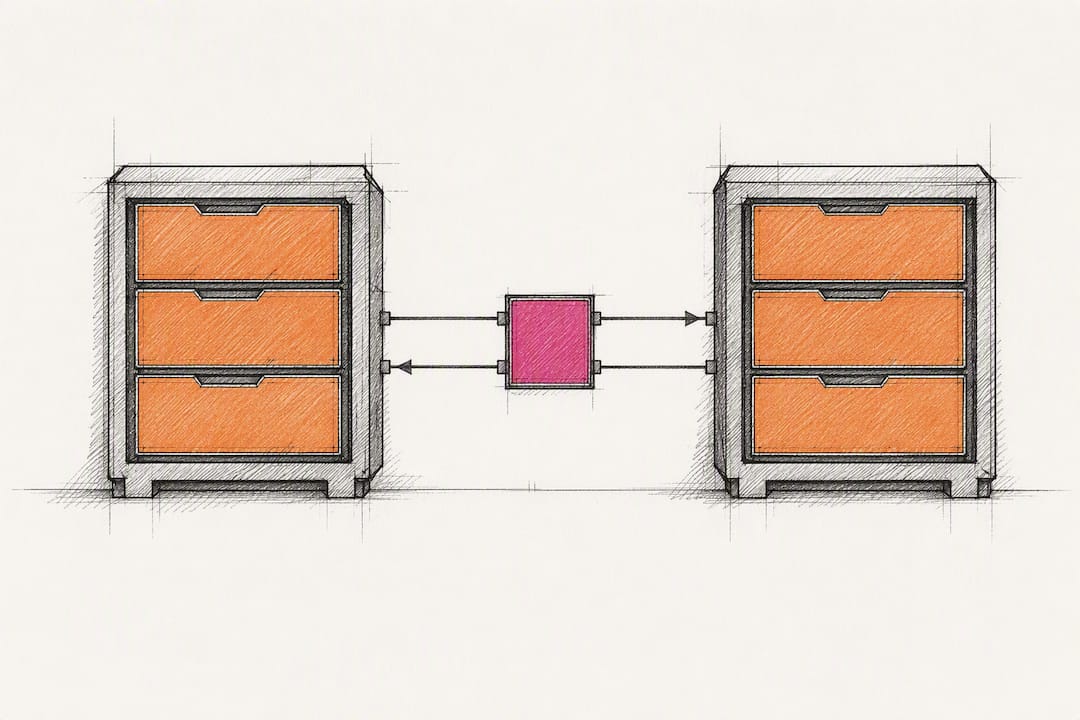
That distinction is not academic. A marketplace “window” into another app is useful for visibility, but it does not remove double entry when your team still has to manually reconcile numbers between systems.
The integrations worth paying extra for are the ones touching money and procurement:
- Accounting sync, so job costing updates automatically as field costs come in
- Estimating to procurement, so an approved bid feeds directly into purchase orders
- Fuel card and expense capture, which attaches transactions to project records automatically and speeds up month-end close
- Payroll to field time tracking, closing the loop between hours logged and hours paid
When you evaluate a vendor’s integration spec sheet, ask for a reference customer using that specific integration, not just a client using the platform generally. Ask what breaks when the partner app updates its software, and who is responsible for fixing it.
Skip this diligence and you inherit what Engineering News-Record calls the “integration tax”: hidden losses in time and margin that surface only when someone finally reconciles the books at month-end. Projects over $100 million are especially exposed, since disconnected project management and ERP systems on that scale can hide overruns for weeks before anyone notices.
All-in-One Platforms vs Best-of-Breed Stacks
The choice between one platform that does everything and several specialized tools stitched together comes down to your team’s size and how much integration risk you can tolerate.
All-in-one platforms are frequently two to three times cheaper than assembling best-of-breed tools once you count every subscription fee and every hour spent building or maintaining custom integrations. For a small or midsize contractor without a dedicated IT person, that cost gap is often the whole decision.
Here’s how the tradeoff generally breaks down:
- Small contractors and growing crews: favor all-in-one. Fewer logins, one vendor relationship, faster onboarding for a lean team.
- Large firms running specialized divisions: best-of-breed makes sense when one function, like heavy-equipment tracking or complex multi-entity accounting, needs a tool built specifically for that niche.
- High adoption risk or tight budget: default to all-in-one. Every extra tool is another place training can fail.
- A mission-critical niche capability: this is the exception worth paying integration overhead for.
If you go best-of-breed, check whether each vendor offers an open API or only a closed integration marketplace. An open API gives you control over how deep the connection goes; a marketplace often limits you to whatever pre-built connector the vendor decided to ship.
Rolling Out Your Stack Without Disrupting Active Jobs
Skipping the pilot phase is how contractors end up mid-rollout with three crews on three different systems and a foreman ready to throw a tablet off a truck.
Industry guidance consistently points to phased adoption, starting with whatever touches accounting or job management, then adding secondary tools only once that foundation is working and adopted.
- Pick one active job and run the new tool on it start to finish. A single live-job pilot surfaces workflow and data problems before they hit your whole operation.
- Document the workflow as you go, assigning specific responsibilities by role: who logs field data, who approves change orders, who reconciles at week’s end.
- Set a training cadence, not a one-time session. Short, repeated check-ins beat a single onboarding day that nobody remembers by week three.
- Track adoption and error-rate metrics weekly during the pilot: how many entries get corrected, how many crew members are actually logging in daily.
- Confirm vendor SLAs for ongoing maintenance before scaling up, especially for any integration that touches your books.
Pro Tip: Choose your pilot job carefully. Pick one with a normal level of complexity, not your easiest job and not your hardest. A pilot on an unusually simple project tells you nothing about how the tool holds up under real pressure.
What Should You Budget for a Construction Software Stack?
Costs vary sharply depending on whether you build all-in-one or best-of-breed, and the gap is bigger than most contractors expect going in.
An all-in-one platform typically runs as a single monthly subscription scaled to user count. Assembling the same functionality from separate specialized tools often costs two to three times more per month once you add every subscription and the labor of maintaining connections between them.
That gap gets worse when you factor in what doesn’t show up on a pricing page:
- Integration setup and ongoing maintenance fees, especially for custom connections
- Change management time: training hours, workflow documentation, adoption slippage
- The integration tax of manual reconciliation when systems don’t talk cleanly
- Data migration costs when switching from a legacy system
For timelines, a pilot on one live job typically runs 30 to 90 days. A full phased rollout across a company, moving from pilot to company-wide adoption of every planned category, generally takes 3 to 12 months depending on team size and how many legacy tools you’re replacing.
Fund the rollout by targeting quick-payback areas first: automating payments and accounts receivable, generating billing directly from field data instead of re-entering it, and speeding up estimating turnaround. Those three areas tend to return value fast enough to justify the next phase of spending.
Why a Construction-Focused CRM Belongs in Your Stack
Generic CRMs were not built for how contractors actually work. High Level CRM was developed with over 30 years of construction industry experience behind it, which shows up in features generic sales software skips entirely: automated lead tracking built around bid cycles, custom reporting dashboards that mirror how contractors already think about jobs, and integrations with the estimating and project tools already in daily use.
That construction-specific design reduces manual handoffs in a concrete way. Every lead that used to get logged by hand into a spreadsheet, then re-entered into a scheduling tool, now moves through one automated workflow. Contractors using a purpose-built CRM report lead conversion increases of up to 35%, a gain that comes from fewer dropped follow-ups, not a bigger sales team.
A CRM built for the trade also supports the phased rollout approach this article recommends. Because it’s designed to sit alongside accounting and project management tools rather than replace them, it fits naturally into the “pilot first, add second” sequence: get your job-costing and scheduling foundation solid, then layer in lead tracking and reporting once that base is proven. The measurable ROI contractors see from CRM adoption tends to compound once it’s connected to a stack that’s already working.
The ROI-First Playbook Contractors Actually Need
Most advice on building a construction software stack treats every category as equally urgent, which is exactly backwards. Cash flow and job costing accuracy are the two things that determine whether a contractor survives a bad quarter. Everything else, CRM polish, fancy dashboards, a slicker scheduling calendar, is secondary until those two are solid.
The conventional wisdom oversells “integration” as a binary: either your tools talk to each other or they don’t. That framing hides the real decision, which is how deep that integration goes. A view-only dashboard feels like progress and solves nothing if your team is still manually reconciling numbers every Friday.
If you take one thing from this guide, take this: pilot before you scale, and pilot on a real job with real complexity, not a toy example picked to make the software look good. The integration tax doesn’t show up on day one. It shows up three months later, buried in a reconciliation nobody wanted to do, and by then you’ve already paid for it in lost margin. Prioritize the boring, business-critical pieces first. The exciting tools can wait.
— Rowena
Ready to Add a Construction-Built CRM to Your Stack?
Highlevelcrm-rconstructionsolutions is built specifically for the lead-to-invoice workflow this guide walks through, not retrofitted from a generic sales tool. Where a general CRM makes you configure construction logic from scratch, High Level CRM already includes automated lead tracking, bid-to-job pipelines, and custom reporting dashboards tailored to how contractors actually track work.

That construction-first design matters most during rollout, which is where most stack investments quietly stall. The CRM offers customization to match existing workflows, plus training and ongoing support to assist adoption. If you’re migrating from a spreadsheet or a generic CRM that never fit construction work, the CRM Migration service is built to move your data without the downtime a DIY switch usually costs you.
Pricing details and setup fee information are available on the High Level CRM site, where you can also book a demo call to see how it fits your specific bid-to-close process before you commit to a full rollout.
Sources
- How to build a proper construction-targeted tech stack — Construction Executive
- Construction tech stack guide — Smarter Way
- The Scalability Secret: Unlocking Business Continuity Through Tech Stacks — ENR
FAQ
What software do most construction companies use?
Most contractors run a mix of five to eight tools covering project management, accounting, estimating, scheduling, field reporting, and CRM, with QuickBooks being the most common accounting system to integrate around.
What is a construction software stack?
A construction software stack is the combined set of tools a contractor uses to manage a project from lead through final invoice, typically spanning project management, estimating, accounting, scheduling, field reporting, CRM, and communications.
How much does High Level CRM cost?
Setup fees and subscription pricing for High Level CRM are available directly on the Highlevelcrm-rconstructionsolutions website, where you can also request a demo for exact figures.
What are the top construction management software categories to prioritize?
Prioritize accounting/job costing and project management first, since phased adoption starting with business-critical workflows drives faster adoption than rolling out every category at once.
Should a small contractor choose all-in-one or best-of-breed software?
Small contractors generally benefit from an all-in-one platform, which is often two to three times cheaper than assembling separate best-of-breed tools once integration costs are included.
Recommended
- Commercial Construction Software Comparison Checklist 2026
- How to Select Software for Multi-Project Contractors
- Why Contractors Need More Than Buildertrend in 2026
- Build Faster Estimate Templates: A Contractor’s Guide
Signed up, or thinking about it? We build the inside of the account — pipelines, workflows, funnels, nurture, migration. Built for construction. Contact us.
Affiliate disclosure. We’re a GoHighLevel affiliate. Sign up through our link and we may earn a commission at no cost to you, or buy direct. Build-out is billed separately, never a software markup.

