

Contractor Lead Scoring: How to Rank and Route Your Best Leads
Contractor lead scoring assigns a numeric value to every incoming prospect based on project readiness, budget, and engagement, so your estimating team spends its hours on jobs that will actually close. The practical result: high-value, ready-to-build leads get routed to an estimator within hours instead of sitting in a shared inbox for days.
TL;DR:
- Lead scoring should prioritize project stage, funding, permit status, and timeline urgency, focusing on signals that indicate a project can actually proceed.
- Most construction firms see a significant reduction in wasted estimator hours and improved margins by accurately routing high-value leads based on scoring thresholds.
- Building and validating an industry-specific scoring rubric requires aligning points with historical win/loss data and adjusting weights regularly for accuracy.
- Integrating scoring with CRM and estimating tools ensures real-time data transfer, enabling automated, faster handoffs to estimators and improved response times.
- Regular review and adjustment of scoring criteria and thresholds are essential, as models drift over time without ongoing validation and data cleanup.
Table of Contents
- What Is Contractor Lead Scoring, and What Are Its Core Components?
- Why Does Lead Scoring Matter for Contractors?
- How Do You Build a Construction-Specific Lead Scoring Model?
- What Score Bands and Routing Rules Should You Use?
- How Do You Integrate Scoring With CRM and Estimating Tools?
- How Do You Test and Validate a Lead Scoring Model?
- When Should You Move From Rule-Based to Predictive Scoring?
- What Red Flags Should Trigger Negative Scoring?
- What’s a 30 to 90 Day Checklist for Getting Started?
- A Publisher’s Perspective on What Contractors Get Wrong
- How High Level CRM Helps You Put Scoring Into Practice
- Sources
What Is Contractor Lead Scoring, and What Are Its Core Components?
Contractor lead scoring works by attaching points to a prospect for two categories of signal: who they are and what they do. Add the points together, and you get a single number that tells your team whether a lead deserves an estimator’s time today or a nurture email next month.
The “who” side covers demographic and firmographic details: project size, whether the contact is the owner or a facilities manager who has to run everything up a chain, bonding capacity, and license status on commercial jobs. The “what they do” side tracks behavior: did they complete an RFP form in full, how many times did they revisit your portfolio pages, and did they run numbers through a cost calculator on your site.
Generic sales scoring models were not built for this. A software company can score someone who downloaded a whitepaper. Contractors need signals that map to whether a project can actually break ground, which is why construction-specific data carries more weight in a model tuned for this industry:
- Project stage: concept, permitted, or shovel-ready
- Funding status: cash, financed and approved, or “just exploring”
- Permit status: filed, approved, or not yet started
- Bonding and license verification: confirmed or unconfirmed
- Timeline urgency: start date within 90 days versus “someday”
A canonical lead scoring framework ranks prospects by fit and engagement to align sales and marketing on follow-up priority. Contractors just need to redefine “fit” around bonding, permits, and project stage instead of company size and job title.
Why Does Lead Scoring Matter for Contractors?
The business case comes down to estimator hours, and those hours are expensive. Construction firms routinely burn significant estimator time chasing leads that were never going to convert, according to Abstrakt Marketing Group’s analysis of construction lead scoring, which found that a model tuned to construction protects margin by keeping estimators focused on real opportunities instead of tire kickers.
Run the math on your own pipeline. If an estimator spends four hours building a detailed bid and only one in five unscored leads is ready to build, three of those bids are wasted labor on prospects that were never going to sign. Score the leads first, and that estimator spends those four hours on the prospect most likely to close.
Pro Tip: Track cost per qualified lead separately from cost per raw lead. The gap between the two numbers tells you exactly how much your current intake process is bleeding on unqualified prospects.
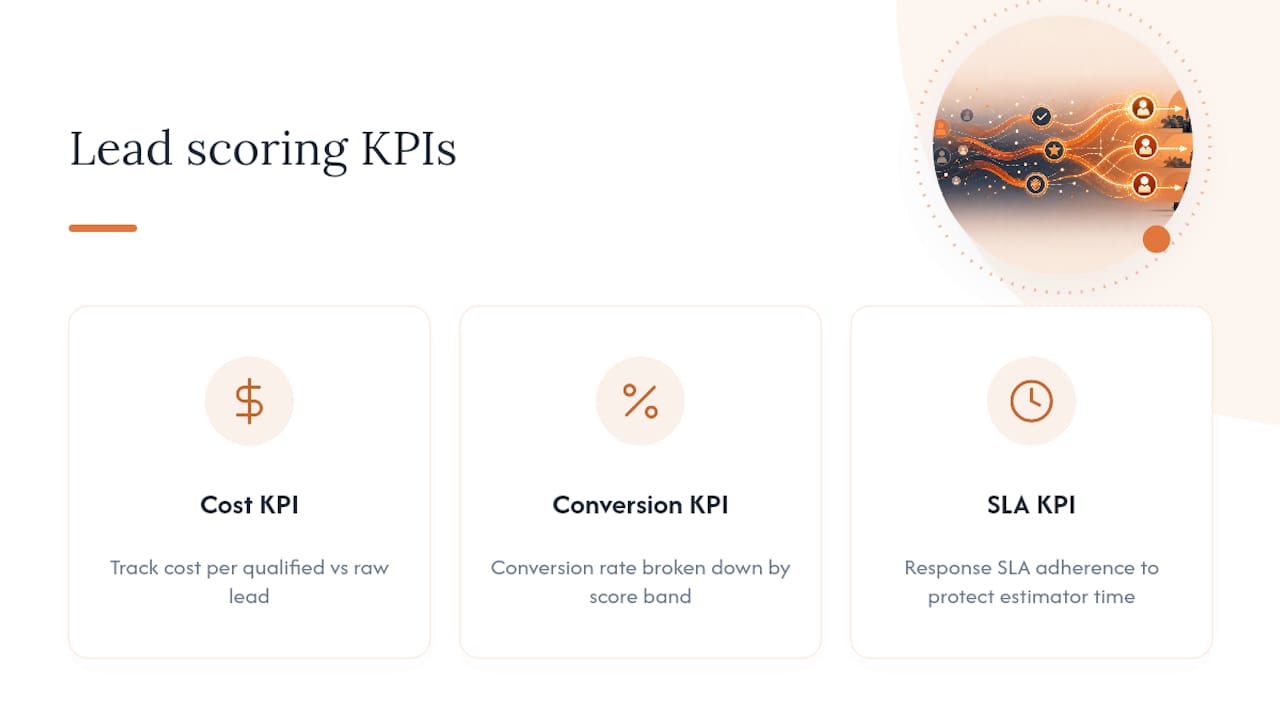
Three KPIs prove whether scoring is working: cost per qualified lead, conversion rate by score band, and response SLA adherence. If your top score band isn’t converting meaningfully higher than your bottom band, your point weights need adjusting, not your sales team.
How Do You Build a Construction-Specific Lead Scoring Model?
Start by defining what “high value” actually means for your firm, because a $15,000 kitchen remodeler and a $2 million commercial general contractor should never use the same rubric. Once that’s defined, follow these steps:
- Pick 8 to 12 signals total. Mix firmographic (project size, funding, decision-maker role), behavioral (form completion, page revisits, calculator use), and construction-readiness signals (permit status, project stage, timeline).
- Assign point ranges by category. A reasonable starting split: 40 points for project readiness signals, 30 for firmographic fit, 20 for behavioral engagement, and 10 reserved for negative scoring adjustments.
- Build a 0 to 100 scale. Weight permits and funding status heaviest since they’re the strongest predictor of whether a project actually breaks ground.
- Set your tiers. A common structure runs 0 to 39 as nurture, 40 to 69 as marketing-qualified, and 70 to 100 as sales-qualified and ready for estimator handoff.
- Validate against 12 to 24 months of closed deals. Pull your historical won and lost leads, run them through the draft rubric, and check whether your past winners would have scored high. Predictive lead scoring guidance for remodelers notes this validation step only works with clean, consistently labeled closed-win and closed-loss records, so clean up your CRM data before you trust the output.
- Adjust and re-test. If real winners score low, your weights are off. Fix the rubric, not the exceptions.
Negative scoring deserves its own line item here rather than an afterthought. Subtract points for signals like “budget under minimum project size,” “no timeline provided,” or “unresponsive after two contact attempts.” A lead that starts at 60 points on readiness but loses 25 for a vague budget and a dead phone number is not the same opportunity as a clean 60.
What Score Bands and Routing Rules Should You Use?
A score is only useful if it triggers an action. Most contractors do well with three bands, each tied to a specific response.
- Nurture (0 to 39 points): Add to an automated email sequence. No estimator involvement yet.
- Marketing-qualified (40 to 69 points): Route to a sales development rep for a qualifying call within 48 hours.
- Sales-qualified (70 to 100 points): Alert the estimating team immediately and create a task with a 24-hour response SLA.
That 24-hour window for your top band is not arbitrary. It’s short enough to beat the three or four other contractors that same homeowner or facilities manager is likely calling, and long enough to be realistic for a team that isn’t sitting by the phone. Automated construction lead qualification workflows build exactly this kind of threshold trigger into the handoff, pairing an alert with automatic task creation so nothing sits unclaimed in someone’s inbox.
Build in escalation, too. If a sales-qualified task goes unclaimed for four hours, route it to a second team member automatically rather than letting it age past the SLA.

How Do You Integrate Scoring With CRM and Estimating Tools?
Scoring only creates value when the score moves with the lead across every system your team touches. That means connecting three layers: your CRM, your estimating software, and your project management platform, so a lead’s readiness data updates automatically instead of getting re-entered by hand three times.
You have three integration paths, in order of reliability:
- Native integrations built directly into your CRM, which sync data in real time with minimal setup.
- Middleware connectors like Zapier, useful when your estimating or PM tool doesn’t have a native link but exposes basic triggers.
- API connections, the most flexible option but the one that requires development resources to build and maintain.
AI-driven construction lead scoring can pull data directly from estimating and project management systems to rank opportunities by win probability and margin contribution rather than engagement alone, which is the direction most mid-size firms are heading once their basic rule-based model is stable.
The operational workflow that actually works looks like this: a lead crosses the sales-qualified threshold, the CRM fires a task to the assigned estimator, that task carries the lead’s full history (permit status, budget conversation, prior touchpoints), and the estimator opens a quote in their estimating software without re-typing anything. For more detail on how that data sync works in practice, see how automated lead tracking functions for contractor teams specifically.

How Do You Test and Validate a Lead Scoring Model?
A rubric you build once and never touch again will drift out of accuracy within a year as your market, pricing, and lead sources shift. Validation has to be a repeated process, not a one-time setup task.
- Run a win/loss audit quarterly. Pull every closed deal, compare its original score to its outcome, and flag any mismatch where a high-scoring lead lost or a low-scoring lead won.
- Track score-band conversion rates monthly for the first two quarters after launch, then shift to quarterly review once the numbers stabilize.
- Recalculate weights whenever a signal stops correlating with outcomes. If “downloaded a brochure” once predicted intent but now correlates with nothing, cut its point value.
- Sample size matters. A rubric adjustment based on five closed deals is noise. Wait for at least 30 to 50 closed opportunities before trusting a pattern.
Review monthly during your first two quarters live, since early models need frequent correction. After that, quarterly reviews are usually enough to catch drift without over-tuning a model that’s already working.
When Should You Move From Rule-Based to Predictive Scoring?
A rule-based model, the kind described in every section above, assigns fixed points to fixed signals. It’s transparent, easy to explain to a sales team, and a reasonable starting point for any firm. Predictive scoring replaces some or all of those fixed rules with a model trained on your own historical outcomes.
The tradeoff is data. Predictive models need two years or more of clean, consistently labeled closed-win and closed-loss records to train against, and firms without that history will get unreliable output no matter how sophisticated the underlying model is.
What predictive scoring adds, once the data supports it, is real. It can score on win probability and margin contribution instead of just readiness, and it can factor in schedule feasibility, something no static rubric captures well.
- Rule-based scoring: fast to launch, fully transparent, needs manual re-weighting.
- Predictive scoring: higher accuracy potential, needs clean historical data, harder to explain to your team
Pro Tip: Don’t jump to predictive scoring just because it sounds more advanced. If your CRM data has gaps or inconsistent outcome labels, a predictive model will learn the wrong lessons faster than a human ever could.
What Red Flags Should Trigger Negative Scoring?
Not every disqualifier deserves the same weight, and treating them all equally wastes the precision a good rubric is supposed to provide.
- No budget disclosed after two follow-ups: minus 15 points
- Timeline listed as “someday” or unspecified: minus 10 points
- Unresponsive for 10+ days: minus 20 points and auto-downgrade to nurture
- Project below your minimum contract size: minus 25 points
- Requesting free consultation with no other engagement: minus 5 points
Build in a decay rule too: any lead untouched for 30 days automatically drops one tier, regardless of its original score. Allow a documented human override for edge cases, an estimator who knows a “low scoring” homeowner personally, for instance, but require a note explaining why, so the override doesn’t quietly erode the model’s accuracy over time.
What’s a 30 to 90 Day Checklist for Getting Started?
Getting a scoring model live doesn’t require months of planning. It requires the right minimum data and a willingness to adjust fast.
- Week 1 to 2: Collect five required intake fields on every form: project type, budget range, timeline, funding status, and decision-maker role.
- Week 3 to 4: Assign starting points to your top eight signals, weighting permit status and funding confirmation highest.
- Week 5 to 6: Turn on your first two automations: an instant alert for sales-qualified leads and a task auto-created for the assigned estimator.
- Week 7 to 12: Build a simple report tracking conversion rate by score band and revisit weights after your first 30 closed deals.
For a deeper look at pairing this checklist with response cadence, see how follow-up timing affects contractor lead conversion.
A Publisher’s Perspective on What Contractors Get Wrong
The most common mistake isn’t a bad rubric. It’s treating scoring as a one-time project instead of a living system that needs quarterly attention. Firms that integrate scoring directly with estimating and CRM data consistently outperform those running spreadsheets alongside their sales tools. Highlevelcrm-rconstructionsolutions has watched clients report conversion increases as high as 35% after automating lead follow-up, and the pattern behind that number is almost always the same: faster routing to the right estimator, not a smarter algorithm.
— Rowena
How High Level CRM Helps You Put Scoring Into Practice
Highlevelcrm-rconstructionsolutions is the alternative to building a scoring rubric on a spreadsheet and hoping your team checks it. Instead of manually tracking permit status, budget signals, and engagement across three disconnected tools, you get automated lead tracking, custom reporting dashboards, and estimating integrations built specifically around construction workflows, not adapted from a generic sales template.
The platform handles the scoring logic, the routing rules, and the estimator handoff in one system, and onboarding includes hands-on training so your team isn’t guessing at point values on day one. If you’re ready to see how it fits your firm’s specific project mix, check out the industries we serve page and book a demo to walk through your current lead flow.
Sources
For a plain-language primer on scoring mechanics, see the lead scoring overview on Wikipedia. For a vendor-neutral look at AI-driven project discovery, visit the Buildberry blog. For score decay and threshold mechanics, review HubSpot’s lead scoring documentation.
- Lead Scoring for Construction Firms: Prioritizing Hot Leads
- AI Lead Scoring for Construction | Revenue Institute
- Predictive Lead Scoring: Find Your Best Remodeling Leads
- Automate Lead Qualification · Construction | Arahi AI
- What is Lead Scoring?

