
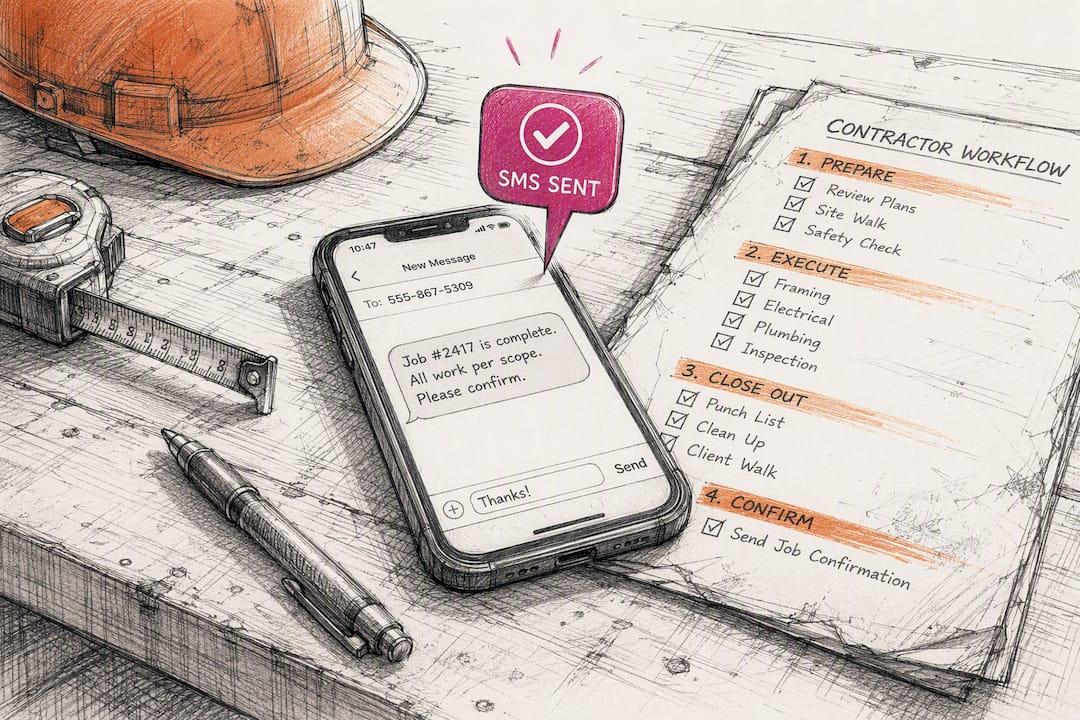
Book More Jobs in One Week: 5 SMS Workflows for Contractors
Yes, contractors should use SMS, but only for specific job workflows, not as a spammy broadcast channel. The five that pay off fastest are new lead reply, missed call recovery, estimate follow up, appointment reminders, and review requests. Start today by turning on a new lead auto reply inside your CRM or a carrier registered SMS platform. Everything else builds from there.
TL;DR:
- Automated SMS workflows for new lead reply and missed call recovery are crucial for increasing booking chances and should be activated immediately.
- Maintaining strict compliance with consent, carrier registration, and content rules prevents costly legal issues and message blocking.
- Using a construction-specific CRM that integrates texting streamlines operations, improves lead tracking, and boosts conversion rates by up to 35 percent.
- Rolling out SMS functionalities gradually over a week prevents delivery issues, with the missed-call recovery message providing the fastest return.
- Tracking key metrics like delivery rate, reply rate, and booked jobs helps evaluate your SMS campaign’s effectiveness and optimize performance.
Table of Contents
- Why SMS for Contractors Works Better Than Email or Cold Calls
- What Rules Govern Texting Clients in Construction?
- How Do You Choose the Right SMS Platform for Your Crew?
- A One-Week Plan to Launch Compliant Texting
- What Metrics Actually Prove SMS Is Working?
- How a Construction-Specific CRM Simplifies Compliant Texting
- Lessons From Watching Contractors Roll Out SMS
- Get Compliant SMS Running Without Building It From Scratch
- Where to Verify These SMS Rules Yourself
- Sources
Why SMS for Contractors Works Better Than Email or Cold Calls
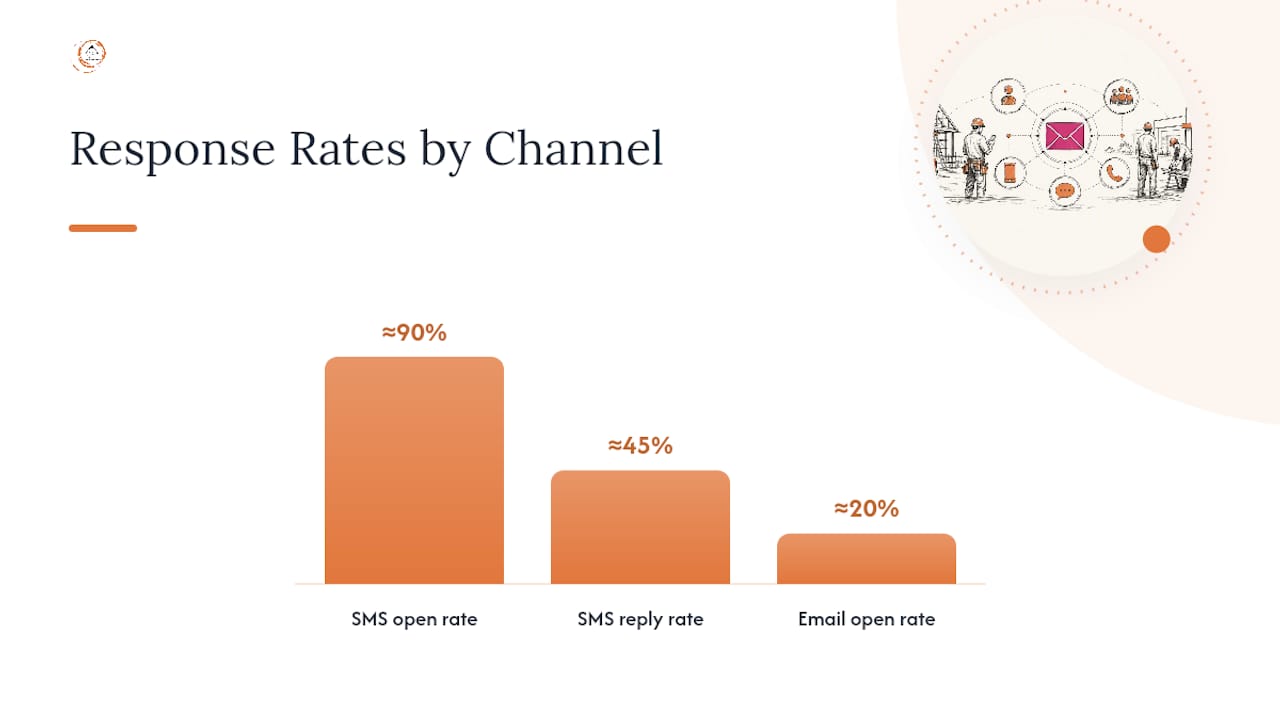
Text messages get read. That’s the whole case in one sentence, but the numbers back it up: industry data on contractor text marketing shows high open rates with reply rates around 45 percent. Compare that to email, where a good contractor campaign is thrilled to crack 20 percent opens. Nobody has an inbox with 40 unread texts sitting in it. They have that inbox for email.
The five workflows below aren’t arbitrary. They map to the exact moments a contractor either wins a job or loses one to whoever answered the phone faster.
1. New lead reply within minutes. A homeowner fills out your contact form at 9:47 p.m. on a Tuesday. If they don’t hear back until Wednesday afternoon, they’ve already texted two other contractors. Speed to lead in a very short window measurably increases your odds of booking the job, and an automated first text buys you that window even when your crew is on a roof. A workable script: “Hi [Name], this is [Your Company]. Thanks for reaching out about your [project type]. Can you share your address and best time for a quick call?” Short, human, and it asks a question that requires a reply.
2. Missed call recovery. Every contractor bleeds leads through missed calls during job hours. The fix is a text that fires within 60 seconds of an unanswered call: “Sorry we missed you! This is [Company] — what can we help with today?” Route the reply into your shared inbox so whoever’s free can jump in, rather than letting it sit in one person’s personal phone.
3. Estimate follow-up cadence. Most contractors send one estimate and never text again, then wonder why 40 percent of quotes go cold. A five-touch sequence recovers a real share of those stalled deals:
- Day 1: “Your estimate for [project] is ready. Questions? Just reply here.”
- Day 3: “Checking in on your project estimate. Want to walk through the numbers?”
- Day 7: “We’ve got a slot opening up next week if you’re ready to move forward.”
- Day 14: “Still thinking it over? Happy to answer anything before you decide.”
- Day 30: “Reaching out one more time. Let us know if your plans have changed.”
4. Appointment and on-the-way reminders. A confirmation text 24 hours before the job, plus an “on our way” text when the crew leaves the shop, cuts no-shows substantially. Homeowners forget appointments the same way they forget dentist visits. A text the morning of the job, and another when your truck is 20 minutes out, keeps you off the “wait, who’s coming today?” list.
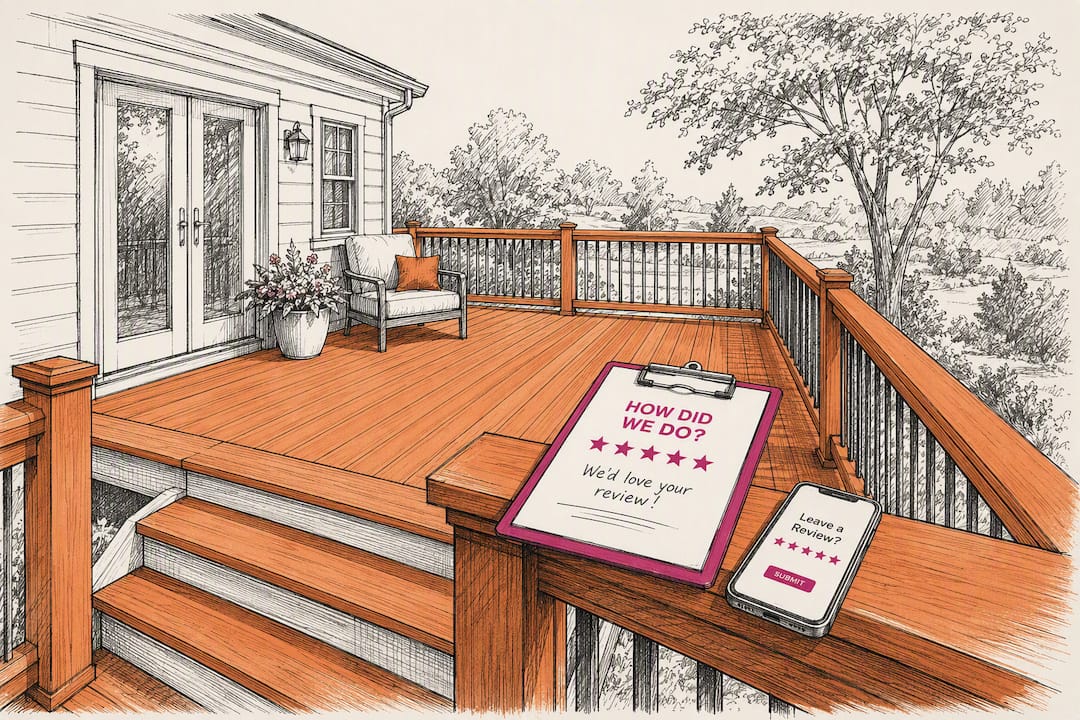
5. Review requests and reactivation. Send the review ask within a few hours of job completion, while the fresh gutters or finished deck are still visible. Months later, a reactivation text (“It’s been a year since we [service] — time for a checkup?”) turns a one-time customer into a repeat account.
Pro Tip: Keep every automated text under 160 characters when you can. Shorter messages get read faster and feel less like a script, even when they are one.
What Rules Govern Texting Clients in Construction?
Compliance isn’t paperwork you handle once and forget. It’s the difference between texts that land in an inbox and texts that carriers quietly block before your customer ever sees them.
Start with the legal distinction that trips up most contractors: transactional versus promotional messages. A transactional text (appointment reminder, “your technician is on the way,” invoice confirmation) carries a lower consent bar because it relates to a service the customer already requested. A promotional text (a spring discount, a referral push) requires prior express written consent under the Telephone Consumer Protection Act. Blur that line, and you’re exposed: the TCPA sets statutory damages between hundreds and low thousands of dollars per violating message, and plaintiff’s attorneys actively watch for sloppy consent records.
The second hurdle is carrier registration. Wireless carriers now require A2P 10DLC brand and campaign registration before they’ll deliver application-to-person traffic at scale. Skip registration, and your messages get throttled or blocked outright, often without any error message telling you why. Registration costs are modest, typically a nominal one-time brand fee plus a campaign vetting fee, though per-message carrier surcharges vary by platform.
Where and how you capture consent matters just as much as the fact that you captured it:
- Add explicit opt-in language to your website contact form, not just a hidden checkbox.
- Include a consent line on invoices and estimate paperwork: “By providing your number, you agree to receive texts about your project.”
- Timestamp every opt-in record, whether it came from a form, a reply, or a verbal confirmation logged by your office.
- Store consent inside your CRM, tied to the customer record, not scattered across spreadsheets.
Quiet hours and content restrictions round out the rulebook. Texts outside customary daytime hours local time invite complaints even when the content is fine. Carriers also filter under what’s known as SHAFT content, sex, hate, alcohol, firearms, and tobacco, categories that will get a contractor’s account flagged even by accident (a “blast” promo mentioning a beer giveaway at a job site event, for instance). When someone replies STOP, FCC guidance requires you to honor it immediately and across every channel they’ve opted into, not just SMS.
The real cost of skipping compliance: A single TCPA lawsuit can run into the thousands of dollars per message sent, while registration and consent tracking cost a fraction of that and take a few hours to set up properly.
Two high-risk habits deserve a hard stop. First, texting numbers from purchased or shared lead lists. Those consent records are frequently invalid for promotional use, and reviewing your existing list is worth doing before you send anything. Second, using public link shorteners like generic bit.ly-style links. Carriers treat unfamiliar shortened links as a spam signal and will throttle your deliverability as a result. Use a branded short domain or a direct link instead.
How Do You Choose the Right SMS Platform for Your Crew?
The tool matters less than what it plugs into. A standalone texting app that doesn’t talk to your CRM creates a second system your office has to babysit, and duplicate data entry is exactly the kind of friction that kills adoption after the first busy week.
Run any platform you’re considering through this checklist:
- CRM and dispatch integration. Texts should auto-tag to the right job and lead source, so you can see which campaign actually booked revenue, not just which one sent messages.
- Field usability. Your foreman needs a mobile app and a shared inbox, not a desktop-only dashboard he checks once a day from the truck.
- Built-in compliance. Look for native A2P 10DLC registration support, consent logging, and automatic STOP handling, rather than bolting compliance on yourself.
- MMS and photo support. Being able to text a photo of a completed repair or a materials delivery issue is a daily-use feature in construction, not a nice extra.
- Automation and templates. Workflow builders and no-code automations save your office manager from writing the same follow-up by hand fifty times a week.
- Transparent pricing. Understand whether you’re paying per message, per plan tier, or facing phone number fees and carrier pass-throughs buried in the fine print.
A platform built for home service and CRM automation generally handles these basics better than a generic marketing texting tool, because the workflows already assume jobs, crews, and estimates instead of email newsletters.
Pro Tip: Ask any platform sales rep to show you exactly where consent timestamps are stored and how a STOP request propagates across email and SMS. If they can’t answer in under a minute, that’s your answer about how mature their compliance tooling really is.
A One-Week Plan to Launch Compliant Texting
You don’t need three months of planning to get this live. A staged rollout over a single week, following the same pattern successful contractors use, gets you from zero to a working, compliant system.
- Day 1: Audit your phone sources. Pull every number in your CRM and note where it came from, a web form, a phone call, a referral, a purchased list. Flag anything with no documented consent.
- Day 2: Fix your consent capture points. Add opt-in language to your website form and your estimate or invoice template. Tag each new contact with its consent source and a timestamp.
- Day 3: Register your brand and campaign. Confirm with your platform whether they handle A2P 10DLC registration for you or whether you need to register directly. Set your quiet hours (8 a.m. to 9 p.m. local time is a safe default) inside the platform.
- Day 4: Build your first two templates. Draft the new-lead reply and missed-call recovery scripts. Keep them short and keep the ask simple, a reply, not a sale.
- Day 5: Test two-way flows. Send yourself a test message, reply STOP, and confirm it actually unsubscribes you. Click every link in your test texts and confirm they don’t route through a public shortener.
- Days 6 and 7: Soft launch and watch the numbers. Turn on the new-lead and missed-call workflows for real traffic. Check delivery rate and reply rate daily for the first week; a delivery rate under 90 percent usually points to a registration or number-formatting problem, not bad luck.
This staged approach matters more than it looks. Contractors who try to launch all five workflows plus a marketing blast in the same week tend to trip a compliance wire they didn’t know existed, usually by mixing promotional content into a transactional flow before consent records catch up. Fix consent first. Add complexity second.
What Metrics Actually Prove SMS Is Working?
Vanity metrics don’t pay the bills. Booked jobs do. Track these four numbers weekly, and treat vendor-quoted benchmarks as a rough compass, not gospel, since actual results vary by trade, region, and how clean your contact list is.
| Metric | What it tells you | Directional benchmark |
|---|---|---|
| Delivery rate | Whether carriers are actually passing your messages through | Above 90% suggests healthy registration and list hygiene |
| Reply rate | Whether recipients engage rather than ignore | Contractor SMS often sees reply rates well above typical email response rates |
| Opt-out rate | Whether your content or frequency is annoying people | A rising trend, more than the raw number, signals a problem |
| Booked jobs attributed | The metric that actually matters to your bottom line | Tag each workflow in your CRM so revenue traces back to the message that started it |
To attribute revenue correctly, tag every SMS workflow with its own source code inside your CRM, the same way you’d tag a Google Ads campaign. When a lead converts, that tag should follow the deal all the way to the closed-won stage, letting you see which follow-up sequence actually generates revenue instead of just activity.
Deliverability problems usually show up as a sudden delivery-rate drop, not a slow decline. If that happens, check for three culprits first: a lapsed carrier registration, a spike in opt-outs triggering carrier throttling, or a shortened link that got flagged as spam. Catching it within a day or two, rather than a month, is the difference between a minor fix and a quarter of lost leads.
How a Construction-Specific CRM Simplifies Compliant Texting
Generic texting apps make you build compliance and workflows from scratch. A CRM built around construction, like High Level CRM from Highlevelcrm-rconstructionsolutions, starts you with the job-specific pieces already in place.
- Automated lead tracking ties every inbound text to the lead record it came from, so nothing falls through a spreadsheet crack.
- Workflow automation runs the new-lead reply, missed-call recovery, and estimate follow-up sequences without your office manager typing each one manually.
- Consent timestamps log automatically at the point of capture, whether that’s a website form or an invoice confirmation, which matters the day a compliance question ever comes up.
- Mobile field access lets a foreman reply from a job site the same way the office would from a desktop.
The operational payoff shows up in two places: less administrative time spent chasing leads by hand, and fewer no-shows once appointment reminders run automatically. Contractors using automated follow-up systems report conversion increases as high as 35 percent, largely because faster, consistent replies keep leads from cooling off. Onboarding includes contractor-specific templates already written for the five core workflows, so you’re not starting from a blank text box.
If you’re weighing whether SMS belongs inside your existing CRM rather than as a separate app, the next step is a demo walkthrough of how lead tracking, texting, and reporting connect in one dashboard.
Lessons From Watching Contractors Roll Out SMS
The mistake that breaks deliverability fastest isn’t a legal one. It’s impatience: turning on every workflow in the same week, then wondering why message volume triggers carrier scrutiny before registration has even fully processed. Slow rollouts feel unsatisfying when you’re eager to stop losing leads to missed calls, but the sequencing matters more than the speed.
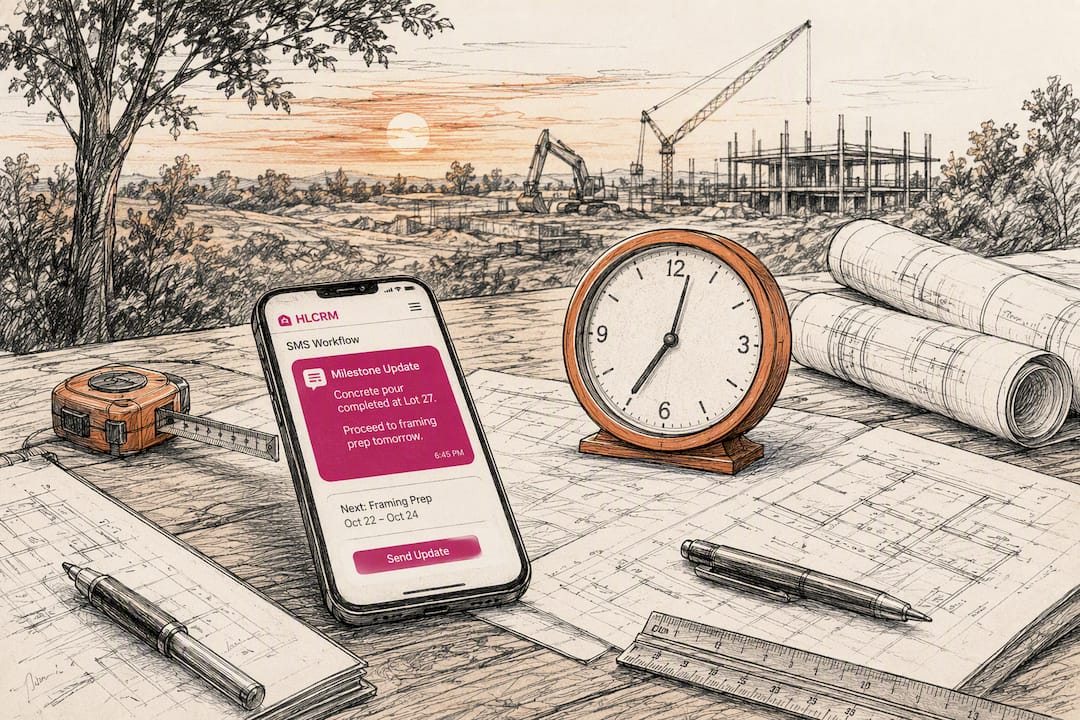
The quick win that pays back fastest, consistently, is the missed-call recovery text. It requires almost no creative thought, a single template, and it recovers leads that would otherwise vanish the moment a homeowner hears voicemail instead of a person. Contractors who add nothing else but that one workflow usually see a return within the first month.
On the bigger question, integrated CRM texting versus a bolt-on SMS platform, the deciding factor is usually revenue attribution. A separate app can send perfectly good texts, but if it can’t tell you which message actually turned into a signed contract, you’re flying on gut feel again within three months. Choose the add-on route only when your CRM genuinely can’t support texting workflows at all. Otherwise, keep messaging inside the same system that tracks the job.
— Rowena
Get Compliant SMS Running Without Building It From Scratch
Highlevelcrm-rconstructionsolutions gives contractors a shortcut past the part everyone gets stuck on: stitching together a texting app, a CRM, and a compliance checklist from three different vendors. High Level CRM bundles automated lead tracking, workflow automation, and consent logging into one system built specifically for construction, so a new-lead reply, a missed-call recovery text, and a review request all run from the same dashboard your office already uses for estimates and job scheduling.
That matters most for contractors juggling multiple crews, where a missed text is really a missed job. Instead of manually tracking which lead source converted, or wondering whether your last campaign actually got delivered, the platform ties every message to the deal it influenced. If you want to see exactly how consent capture, workflow automation, and reporting fit together, review the full breakdown on the CRM features and FAQs page and book a walkthrough to see it running against your own lead flow.
Where to Verify These SMS Rules Yourself
- 47 U.S. Code § 227, Cornell Law: the statutory text behind TCPA damages and consent requirements.
- Stop unwanted robocalls and texts, FCC: federal guidance on honoring opt-outs.
- A2P 10DLC Campaign Vetting FAQ, Twilio: carrier registration requirements explained in detail.
- Lifesafety: recordkeeping practices relevant to consent documentation.
- Text marketing for contractors, Pipelineon: benchmark data on contractor SMS performance.
Sources
- A2P 10DLC Campaign vetting FAQ — Twilio Help Center
- 47 U.S. Code § 227 — Restrictions on use of telephone equipment — Cornell Law
- Stop unwanted robocalls and texts — FCC
- Text marketing for contractors — Pipelineon
- AI text message follow-up for contractors — ProTradeHQ
Recommended
- Automate Follow-Up for Contractor Leads: 2026 Guide
- Automated Bid Follow-Up Explained for Contractors
Signed up, or thinking about it? We build the inside of the account — pipelines, workflows, funnels, nurture, migration. Built for construction. Contact us.
Affiliate disclosure. We’re a GoHighLevel affiliate. Sign up through our link and we may earn a commission at no cost to you, or buy direct. Build-out is billed separately, never a software markup.

