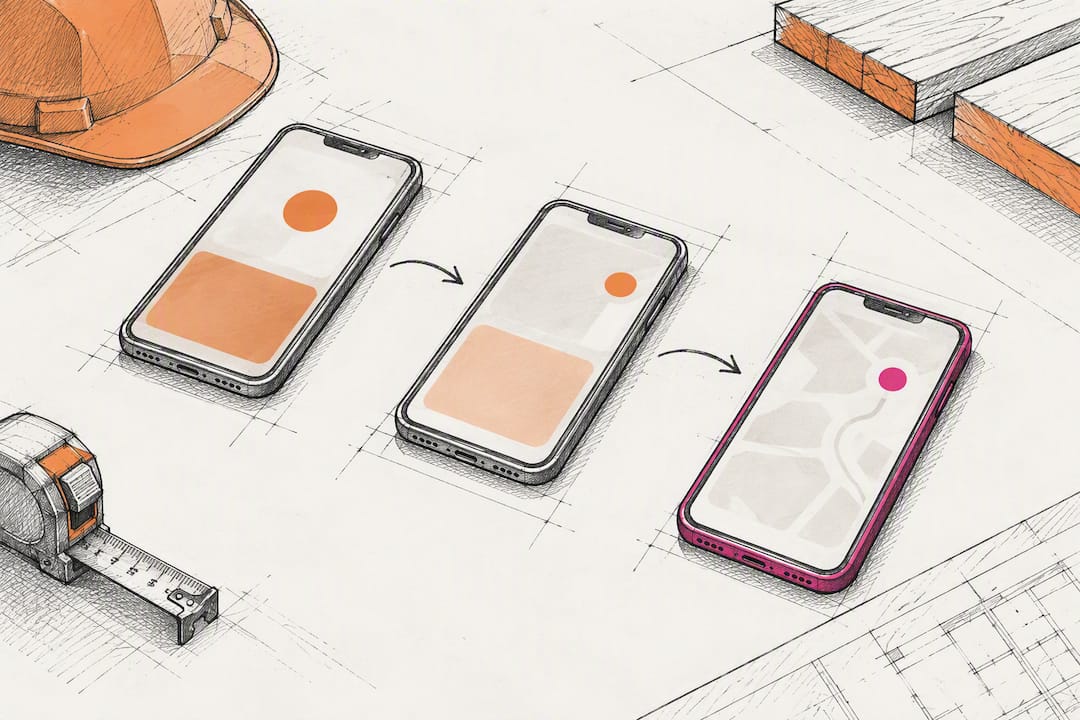
Cut No‑Shows 35–60%: Three Touch Appointment Reminders for Contractors
The highest-ROI fix for contractor no-shows is a three-touch confirmation sequence: an instant booking confirmation, a 24-hour two-way SMS, and a same-day on-the-way notification. Deployed together, these three touches typically cut no-show rates by 35–60%. For a shop running multiple jobs a week with a moderate average ticket value, that swing can recover a substantial amount each month in truck rolls that would otherwise sit empty. Contractor CRM platforms can build this workflow directly into your scheduler.
TL;DR:
- Implementing a three-touch confirmation process can reduce no-show rates by 35 to 60 percent, leading to significant monthly savings in truck rolls.
- Prioritize enabling instant booking confirmations, automating 24-hour two-way SMS reminders, and setting deposit policies before considering full platform overhauls.
- Use reminder software with two-way SMS, GPS-triggered on-the-way alerts, deposit collection, and detailed reporting to maximize effectiveness.
- Quickly deploy the workflow by mapping booking sources, linking your scheduler with messaging and payment systems, and training staff on response protocols within two weeks.
- Limit automated messages to two or three touches to avoid customer fatigue, and ensure prompt CSR follow-up within 15 minutes of no-shows to recover up to 60 percent of missed appointments.
Table of Contents
- Quick Decision Checklist: What to Enable First
- What to Look for in Reminder Software
- Step-by-Step Implementation: Deploy the Three-Touch Workflow
- Message Templates and Timing: Copy You Can Use Today
- Costs, Impact, and Quick ROI Math
- Integration and Metrics: Measure Success and Feed It Back
- Why This Works: Evidence Behind the Numbers
- Author Perspective: Real-World Pitfalls and Fixes
- Get the Three-Touch Workflow Built Into Your CRM
- Sources
- FAQ
Quick Decision Checklist: What to Enable First
You don’t need a full software overhaul to start reducing no-shows this week. Before you touch a bigger platform migration, get these five things running.
- Turn on instant booking confirmations by SMS and email, with a reply-to-confirm prompt built into the message.
- Automate a 24-hour two-way SMS reminder and a 2-hour on-the-way ETA text for every scheduled job.
- Set a deposit policy for new customers or high-value estimates, and disclose your cancellation terms at the moment of booking, not after.
- Assign ownership. Someone on your team needs to own reply monitoring, reschedules, and no-show follow-up, or the automation just generates unread texts.
- Confirm your minimum tech stack: a scheduler, an SMS gateway, and a payment gateway that talk to each other without manual re-entry.
That last point trips up more shops than any other. A scheduler that can’t fire an automated SMS at booking, or a payment gateway that lives outside your CRM, forces someone on staff to manually chase confirmations. That’s the exact busywork this workflow is supposed to eliminate.
Pro Tip: Start your deposit policy with estimates over a set dollar threshold, not every job. Applying deposit friction to a $150 service call will cost you more leads than no-shows it prevents.
Once these five pieces are live, you’re not chasing schedules reactively anymore. You’re running a system that catches the no-show before it happens, or at minimum, catches it early enough to refill the slot.
What to Look for in Reminder Software
Not every scheduling tool that claims “automated reminders” actually reduces no-shows. Plenty send a single email 48 hours out and call it done. When you’re testing platforms in a demo, push past the marketing page and check for these six capabilities specifically.
- Two-way SMS with keyword routing. The system should read a reply of “YES,” “RESCHEDULE,” or “CANCEL” and automatically update the job status, not just log the text for a human to read later.
- On-the-way triggers tied to route or dispatch events, so the “your tech is 20 minutes out” message fires off the actual GPS position or job-start action, not a static timer that’s wrong half the time.
- Deposit and card-on-file collection built into the booking flow itself, so payment happens at the point of scheduling instead of a separate invoice step days later.
- Bi-directional calendar and dispatch sync, meaning a reschedule triggered by a text reply actually moves the job on the crew’s calendar, not just in a customer-facing widget.
- Reporting on confirmation rate, reply rate, no-show log, and recovered revenue, broken out by crew or job type, not buried in a generic activity feed.
- Message templating with variables and open integration options (API access or Zapier-style connections), so you’re not stuck rewriting the same script for every job type by hand.
Two-way SMS sees open rates near 98%, which is precisely why it outperforms email reminders for this use case. Email gets skimmed or ignored; a text gets read within minutes, and a reply-to-confirm structure turns that read into a small commitment the customer is now more likely to keep.
The reporting piece deserves more attention than most contractors give it during a demo. A tool that sends reminders but can’t tell you your confirmation rate or reply-to-confirm rate leaves you guessing whether the workflow is actually working, or just generating message volume. If you’re already evaluating platforms for multi-project scheduling, fold this reminder checklist into that same evaluation instead of running two separate software searches.
Step-by-Step Implementation: Deploy the Three-Touch Workflow
Rolling this out doesn’t require a six-month project plan. Most shops can have the full sequence live inside two weeks if they follow a clear order of operations.
- Map your booking sources first. List every channel that generates an appointment (phone, website form, referral call-in) and decide which of those bookings, by job type or dollar value, will require a deposit before the slot is confirmed.
- Connect your scheduler to your messaging system. This is the technical backbone: link the calendar, enable instant confirmation on booking, then layer in the 24-hour and 2-hour triggers as separate automated steps.
- Configure on-the-way logic last, since it depends on either GPS/route data or a manual “start job” trigger from your dispatcher, whichever your crew actually uses in the field.
- Write your staff rules before you go live. Decide who calls a customer back after a confirmed no-show, what the automated rebooking sequence looks like, and how repeat no-shows get tagged in the CRM for future deposit requirements.
- Pilot with one crew for 2 to 4 weeks. Measure your baseline no-show rate for that crew before you flip the switch, then compare it against the post-pilot number before rolling out company-wide.
- Iterate the message copy based on reply rates. If a big share of customers never reply to the 24-hour text, the wording or timing is the problem, not the customer.
Staff process changes matter as much as the technology. A CSR phone call within 15 minutes of a confirmed no-show reschedules 40–60% of those appointments, which means the automation only gets you halfway there. Someone still has to pick up the phone fast when a job falls through, and that response window is the difference between recovering the slot and eating the loss.
Setup time varies with your crew size. A small shop running one to three techs can typically configure the full three-touch sequence, test it, and go live within a week, mostly limited by how quickly staff learn the new reply-monitoring routine. A medium shop running four to twenty techs should plan for two to three weeks, since multiple crews often mean multiple message variants (residential service calls versus larger installs) and more staff training on the escalation rules.
Pro Tip: Run your pilot on your highest-no-show crew or service line first, not your best-performing one. You’ll see the impact faster, and the before-and-after numbers will make the case for full rollout on their own.
Message Templates and Timing: Copy You Can Use Today
Good reminder copy is short, specific, and gives the customer an easy way to respond. Vague or overly formal wording gets ignored; clear instructions get replies.
Instant booking confirmation (SMS + email): “You’re booked! [Company Name] will arrive [date] between [time window] for [service]. Reply RESCHEDULE if this doesn’t work, or [manage your booking here] (link).”
24-hour two-way confirmation (SMS): “Reminder: [Company Name] is scheduled tomorrow, [date] at [time window]. Reply YES to confirm, RESCHEDULE to pick a new time, or CANCEL to cancel.”
2-hour on-the-way notification (SMS): “[Tech name] is on the way and should arrive by [time]. Reply if you need to adjust.”
No-show recovery sequence:
- Immediate text: “We missed you today for your [service] appointment. Call us at [number] or reply to rebook.”
- CSR callback script: “Hi, this is [name] from [Company Name]. We had you scheduled today at [time] and want to make sure everything’s okay. Can we get you rescheduled this week?”
- Follow-up SMS at 7 days if no response, then again at 30 days, offering a fresh scheduling link.
For high-value estimates requiring a deposit, add a line to the instant confirmation: “A $[amount] refundable deposit secures this appointment. [Pay deposit here] (link).” Keep accessibility in mind across every template: avoid jargon, spell out abbreviations, and keep sentences short enough to read comfortably on a small screen or through a screen reader.
Costs, Impact, and Quick ROI Math
Reminder tools generally fall into three pricing shapes. An SMS add-on layered onto scheduling software you already use is the cheapest entry point. A dedicated field-service platform with reminders built in costs more but consolidates scheduling, dispatch, and messaging in one system. Enterprise dispatch software sits at the top end, built for larger multi-crew operations with complex routing needs.
The math that justifies any of these tiers starts with your baseline. Typical residential contractor no-show rates run 5–15%, and each missed appointment can cost $300 to $600 in wasted tech-and-truck time.
Even a modest monthly software cost pays for itself inside the first week of use once the workflow is fully live.
As a general rule, an SMS add-on justifies itself almost immediately for any shop running more than a handful of jobs weekly. A full platform migration makes more financial sense once you’re managing multiple crews, need dispatch-level visibility, or want reporting that ties reminders directly to revenue recovery.
Integration and Metrics: Measure Success and Feed It Back
You can’t improve what you don’t track, and no-show rates in particular tend to drift back up if nobody’s watching the numbers. Four metrics matter most.
- Confirmation rate: the percentage of booked jobs where the customer replied to confirm within your reminder window.
- Reply-to-confirm rate: how many recipients of the 24-hour SMS actually respond, versus how many stay silents and show up anyway (or don’t).
- No-show rate: missed jobs divided by total scheduled jobs, tracked weekly per crew.
- Recovered revenue: the dollar value of jobs rebooked after an initial no-show, tracked separately from first-time bookings.
Use CRM tags to flag repeat no-show customers automatically, then apply your deposit policy to that segment going forward rather than guessing who needs it.
Schedule shifts deserve the same discipline: notify customers in writing within 24 hours of any change, and keep a weekly update habit so schedule confusion doesn’t quietly undo the gains your reminder sequence just made.
Why This Works: Evidence Behind the Numbers
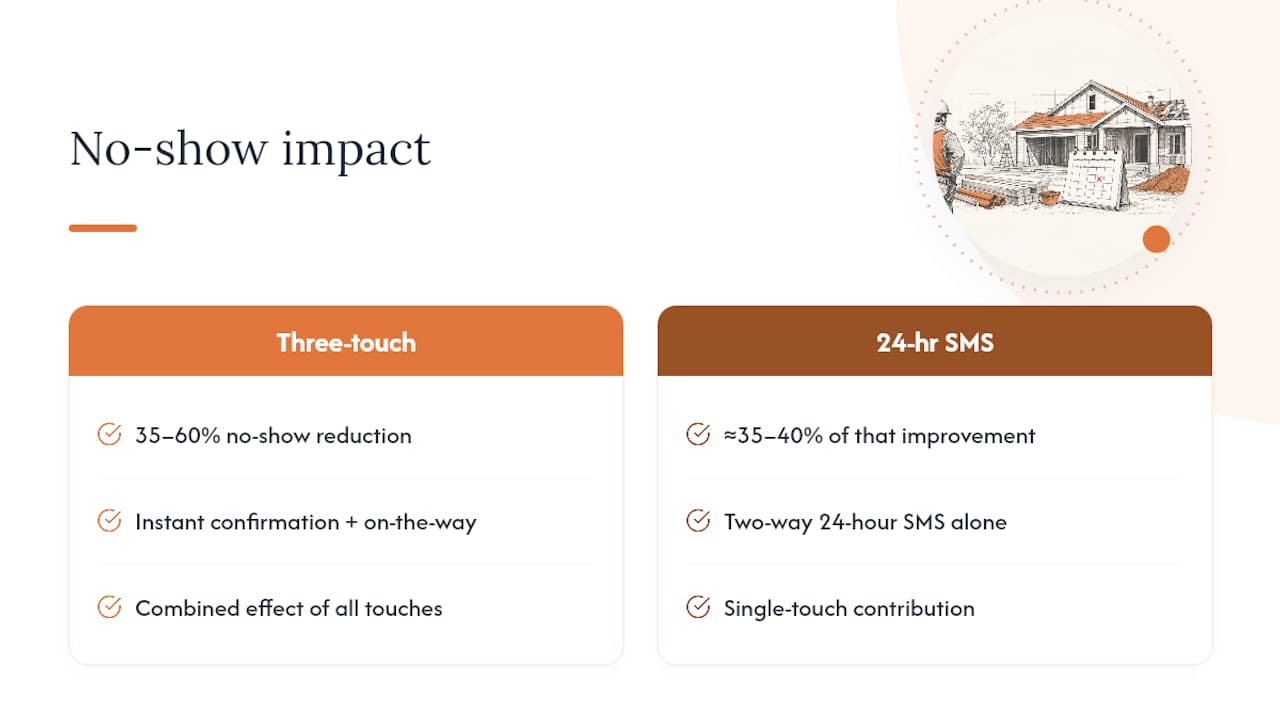
The three-touch sequence isn’t a theory. Industry analyses consistently show 35–60% no-show reductions when instant confirmation, 24-hour two-way SMS, and on-the-way notifications run together, and a 24-hour SMS reminder alone accounts for roughly 35–40% of that improvement even before the other two touches are added.
Some CRM platforms build toward this exact workflow for construction clients, with automated lead tracking, workflow automation, and custom reporting dashboards purpose-built for contractor operations.
During onboarding, the typical setup includes connecting your existing scheduler and payment gateway, configuring the three-touch message sequence with your branding and job types, setting deposit rules by job value, and training office staff on the reply-monitoring and CSR callback process. Ongoing support covers message copy adjustments as reply data comes in.
Author Perspective: Real-World Pitfalls and Fixes
The biggest mistake contractors make with reminder automation isn’t picking the wrong software. It’s turning the volume up too high. Three or four automated texts before a single appointment starts to feel like spam, and customers tune it out exactly when you need them paying attention. Two touches before the job, plus the on-the-way message, is the right amount. More than that erodes reply rates instead of improving them.
The second mistake is treating confirmation as the finish line. A “YES” reply feels like a win, but the real leak is what happens after a no-show with no deposit policy and no CSR follow-up plan. If nobody calls within that critical window, you’ve automated the reminder but left the recovery to chance.
Pilot everything on one crew first, keep the message copy conversational rather than corporate, and tell customers your cancellation policy at booking, not as a surprise fee later. And a smaller point worth saying plainly: the contractors making this workflow work are men and women, tradespeople of every background, running crews across every trade. Any imagery paired with this kind of guidance should reflect that, not a single narrow stereotype of who’s actually holding the clipboard.
— Rowena
Get the Three-Touch Workflow Built Into Your CRM
Some CRM solutions offer an alternative to piecing together separate scheduling apps, SMS tools, and payment processors for your reminder workflow. These platforms may include automated lead tracking, workflow automation, and reporting dashboards shaped around how contractors book and manage jobs.

Onboarding typically starts with connecting your existing scheduler and payment tools, then configuring the three-touch confirmation sequence covered above, with your job types and deposit rules built in from day one. If you’re running an older CRM or a patchwork of tools right now, the CRM migration guide for construction companies walks through what that switch actually looks like. Ready to see the workflow in action for your shop? Visit the High Level CRM landing page to get started, and setup fees plus current plan details are available directly on the site.
Sources
- Automated Appointment Reminders for Service Businesses | SMBautomation
- Reducing the Contractor No Show Rate: Proven Strategies
- Reducing No-Shows for Home Service Contractors: Confirmation and Reminders
- Construction scheduling best practices | SimplyWise
FAQ
What Is a Good Reminder Message for an Appointment?
The strongest reminder messages are short, specific, and give the customer an easy way to reply, such as “Reminder: we’re scheduled tomorrow at 2 PM. Reply YES to confirm or RESCHEDULE to pick a new time.” Avoid vague timing windows or generic phrasing. A reply-to-confirm structure like this consistently outperforms a one-way notification because it asks for a small action, which meaningfully reduces no-shows.
What Are Some Good Appointment Reminder Programs?
Look for platforms built around two-way SMS, on-the-way triggers, deposit collection, and calendar sync rather than a simple one-way email blast. Field-service platforms, SMS add-ons for existing schedulers, and construction-specific CRMs like High Level CRM all cover this ground, though the right fit depends on how many crews you’re coordinating and whether you need dispatch-level reporting.
What Are the Best Practices for Appointment Reminders?
Run the three-touch sequence: instant booking confirmation, a 24-hour two-way SMS, and a same-day on-the-way message. Keep total message volume to two or three touches, require a deposit for high-value estimates, and have a CSR call any confirmed no-show within 15 minutes, since that window recovers 40–60% of missed appointments.
What Is the Best Scheduling App for Contractors?
The best choice depends on crew size and whether you need reminders bundled with lead tracking and reporting or as a standalone add-on. For contractors who want scheduling, reminders, and lead management in one construction-specific system, there are CRM solutions built around similar workflows. Smaller shops running a single crew may do fine with a lighter SMS add-on layered onto an existing scheduler.
How Much Does a No-Show Actually Cost a Contractor?
Each missed residential appointment typically costs $300 to $600 in wasted tech-and-truck time, depending on drive time and crew size.
Recommended
- Automate Follow-Up for Contractor Leads: 2026 Guide
- Why Contractors Need Construction-Specific Tools
- Mobile CRM for Contractors: Field-Ready Lead-to-Invoice
- Build Faster Estimate Templates: A Contractor’s Guide
Signed up, or thinking about it? We build the inside of the account — pipelines, workflows, funnels, nurture, migration. Built for construction. Contact us.
Affiliate disclosure. We’re a GoHighLevel affiliate. Sign up through our link and we may earn a commission at no cost to you, or buy direct. Build-out is billed separately, never a software markup.

