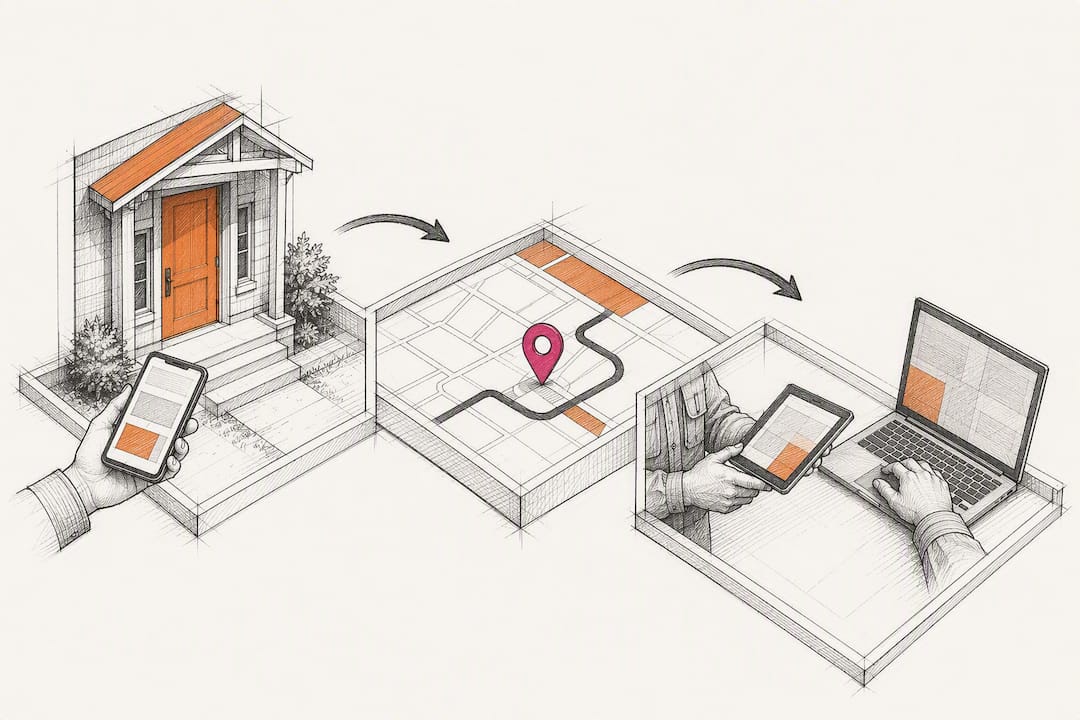
Cut No-Shows: 3 CRM Workflows for Contractor Appointment Scheduling
The right fix for missed site visits is a construction-specific CRM that treats every appointment as a job record, not a calendar dot, and automates the confirmations, reminders, and logging around it. Contractors who run scheduling this way report fewer missed appointments, faster estimate follow-ups, and one shared record between the office and the crew truck instead of three conflicting ones.
TL;DR:
- Construction-specific CRM tools treat every site visit as a record linked to estimates, jobs, and customer history to reduce re-explanation upon arrival.
- CRM must support offline sync, route batching, and automated rebooking to handle weak signals and optimize daily routing efficiently.
- A mobile app for field use should enable logging attendance, photos, and notes instantly with no extra paperwork, updating the system automatically.
- The booking and dispatch process should be integrated, allowing quick lead conversion, crew routing, and follow-up scheduling with minimal manual steps.
- Training should focus on role-specific workflows, testing for reliable reminders and offline functionality, and reviewing KPIs at 30/60/90 days to ensure adoption and savings.
Table of Contents
- What Does Good Contractor Appointment Scheduling Actually Require?
- How Do You Run Scheduling From First Call to Closed Bid?
- Does It Work Offline, and Does the Office See It in Real Time?
- How Do You Roll Out Scheduling Without Losing a Week to Training?
- Why a Construction-First CRM Changes the Math
- Get Contractor Appointment Scheduling Running the Right Way
- Sources
- FAQ
What Does Good Contractor Appointment Scheduling Actually Require?
Scheduling software built for retail bookings or restaurant reservations breaks down fast on a job site. It has no concept of a bid, a crew, or a truck stuck in traffic. A construction CRM has to treat the site visit itself as a real record tied to the estimate, the job, and the customer’s history, not a floating event on a calendar.
Here’s what separates a scheduling tool that survives contact with a real crew from one that gets abandoned by week three:
- Site visits as first-class records. Every appointment should link directly to its estimate, job file, and prior contact history, so nobody re-explains the scope on arrival.
- Two-way calendar sync. Crew calendars need to update in both directions, with conflict warnings when two visits land on the same truck at the same hour.
- Automated confirmations and reminders. SMS, email, or voice reminders sent on a set cadence, with a defined no-show workflow when a customer doesn’t answer.
- Reschedule and cancellation handling. A canceled 10 a.m. visit should auto-suggest the next open slot on that day’s route, not just vanish from the calendar.
- Map view and route batching. Nearby visits should group automatically so a crew isn’t crossing town twice in one afternoon.
- Automatic logging. Attendance, photos, notes, and time stamps should save themselves the moment a technician taps “arrived,” with no separate paperwork step.
Most generic CRMs fail contractors here because they model deals, not jobs, which is exactly why offline-capable mobile apps and jobs as first-class entities top the checklist for what to look for instead.
Pro Tip: Ask any CRM salesperson to show you a canceled appointment auto-rebooking into a route, live, on a phone. If they can’t do it on the spot, your crew won’t be able to either.
How Do You Run Scheduling From First Call to Closed Bid?
Three workflows cover most of what a residential or commercial crew needs day to day. Each one should take seconds inside the CRM, not a phone call to the office.
- Book the estimate visit. When a lead comes in, the CRM should turn it into a scheduled site visit in the same screen, pulling contact details automatically and firing a calendar invite plus a confirmation text the moment the slot is set. This is the same lead-to-appointment automation covered in automated lead tracking for contractors, where the appointment is just the next stage of a tracked lead, not a separate task.
- Dispatch the crew. Route batching groups that day’s visits by territory, a checklist confirms equipment before the truck leaves, and a mobile push notification puts the schedule directly on the crew’s phone, with the manager assigned to each stop.
- Close the loop after the visit. The technician logs photos and notes on site, the CRM updates the bid status automatically, and a follow-up task or next appointment gets scheduled before the truck pulls away, so nothing waits for someone to remember it back at the office.
This sequence mirrors how appointment-driven trades outside construction handle the same problem. A residential installation crew booking through a workflow like curtain track installation scheduling faces the identical challenge: get the visit booked, get the crew there with the right materials, and close the loop before the customer starts calling to ask what happened.
Does It Work Offline, and Does the Office See It in Real Time?
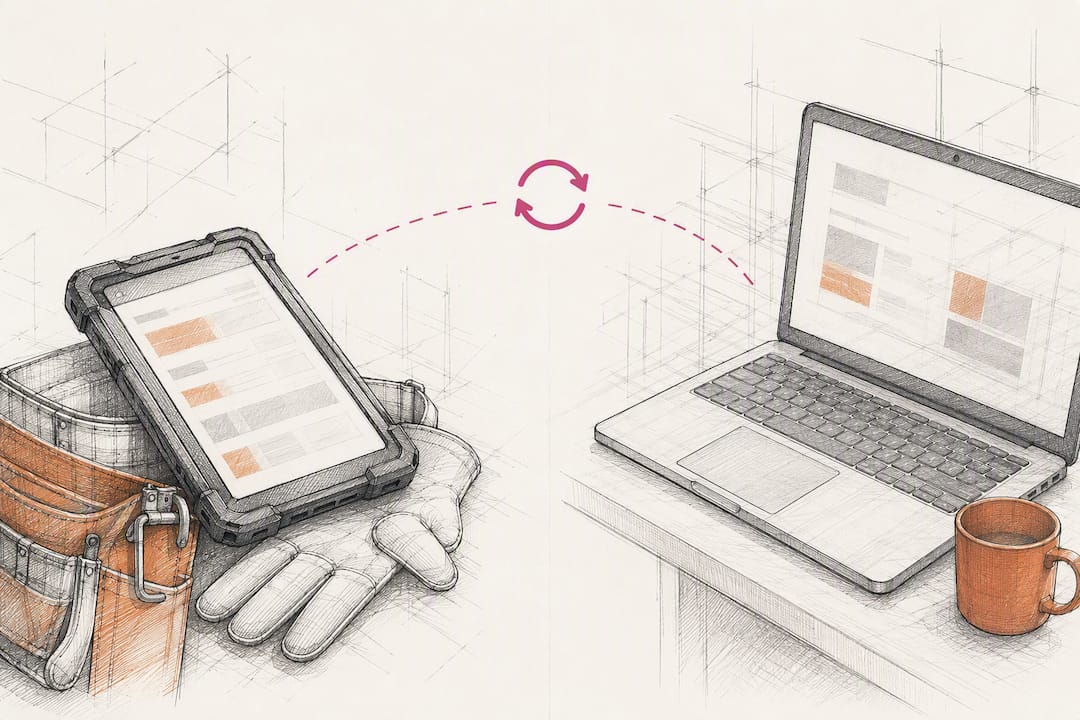
A schedule that only works with full signal is a schedule that fails on half the job sites contractors actually visit. The mobile app needs offline sync that queues updates and reconciles them the moment connectivity returns, with no data loss and no duplicate entries when three technicians update the same job from three different dead zones.
During a trial, test these specifically:
- Log a visit and update job notes from inside a metal building or a rural site with weak signal, then confirm the sync catches up cleanly once you’re back in range.
- Confirm calendar sync uses standard protocols like iCal or CalDAV so crew calendars, dispatch, and the office view stay identical without manual re-entry.
- Check that webhooks or an API connect scheduling to estimating, accounting, and the job pipeline, so a booked visit updates the bid status automatically instead of requiring a second log-in somewhere else.
- Verify route exports work with whatever mapping tool your dispatcher already uses.
Integrating office and field data this way builds a single source of truth that cuts phone tag between the person booking the visit and the person driving to it. Running scheduling in one system, instead of a calendar app plus a separate texting tool plus a spreadsheet, is what keeps that source of truth singular instead of splintered across three logins nobody fully trusts.
How Do You Roll Out Scheduling Without Losing a Week to Training?
Before signing anything, map your actual estimate-to-job routine. Count how many separate systems a lead currently touches between the first phone call and a signed bid. That gap is exactly where scheduling has to replace manual handoffs, a step the practical CRM rollout guide from Gestisoft flags as the most commonly skipped part of implementation.
- Run the three-tap test. Log a real site visit on a phone, in the field, in three taps or fewer, and confirm the photo upload and offline sync both work. If it takes more taps than that during a trial, the data will rot and the crew will stop using it within a month.
- Test every reminder channel. Configure confirmation and reminder sequences, then trigger them on SMS, email, and voice to make sure none silently fail.
- Run a route-batching day. Batch one full day of visits by territory and measure the actual drive-time savings against how that day would normally run.
- Train by role, not by manual. Show dispatchers the routing view, technicians the mobile logging flow, and office staff the confirmation dashboard, separately.
- Set KPIs and review at 30/60/90 days. Track no-show rate, average follow-up time, and lead conversion lift, then compare each checkpoint against your baseline.
Pro Tip: Run the route-batching test on your worst logistics day, not your easiest one. If batching saves drive time on a chaotic Tuesday, it will save even more on a normal week.
Why a Construction-First CRM Changes the Math
Generic scheduling tools treat every business the same, which is exactly the problem. This CRM was built around construction industry experience, with automated lead tracking, workflows, and reporting dashboards designed specifically for how contractors actually operate, not how a retail shop books haircuts.
That specificity shows up in the numbers. Neither result comes from the scheduling feature alone. It comes from training each role in context, dispatchers on routing, technicians on mobile logging, and testing the system on a real site visit before rolling it out crew-wide. Software that looks good in a demo but breaks on a truck in the field never earns that kind of adoption.
— Rowena
Get Contractor Appointment Scheduling Running the Right Way
This CRM gives you the full loop in one system: site visit booking, automated confirmations and reminders, a mobile app built for offline job sites, and map and routing tools that batch nearby visits automatically, all backed by reporting dashboards built specifically for construction work.

You don’t have to take any of this on faith. Run the same evaluation covered in the rollout checklist above: request a demo, test the mobile logging flow on a real site visit, and confirm the reminder sequences fire across SMS, email, and voice before you commit a crew to it. If you want to see how the platform maps to your specific trade, whether that’s residential remodeling, commercial buildout, or subcontractor coordination, visit Industries We Serve to see how the setup fits your operation and start the conversation about getting your crew onboarded.
Sources
- Connecting the office and field: a better approach to construction data management · Egnyte
- CRM for Contractors: What It Must Have in 2026 - Vonsel
FAQ
What Is Contractor Appointment Scheduling in a CRM?
It’s the set of tools inside a construction-specific CRM that book, confirm, remind, and log client appointments and site visits, all tied to the underlying job or estimate record.
How Does Automated Scheduling Reduce No-Shows?
Automated confirmations and reminders sent by SMS, email, or voice give customers repeated, timely nudges before a visit, which typically cuts no-show rates compared to a single manual reminder or none at all.
Can Scheduling Software Work Without Cell Signal on Site?
Yes, if the mobile app supports offline sync that queues updates locally and reconciles them automatically once connectivity returns, which is a feature worth testing directly during any trial.
What Should I Test Before Buying Scheduling Software?
Log a real site visit on your phone in the field, confirm it takes three taps or fewer, check offline sync and photo upload, then run a full day of route batching to measure drive-time savings.
Does High Level CRM Handle Site Visit Scheduling?
Yes. High Level CRM was built specifically for construction workflows, with automated confirmations, reminders, mobile logging, and route/map tools designed around how contractors actually schedule and run site visits.
Recommended
- Automate Follow-Up for Contractor Leads: 2026 Guide
- How to Set Up a CRM for Your Construction Business
- Improve Lead Conversion Using Contractor CRM in 2026
- Reduce Marketing Costs with CRM Automation for Contractors
Signed up, or thinking about it? We build the inside of the account — pipelines, workflows, funnels, nurture, migration. Built for construction. Contact us.
Affiliate disclosure. We’re a GoHighLevel affiliate. Sign up through our link and we may earn a commission at no cost to you, or buy direct. Build-out is billed separately, never a software markup.

