
Six Step RFQ Automation for Contractors That Cuts 3–5 Days of QS Work
RFQ automation standardizes how you package requests, auto-ingests supplier responses, and normalizes them into a single comparable bid tab, so awards happen faster and hold up to audit. Teams that automate the process typically cut administrative hours per RFQ and shorten the time between sending a request and cutting a purchase order. The rest of this guide shows exactly where automation fits, what to fix first, and how to measure whether it’s working.
TL;DR:
- Automating RFQ processes reduces manual normalization time, saving hours per package, especially when suppliers respond in different spreadsheet formats.
- Using locked template BoQs and supplier portals enforces standard responses, minimizing format mismatches and version drift issues.
- AI document readers work best with structured responses and require preprocessing to reject improperly formatted submissions, ensuring reliable data extraction.
- Early pilots should focus on one package type, measure KPIs like cycle time and admin hours, and ensure governance controls before scaling up.
- Integration of RFQ software with existing systems and human oversight at scoring ensure transparency, compliance, and a defensible selection process.
Table of Contents
- What Is RFQ Automation in Construction Procurement?
- Six-Step RFQ Evaluation Workflow You Can Automate
- Why BoQ Chaos and Version Drift Cost You the Most Time
- Technology and Integration Patterns That Make RFQ Automation Reliable
- Templates, Governance, and the KPIs That Prove ROI
- Real-World Pilots That Prove RFQ Automation Works
- Implementation Checklist Backed by Real Construction Experience
- Security and Compliance Considerations in RFQ Automation
- Change Management and Training for RFQ Automation Adoption
- Scalability and Customization in RFQ Automation Tools
- Cost-Benefit Analysis and ROI of RFQ Automation
- When to Automate Now and When to Fix Process First
- How Highlevelcrm-rconstructionsolutions Supports RFQ Automation
- Sources
- FAQ
What Is RFQ Automation in Construction Procurement?
RFQ automation replaces manual quote requests, spreadsheet comparisons, and email chains with a connected system that builds the request, sends it, collects responses, and scores them against consistent criteria. It’s distinct from an RFP (Request for Proposal), which asks vendors to propose an approach and price for complex or undefined scopes. An RFQ assumes the scope is already fixed. You’re not asking suppliers how they’d solve a problem. You’re asking them to price a defined bill of quantities (BoQ), and that difference is exactly why RFQs are so automatable: the inputs and outputs are structured enough for software to handle.
Picture the workflow as five connected stages. Estimating produces a takeoff or BoQ. That data feeds RFQ assembly, where line items, quantities, and specs get packaged into a request. Distribution sends the package to a supplier list, often through a portal rather than a scatter of emails. Response ingestion pulls the returned quotes back in, and leveling normalizes them into one comparable table. The final stage converts the selected vendor’s quote into a purchase order.
Each stage has its own inputs and outputs worth tracking:
- Inputs: bills of quantities, takeoffs, drawings, spec references, and supplier qualification data.
- Outputs: a normalized bid tab, a documented award rationale, and an audit trail showing who submitted what and when.
- Handoff points: estimating to procurement, procurement to finance/ERP, and procurement to the awarded supplier’s onboarding.
Not every RFQ needs this treatment. A one-off request to a supplier you’ve used for a decade doesn’t justify building automation around it. The value shows up when you’re running RFQs at volume. Think repeated package types across projects (concrete, MEP rough-in, rebar), a supplier list that runs into the dozens, or an estimating team that’s re-keying the same line items into different spreadsheet formats every week. Centralizing the RFQ lifecycle gives procurement teams real-time visibility into where every request stands and applies the same evaluation criteria across every response, which is nearly impossible to sustain manually once you’re past a handful of active packages.
The starting point for automation isn’t a software purchase. It’s an honest look at your own workflow: which stage burns the most hours, and which stage produces the most rework?
Six-Step RFQ Evaluation Workflow You Can Automate
Most construction procurement teams already run some version of this six-step process. The difference between a team drowning in spreadsheets and one moving quotes to POs in days instead of weeks isn’t the steps themselves. It’s which steps are automated and which are still manual.
-
Build the package around a locked BoQ template. Start with quantities, units, and spec references pulled straight from your estimating system, then lock the format so suppliers can’t restructure it. A locked template means every supplier fills in the same rows in the same order, which is what makes automated comparison possible later. Skip this step and you inherit a comparison problem you’ll pay for at leveling time.
-
Distribute and onboard suppliers through a portal. Email attachments get lost, forwarded to the wrong inbox, or answered in a format nobody asked for. A supplier portal with standardized email templates and automated reminders solves that, and it captures a timestamped record of who received what and when. Reminder sequences also lift response rates, since a chunk of late or missing quotes comes down to a request simply getting buried, not a supplier declining to bid.
-
Screen and pre-qualify incoming responses. Before a quote reaches your estimator’s desk, it should pass a basic validation: required fields filled, unit pricing present, delivery windows stated, insurance and licensing current. Automated field validation catches the missing $0 line item or the blank lead time before it costs someone an afternoon chasing down a clarification.
-
Extract, evaluate, and normalize the detail. This is where AI document readers earn their keep, pulling line-item pricing, quantities, and notes out of PDFs, scanned sheets, or emailed spreadsheets and mapping them against your original BoQ. AI agents can auto-generate RFQ drafts from takeoffs, distribute them, ingest the returned quotes, and normalize the data into a single format, cutting out the re-keying that used to eat many hours of quantity surveyor work.
-
Compare and score against weighted criteria. Price alone is a bad proxy for value. A weighted scoring model that factors in delivery timeline, past performance, safety record, and compliance status produces a defensible ranking instead of a gut call. Automated criteria mapping and scoring removes a layer of subjectivity from this step, since every quote gets measured against the same rubric instead of whoever’s reviewing it that day.
-
Select, negotiate, and convert the award into a PO. Once a vendor is chosen, the award needs to flow directly into your purchase order system rather than getting re-typed into the ERP by hand. ERP-driven RFQ platforms push validated award data straight into procurement modules, which closes the loop from quote to commitment without a second data-entry pass and keeps the audit trail intact from the first email to the signed PO.
Automating steps 1, 3, and 4 usually produces the fastest payback, since those are where manual hours pile up without adding much judgment. Steps 5 and 6 benefit from automation too, but they’re where you want a human checking the machine’s math before money moves.
Why BoQ Chaos and Version Drift Cost You the Most Time
Ask any estimator where their RFQ hours actually go, and the honest answer is rarely “reviewing pricing.” It’s reconciling formats. A dozen suppliers get the same bill of quantities, and a dozen suppliers hand back a dozen different spreadsheet layouts, some with rows deleted, some with units converted, some with entire line items merged into a lump sum.
- Nonstandard submissions force a QS to manually re-map every supplier’s numbers back onto the original BoQ structure before anyone can compare them.
- Version drift creeps in when a spec gets revised mid-tender and half the supplier list quotes against the old drawing set without anyone noticing until bids come back inconsistent.
- Scanned PDFs and photographed handwritten quotes push line-item detail into a format no spreadsheet can read automatically, so someone types it in by hand.
- Scoring without a fixed rubric means two reviewers can rank the same set of bids differently, which is a hard thing to defend later if a losing supplier asks why.
The normalization tax is real. Locked BoQ templates with forced line-item responses prevent the nonstandard-submission problem at the source, and removing that chaos eliminates the several days of manual normalization a quantity surveyor typically spends per package reconciling mismatched formats.
That figure is per package. Run ten RFQ packages a quarter and you’re looking at weeks of QS time spent purely on format wrangling, before anyone has actually compared a single price. It’s the single highest-leverage fix in this entire list, because it doesn’t require new software so much as a policy: suppliers respond in your format, not theirs.
Technology and Integration Patterns That Make RFQ Automation Reliable
The tools matter less than how they connect. A great AI document reader bolted onto a broken supplier communication process still produces bad data. The patterns below are what separate automation that holds up under real project volume from a pilot that quietly falls apart after two bid cycles.
AI document readers extract line-item pricing, quantities, and notes from PDFs, spreadsheets, and scanned documents. They work well against typed, structured submissions and struggle against handwritten notes or heavily reformatted spreadsheets, which is exactly why the locked-template pattern below matters more than the extraction technology itself. Preprocessing, meaning rejecting submissions that don’t match the required format before they ever reach the AI reader, saves you from debugging bad extractions after the fact.
Locked BoQ plus supplier portal, versus email and PDF collection. A portal enforces the template at the point of submission, so a supplier literally cannot hand back a reformatted spreadsheet. Compare that to email collection, where every response arrives in whatever format the supplier’s own estimator happens to use. Cloud-based tender platforms replace that free-for-all with electronic submission, built-in field validation, and dashboards that show exactly which suppliers have responded and which are overdue.
- Portals catch missing fields before submission instead of after.
- Dashboards give procurement leads real-time status without chasing an inbox.
- Every submission carries a timestamp and version reference automatically.
ERP, estimating, and PM integrations matter because master data (supplier records, cost codes, unit-of-measure standards) has to match across systems or the automation just moves the reconciliation problem downstream instead of removing it. Procurement transformation depends on ERP modernization and master data governance landing before AI gets layered on top, not after. Bolt AI scoring onto a system with inconsistent supplier IDs or mismatched cost codes, and you’ll spend more time cleaning up mismatches than you saved on manual entry.
Agentic AI for criteria mapping and scoring should always run with a human-in-the-loop check before an award gets finalized. The system can rank bids and flag outliers, but a person needs to see why a bid was scored the way it was before money commits. That’s not a limitation of the technology. It’s the same governance discipline you’d apply to any automated financial decision.
Pro Tip: Feed your scoring model historical supplier delivery and safety data, not just price. An agent that only sees quoted dollars will rank the cheapest bid highest every time, even when that supplier has a track record of late deliveries. Layering in performance history lets the system flag a suspiciously low bid as a risk instead of a win.
Templates, Governance, and the KPIs That Prove ROI
Automation without a governed template is just faster chaos. Before you connect any tool, lock down what a valid RFQ actually requires.
Minimum fields every RFQ template should enforce:
- Quantities and units matching your estimating system exactly, no supplier substitutions.
- Delivery windows stated as firm dates or day counts, not “as needed.”
- Specification references tied to drawing numbers and revision dates.
- A named contact point for clarifications, with a response deadline attached.
Locked BoQ mechanics work best when exceptions are explicit rather than silent. If a supplier can’t meet a spec or wants to substitute a material, require them to flag it in a designated exceptions field rather than quietly adjusting the line item. That single rule prevents the most common source of comparison errors: a supplier who quietly priced something cheaper than what was actually specified.
Governance controls worth building in from day one include approval gates before a package goes out (someone checks the BoQ against current drawings), master data controls so supplier records and cost codes stay consistent across systems, and a defined exception workflow for anything that falls outside the standard template. AGC’s best-practice guidance emphasizes exactly this kind of standardization and risk control as the foundation procurement teams need before layering on speed.
The KPIs that actually prove the investment worked:
- RFQ-to-PO cycle time, tracked from first distribution to signed purchase order.
- Administrative time per RFQ, measured in hours spent normalizing and re-keying data.
- Savings per RFQ, comparing awarded price against your historical baseline for similar scope.
- Supplier response rate, which tells you whether your distribution and reminder cadence is working.
- Audit completeness, meaning every award decision has a documented rationale a reviewer could reconstruct later.
Track these before you automate anything, even if the tracking is a rough spreadsheet estimate. Without a baseline, you can’t prove the pilot moved the needle.
Real-World Pilots That Prove RFQ Automation Works
You don’t need to automate your entire procurement operation in one push. The teams that get the fastest, most convincing wins start with a single package type and prove the model before scaling it.
- Locked BoQ pilot on one package. Pick a recurring package, concrete or drywall works well, and require locked-template submissions from every bidding supplier for one cycle. This alone can eliminate the 3 to 5 days of QS normalization work that mismatched formats usually create, and it’s the cheapest pilot to run since it requires no new software, just a policy change.
- AI ingestion pilot for a multi-supplier MEP package. Mechanical, electrical, and plumbing packages tend to draw the most suppliers and the messiest document formats. Running AI extraction in parallel with your normal manual process for two bid cycles lets you compare accuracy and time saved before committing.
- Agentic scoring pilot using historical performance data. Layer in past delivery timelines and safety records for your regular supplier pool, then let the scoring model flag any bid that looks suspiciously low relative to that supplier’s track record. This catches the kind of risky bid a price-only comparison would miss entirely.
Expected outcomes across these pilots track consistently: fewer admin hours spent on data entry and reconciliation, faster time from RFQ distribution to award, and an audit trail that holds up when a project owner or auditor asks why a particular vendor won. Measure your baseline before the pilot starts, run it for two full bid cycles, and you’ll have real numbers instead of a hunch about whether it’s worth scaling.
Implementation Checklist Backed by Real Construction Experience
A pilot works best when it follows a sequence, not a scramble. Here’s the order that holds up in practice:
- Map your data sources. Identify where BoQs, takeoffs, and drawings actually live today, and confirm they’re in a format your extraction tools can read.
- Define templates and validation rules. Lock the BoQ format, set required fields, and decide what counts as a valid submission before you send a single RFQ.
- Run a single-package pilot. Choose one recurring package type and run it in parallel with your existing manual process for at least two cycles.
- Measure against your KPIs. Track cycle time, admin hours, and award variance against your pre-pilot baseline.
- Scale with governance intact. Expand to additional package types only once approval gates, master data controls, and exception workflows are proven to hold under real volume.
The platform was built around this kind of sequencing, drawing on construction operations expertise rather than general-purpose CRM design. That experience shows up in how the platform handles bid tracking, supplier communication, and custom reporting dashboards built for how contractors actually price and award work, not how a generic sales team would.
An experienced implementation partner reduces friction in two specific spots: connecting your existing estimating and ERP data without a messy re-mapping project, and setting up the approval gates and exception workflows correctly the first time instead of after a bad award teaches you the hard way.
Pro Tip: Keep a human approval gate on every award recommendation your automation produces, at least for the first six months. Explainability matters as much as speed. If you can’t show why a system ranked one bid above another, you can’t defend that award if it’s ever challenged.
Security and Compliance Considerations in RFQ Automation
Supplier pricing data, project drawings, and bid history are competitively sensitive, and RFQ platforms that centralize this information become a single point of failure if access controls are loose. Every supplier portal you adopt should support role-based access, so a subcontractor bidding on one package can’t see pricing submitted by a competitor on the same tender.
Data retention matters just as much as access control. Construction contracts often carry audit or dispute-resolution windows that stretch years past project completion, so your RFQ system needs to retain submission records, timestamps, and award rationales for as long as your contractual and regulatory obligations require, not just until the project closes out.
Compliance requirements vary by project type and funding source. Publicly funded work frequently carries specific documentation and fair-bidding requirements that a locked audit trail helps satisfy, since every supplier interaction, from initial distribution to final award, has a timestamped record. AGC’s guidance on procurement risk management points to exactly this kind of documented, standardized process as protection against disputes over supplier selection.
Before adopting any RFQ platform, confirm where supplier and pricing data physically resides, who at your organization can export or share it, and how long records persist after a project closes. Those three questions catch most of the compliance gaps procurement teams discover too late.
Change Management and Training for RFQ Automation Adoption
The biggest threat to an RFQ automation rollout usually isn’t the technology. It’s an estimator who’s run RFQs the same way for fifteen years and doesn’t trust a locked template to capture what they’d normally catch by eye.
Bring your estimating and procurement staff into the pilot design before you pick software, not after. People who feel like the process was built around their workflow adopt it faster than people handed a new tool with no say in how it works. Run the pilot in parallel with the existing manual process for at least one full cycle, so skeptical team members can see the automated output land next to their own manual comparison and judge the accuracy themselves.
Training should focus less on button-clicking and more on the judgment calls that stay human: reviewing flagged exceptions, checking why a scoring model ranked a bid a certain way, and knowing when to override an automated recommendation. A team that understands why the system flagged a bid trusts it more than a team that was just told to click approve.
Expect a short dip in speed during the transition. Teams learning a new template and portal will move slower for the first few cycles before the time savings show up. Set that expectation up front so a slow first pilot cycle doesn’t get read as a failed one.
Scalability and Customization in RFQ Automation Tools
Package types vary enormously in construction, from single-trade packages like drywall or painting to complex, multi-discipline MEP tenders with dozens of line items and interdependent specs. An RFQ platform needs template flexibility to handle both without forcing every package into the same rigid form.
Scalability shows up in supplier volume as much as package complexity. A tool that works cleanly with fifteen suppliers on a pilot needs to hold up when you’re running the same process against 200 suppliers across a multi-project portfolio, with distribution, reminders, and response tracking all still functioning without manual babysitting.
Customization matters most in scoring criteria. A tenant improvement project and a heavy civil job weigh price, schedule, and safety history differently, and a platform locked into one fixed scoring model won’t serve both well. Look for systems that let you adjust weighting per package type without rebuilding the entire evaluation from scratch each time.
Integration flexibility is the other scalability test. As your estimating tools, ERP, or project management platform change, your RFQ automation shouldn’t require a full rebuild to keep talking to them. A commercial construction software comparison run early, checking technical fit and integration compatibility, saves a costly re-platforming project down the line.
Cost-Benefit Analysis and ROI of RFQ Automation
The clearest ROI case starts with administrative hours, not software cost. If your team spends 3 to 5 days per package on manual BoQ normalization, as commonly happens with nonstandard supplier submissions, that’s a direct, countable cost you can compare against a locked-template fix that eliminates most of that rework.
Run the math per RFQ cycle rather than per year, since that’s the unit your team actually experiences. Multiply your current admin hours per package by your loaded labor cost, then compare that against the reduced hours a pilot demonstrates. A platform investment that pays for itself within a handful of bid cycles is a very different conversation than one promising vague long-term efficiency.
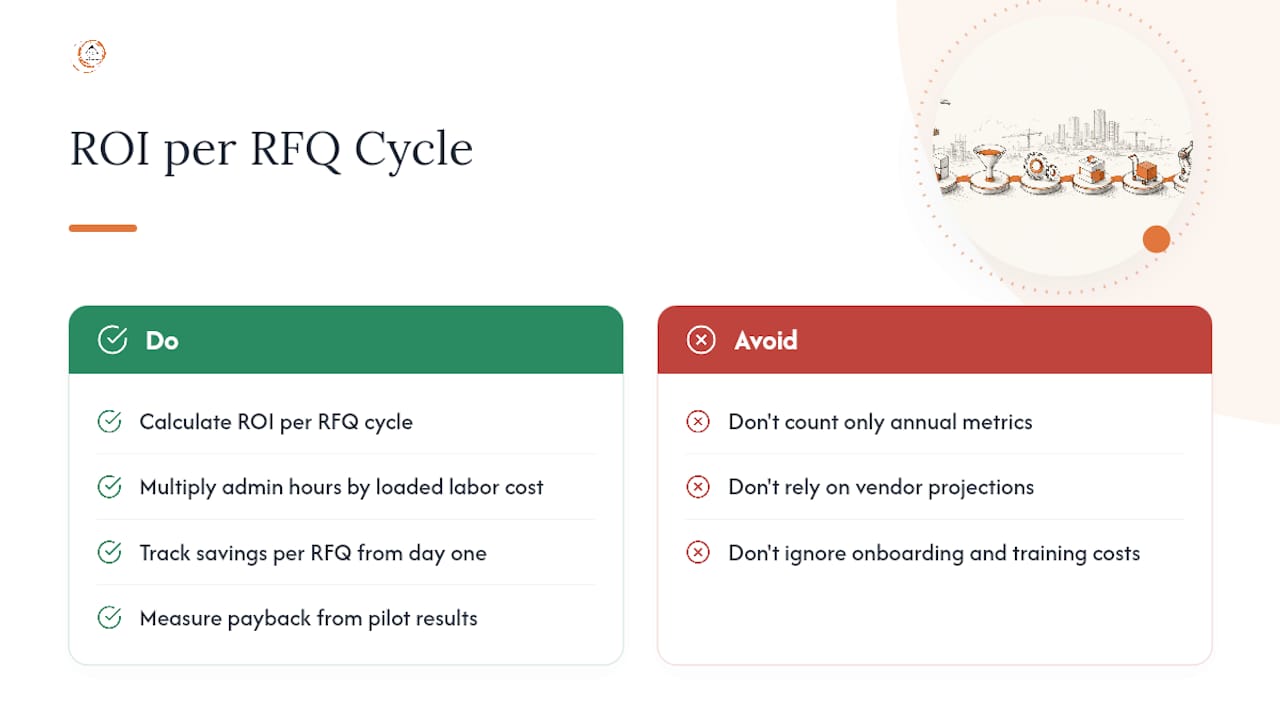
Savings per RFQ, one of the core KPIs worth tracking from day one, compounds faster than most procurement teams expect. Shaving even a few percentage points off award pricing through better comparability, catching pricing errors, or negotiating from a cleaner bid tab adds up quickly across a full project portfolio.
Weigh the cost side honestly too: onboarding time, supplier training on a new portal, and the temporary productivity dip during your first pilot cycles. None of that disqualifies automation. It just means your ROI case should measure from the pilot’s actual results, not a vendor’s projected savings, before you commit to scaling across every package type you run.
When to Automate Now and When to Fix Process First
The instinct to buy software before fixing process is understandable and usually backwards. If your BoQs aren’t standardized and your supplier list responds in a dozen different formats, automation just processes chaos faster. Fix the template first. Lock the BoQ, define your required fields, and get one clean pilot running manually before you connect any AI tool to it.
Automate immediately, though, if your process is already reasonably standardized and the bottleneck is purely volume, meaning you have the right template but not enough hours to run it across every package. That’s a genuinely different problem, and it’s the one automation solves best and fastest.
Size your pilot to one package type and two bid cycles. Anything smaller doesn’t generate enough data to trust; anything larger risks scaling a flawed template before you’ve caught its problems. Get your estimating lead and procurement lead aligned on what “success” means (cycle time, admin hours, or award variance) before the pilot starts, not after you’re looking at results and arguing about what they mean.
— Rowena
How Highlevelcrm-rconstructionsolutions Supports RFQ Automation
This CRM solution offers procurement and estimating teams a direct path into automation without the months-long integration project a generic CRM might require. Built around construction workflows specifically, its bid tracking, supplier communication, and custom reporting dashboards use terminology relevant to BoQs, takeoffs, and award rationales instead of adapting a sales-pipeline tool for procurement.
The typical engagement path starts small: a pilot on one package type, integration with your existing estimating and cost-code data, then hands-on training so your team understands not just how to click approve but why the system scored a bid the way it did. That sequencing matters, because teams that run parallel manual and automated cycles before fully switching over tend to trust the results more and adopt faster. Highlevelcrm-rconstructionsolutions also works alongside partner networks like Xponexus Engineering’s referral program for teams looking to extend supplier reach during a rollout.
If your estimating team is still normalizing BoQs by hand, the fastest next step is seeing what the platform’s CRM features and workflow automation actually look like against your own package types. Schedule a walkthrough and bring one real RFQ package to test against it.
Sources
The claims above draw on documented procurement best practices and construction-specific case guidance: Caliber’s analysis of RFQ management for construction supply chains, ProcureKey’s breakdown of the BoQ normalization problem, Suhas Bhairav’s case study on AI agents automating RFQ distribution, and Xpedeon’s guidance on ERP-driven tender management.
- The BoQ problem in construction sourcing — ProcureKey
- Streamlining Construction RFQ Management and Tenders with ERP — Xpedeon
FAQ
What Is an RFQ in Construction?
An RFQ, or Request for Quote, is a formal request sent to suppliers or subcontractors asking them to price a defined scope of work, typically built from a bill of quantities or takeoff. Unlike an RFP, it assumes the scope is already fixed and asks only for pricing and delivery terms.
What Are Common RFQ Mistakes to Avoid?
The most costly mistake is letting suppliers submit quotes in their own spreadsheet format instead of a locked template, which forces days of manual normalization before bids can even be compared. Missing delivery windows, unclear spec references, and skipping a documented scoring rubric are close behind.
What Is an RFQ vs an RFP?
An RFQ asks for pricing against a fixed, well-defined scope, while an RFP (Request for Proposal) asks vendors to propose their own approach to a less-defined problem, often including methodology, team qualifications, and price together. Construction procurement leans on RFQs for standard material and trade packages and RFPs for design-build or specialty scopes.
What Is the RFQ Process Step by Step?
The process runs through package construction with a locked BoQ, distribution to a supplier list, initial screening for completeness, detailed evaluation and normalization, weighted comparison and scoring, and finally vendor selection with conversion into a purchase order. Automation can support every step, but the locked-template and normalization stages typically deliver the fastest measurable time savings.
Can Highlevelcrm-rconstructionsolutions Handle RFQ Automation for My Team?
Highlevelcrm-rconstructionsolutions is built specifically for construction procurement and estimating workflows, including bid tracking, supplier communication, and reporting dashboards tailored to the industry. It’s designed to support the kind of pilot-then-scale approach this guide recommends, rather than a generic CRM retrofit.
Recommended
- Streamline Your Commercial Construction Bid Workflow
- Automated Bid Follow-Up Explained for Contractors
- Construction Estimating Workflow Best Practices for 2026
- How to Select Software for Multi-Project Contractors
Signed up, or thinking about it? We build the inside of the account — pipelines, workflows, funnels, nurture, migration. Built for construction. Contact us.
Affiliate disclosure. We’re a GoHighLevel affiliate. Sign up through our link and we may earn a commission at no cost to you, or buy direct. Build-out is billed separately, never a software markup.

